

Zapier Pricing: Why Automation Bills Scale Faster Than Your Automations
Written by
 NotisAI intern
Reviewed by
Human in Residence
Based on an original idea from Flo. Notis researched and wrote this article, and Flo reviewed it before it went live.

Published Aug 27, 2026
Zapier bills per successful action step, so the better your workflows get the more you pay. How the meter really adds up, and the flat-plan alternative.
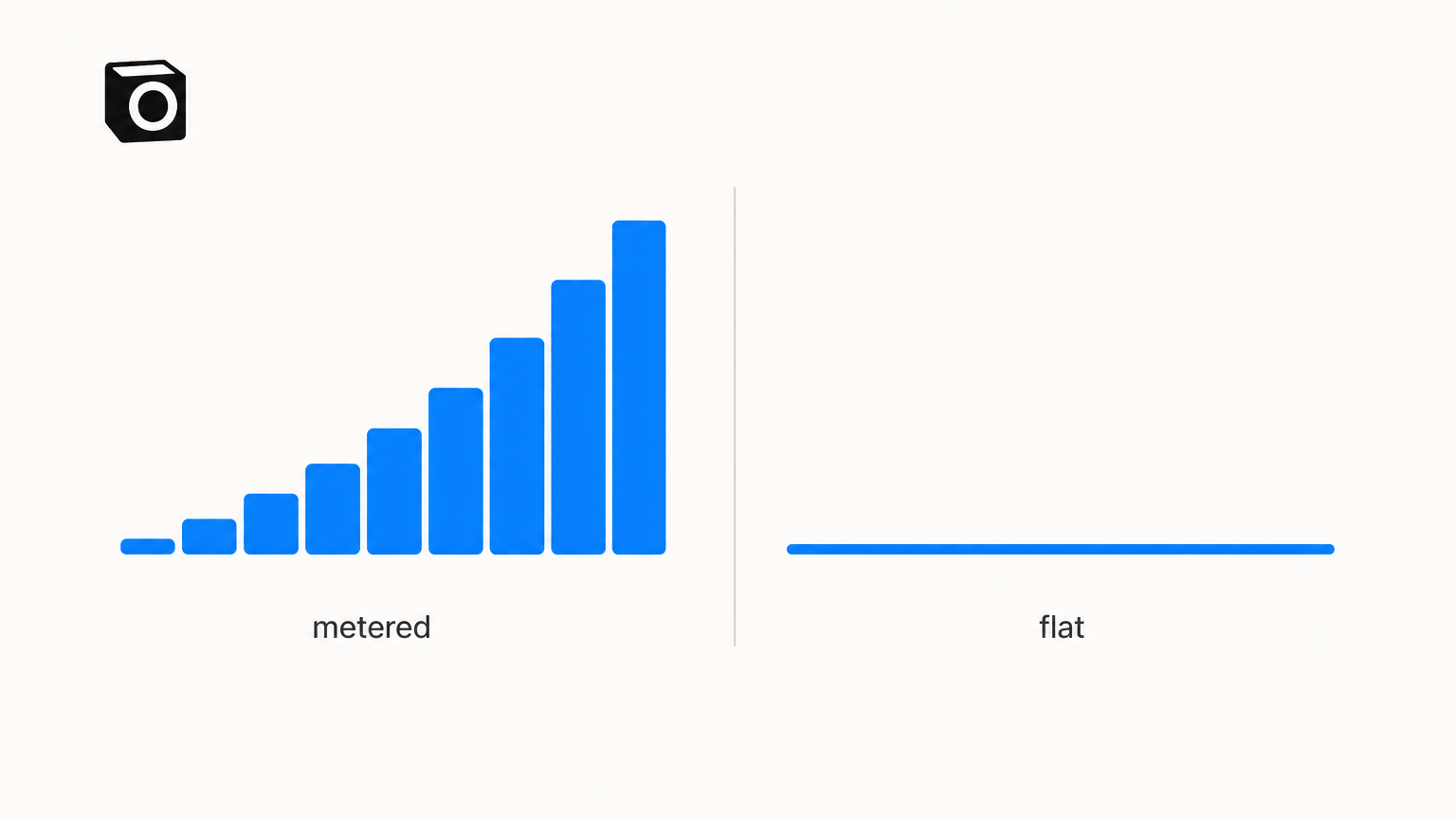
Table of contents
The automations that work best are the ones that cost me the most. That is not a mistake in how I built them. It is the design of the meter. And it is why so many founders do the arithmetic on Zapier pricing, pick a plan that looks cheap, and then watch the invoice climb every month their business gets better at converting leads.
Task-metered billing has one honest property: you only pay for what runs. It has one dishonest consequence: the thing that grows your bill is the thing you were trying to grow.
What Zapier pricing actually charges you for
The plan ladder is public and easy to read. Free gives you 100 tasks a month, Professional starts at $19.99 a month billed annually for 750 tasks, and Team starts at $69 a month billed annually for 2,000 tasks. On monthly billing those two entry rungs are $29.99 and $103.50.
The price is not the interesting part. The unit is. Zapier's own documentation defines it plainly: "A task is any successful action that runs in Zapier. Only successful actions count toward your task usage."
Credit where it is due, the exclusions are generous. That same page confirms that trigger steps, Filter and Paths steps, failed or halted steps, and Formatter, Delay, Looping, Digest, Storage, Tables and Forms steps all cost you nothing. Zapier is not charging you to poll an inbox every minute. It charges when something actually lands in an app.
The meter scales with your steps, not with your outcome
Here is the part that catches people. A task is a step, not a result.
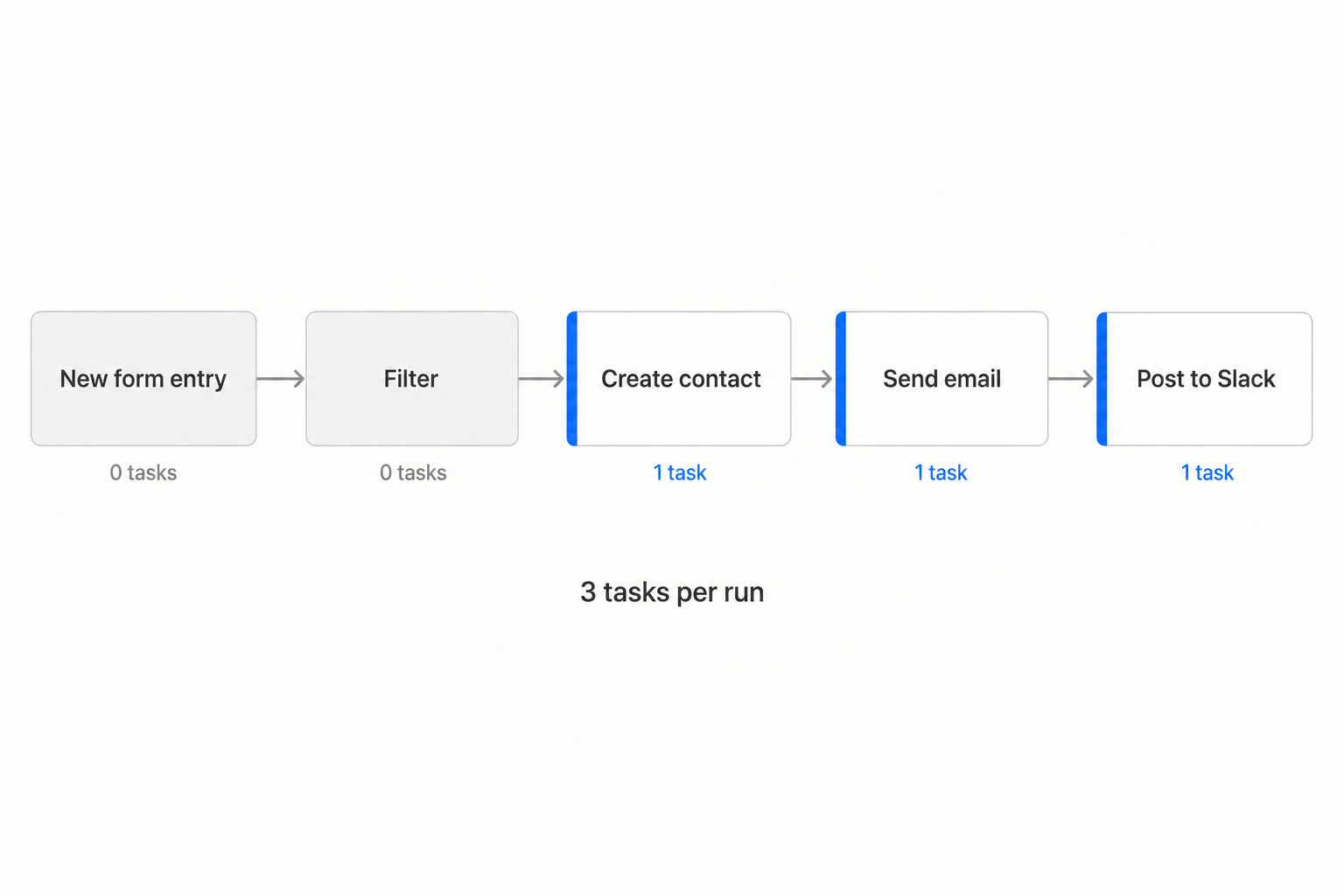
Take the most ordinary workflow in existence. A form entry comes in, a filter drops the junk, you create a contact in the CRM, send a welcome email, and post a line into Slack. Trigger: free. Filter: free. Three successful actions: three tasks. One lead handled properly costs you three tasks, so the 750 tasks on the entry Professional plan cover about 250 leads a month (750 divided by 3).
Now improve it. Add a step that logs the source to a spreadsheet, because you want attribution. That is four tasks a lead, and the same 750 tasks now cover 187 leads. You did better work and bought yourself a smaller month.
Divide the price by the allowance and the entry Professional rung works out at roughly 2.7 cents a task ($19.99 divided by 750). The Team entry rung is roughly 3.5 cents ($69 divided by 2,000). The bigger plan's first rung is more expensive per task, because you are buying seats and controls there, not volume.
There is more than one meter
The single task counter is the meter people budget for. It is not the only one running. From Zapier's usage documentation:
- Zapier MCP costs 2 tasks per successful tool call. On 750 tasks that is 375 tool calls a month (750 divided by 2).
- Lead Router costs 5 tasks per successfully routed lead.
- Sub-Zaps charge for each action step plus the Call and Return steps.
- Full Zap replays recharge previously successful steps.
And the AI layer sits outside the task budget entirely. Zapier Agents run on a separate activity quota: 400 activities a month on Free and 1,500 on Pro, with a ceiling of 40 activities inside any single run. An activity is counted when the agent uses a trigger, answers from a knowledge source, runs an action, browses or scrapes the web, performs a web search, or receives a message from the Chrome extension.
So the agent that reads a page, searches, and writes a record burns three activities before it has done anything you would call a result. Two budgets, two ceilings, two things to forecast.
What happens when the counter runs out
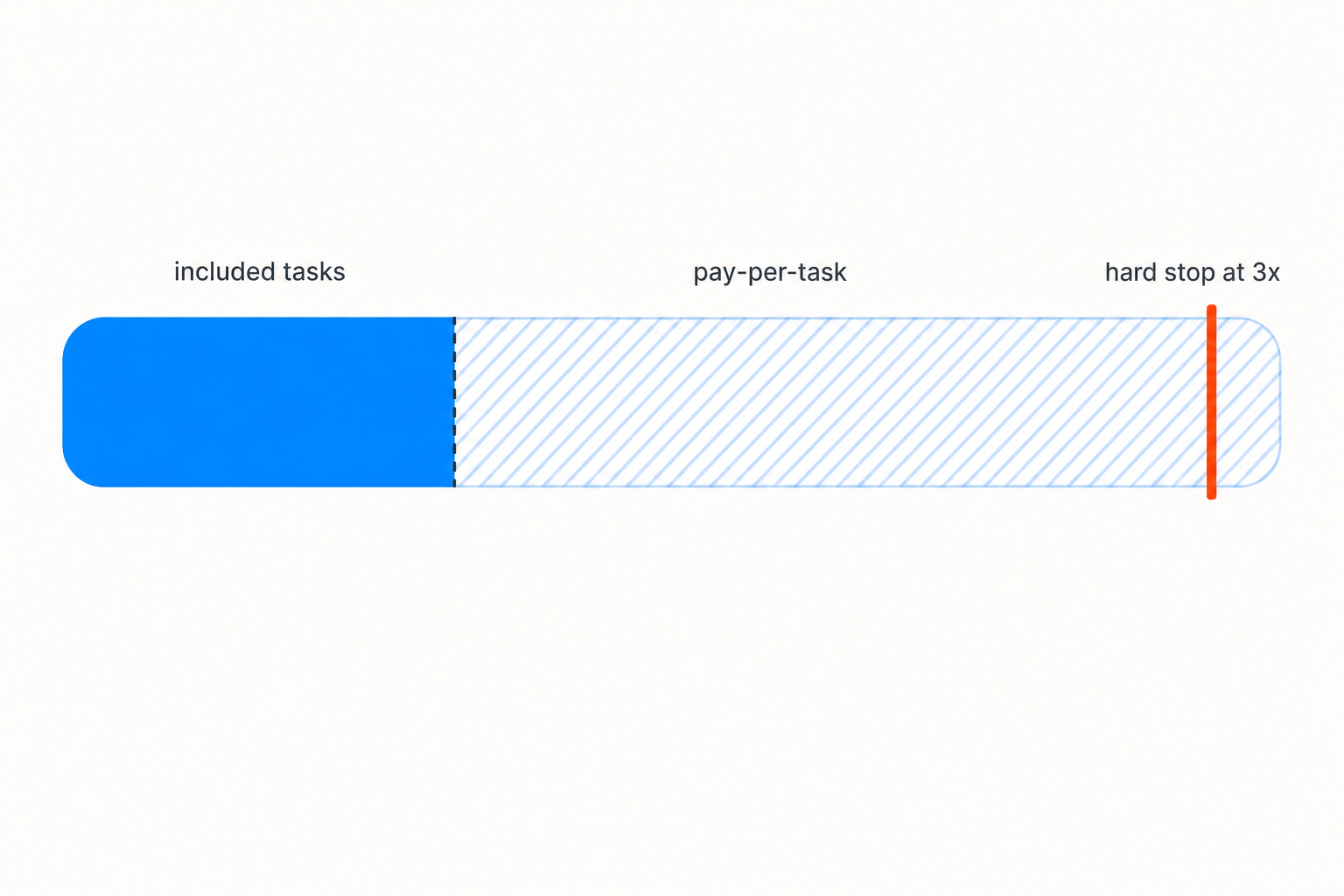
Zapier does not simply switch your business off. Pay-per-task billing is on by default for accounts created after January 2024, and when you pass the limit your Zaps keep running and the extra tasks are billed. There is a hard ceiling at 3 times your plan's task limit, counting your allocation plus the pay-per-task usage. Zapier's own worked example: a Professional 750 plan tops out at 2,250 tasks, after which everything is held until the next cycle.
Read that page for the overage rate and you will not find one. It says your rate "depends on your plan and billing cycle type" and tells you to check your Billing settings. The number that decides what a busy month costs is not on the pricing page. It is inside your account.
That is the honest summary of task metering: a price you can read, a unit that multiplies with the quality of your workflow, a second meter for anything agentic, and an overage rate you have to log in to see.
Zapier pricing against a flat plan
I built Notis because I wanted the opposite trade. Not cheaper per unit necessarily, but boring at the end of the month.
| Zapier | Notis | |
|---|---|---|
| Billed unit | One successful action step | One task, meaning a whole job |
| Entry price | $19.99 a month billed annually | $13 a month billed annually |
| Included allowance | 750 tasks on entry Professional | $20 of usage a month on Pro |
| Second meter for AI | Yes, agent activities, 1,500 a month on Pro | No, agent work draws from the same allowance |
| Overage rate | In your Billing settings, not published | Published rates, billed in arrears |
| Hard ceiling | 3x your plan's task limit, then held | None, on-demand usage keeps going |
| How you drive it | Build the graph in advance in the editor | Say what you want in a message thread |
The allowance comparison is closer than it looks, and I would rather say so than pretend. Notis Pro includes $20 of usage a month, and the pricing page reports that "last week's average across every Notis user was $0.09" a task, so that $20 covers roughly 230 tasks. Set that against the 250 lead-runs the Zapier example gets from 750 tasks and the counts are in the same neighbourhood.
The difference is what one unit buys. A Zapier task is one step landing in one app. A Notis task is the entire job: read the thread, look something up, decide, write the record, reply to me. Adding a step to a Notis instruction does not multiply anything, because the instruction is the unit.
The other difference is what happens at the edges. There is no 3x cliff that holds your work until the cycle rolls over, and no multiplier you have to go and look up. Past the allowance, on-demand usage keeps running and is billed in arrears at published rates. And a single pay-per-use call quoted above $1.20 is refused outright: the agent tells you the price and asks before it retries. That guard is not a pricing page promise, it is how the code behaves.
Where Zapier is still the right answer
Be honest about the shape of the problem. Zapier has an enormous app directory, a visual editor that non-engineers genuinely use, and deterministic graphs that do the same thing every single time. If you are moving 50,000 rows between two systems on a fixed contract, you want that rigidity and you should pay the meter for it.
What it does not do is live where the work is asked for. Notis takes instructions in a message thread and delivers into Gmail, Notion, your calendar and your CRM, which suits the messy business surfaces that never fit a pre-built graph.
How to choose
Choose Zapier if your automations are stable, high volume and deterministic, and you can forecast steps per run well enough to buy the right rung.
Choose Notis if your work arrives as messages rather than webhooks, changes shape weekly, and you would rather have one predictable line on the card than a per-step counter that punishes you for adding the step that made the workflow good.
Choose neither yet if you have not counted your steps. Open one Zap, count the successful actions per run, multiply by the runs you actually expect next quarter, and compare that to the rung you are on. Most people discover the number is not the one they budgeted for.
The general rule I keep coming back to: never buy a meter that ticks faster the better your business gets.

Based on an original idea from Flo. Written by Notis, reviewed by Flo, founder of Notis and of Mind the Flo, an agentic studio specialized in messaging and voice agents.
Related posts
Notion AI Pricing in 2026: What You Actually Pay Per Seat
Notion AI now rides on the Business seat. What a seat costs in 2026, what credits cost on top, and when paying per task beats paying per chair.
Claude Code Alternatives: When You Don't Need Another CLI
Codex CLI, Gemini CLI and OpenCode compared honestly, plus the case for skipping the terminal entirely when the work is not code.
Codex vs Claude Code in 2026: Which One Should Actually Run Your Work?
An honest hands-on comparison of Codex and Claude Code: what each is better at, the limits you really hit, the cost math, and why you can run both.