ICP

Maxed out founders who need one day back in their week.

Teams that run their whole day inside company Slack or Teams.
Trusted by 17,000+ founders
Viktor is an AI coworker you install for the whole team. Notis is a private assistant that answers only to you.





Set up in minutes. Cancel anytime.
Trusted by 17,000+ founders

Notis

Can you organize this into a coherent summary?
12:41
Sure, I've compiled your notes on the future of AI in education and saved it with your notes.
12:42Send a voice note, forward an email, share a photo, text Notis, or mention it in Slack. Notis turns it into finished work across the tools you already use.
WhatsApp · Voice note
Turn these pricing ideas into a note.

 NOTIS DESKTOP + WEB APP
Notion
New note created
Pricing ideas · 6 key points
Most AI Tools answer questions. Notis completes tasks.
Maxed out founders who need one day back in their week.
Teams that run their whole day inside company Slack or Teams.
Ready in 5 minutes
Install the workspace app, then the whole team can @mention it.
Private by default. Nobody knows until you say so.
Installed workspace-wide. Integrations and credits are shared across the team, on admin-decided terms.
WhatsApp, Telegram, iMessage, Slack, and email
Slack and Microsoft Teams. Dead outside the office.
1,000+ integrations, plus any custom MCP server
3,200+ integrations, locked inside Viktor's workspace
Use the same Notis skills and integrations from Codex, Claude Code, or Cursor
Locked to Viktor inside Slack and Microsoft Teams
Desktop and web app included: one inbox for every conversation, approvals, and full run history
Your company Slack and Teams are the interface
Bootstrapped, profitable, founder-run. $0 raised.
$75M Series A led by Accel, with a board to satisfy
Runs on the ChatGPT or Claude subscription you already pay for: on your Mac, or in your Cloud Computer when it is off.
No. Viktor bills its own shared credits, on top of whatever AI plans the team already pays for.
13$/month
$50/month in credits to start, then $150 to $400 with real use
Viktor is installed as a workspace app: one setup, and the whole team can talk to it. Notis is installed for one person: you. That single difference decides who sees your assistant, who shares its tools, and whose priorities it serves.
Viktor's model
That is the right shape for a shared team resource, and Viktor is honest about it: it markets itself as a hire for the company, not an assistant for you.
The Notis model
Notis works for exactly one person. Your channels, your integrations, your approvals, your history. Nobody else in your company even knows it exists until you tell them.
Viktor lives in Slack and Microsoft Teams, full stop. Close the laptop and your assistant stays at the office. Notis rides along in the apps your day actually happens in, and keeps a desktop and web command center for everything it does.
Where Viktor works
Where Notis works
Viktor moves in company-wide and never leaves Slack. Notis is private, portable, and $13.
Notis stays between you and the work. Viktor installs across the workspace, and the tools it connects are shared with every authorized teammate.
Notis shows up across WhatsApp, iMessage, Telegram, Slack, and email. Viktor only lives in Slack and Microsoft Teams.
Every conversation lands in your personal desktop and web inbox where you review, approve, and keep agents moving. Not in a company channel.
Notis hands the work to the ChatGPT or Claude subscription you already pay for, so the model bill lands there instead of on top. Your skills, integrations, and custom MCP servers come with it.
The differences between Notis and Viktor, shown as real work. Send one request and get a finished result back across the tools you already use.
NotisCan you organize this into a coherent summary?
Certainly! I’ve compiled your notes on the future of AI in education and saved it in your notes database. Here’s the link: https://www.notion.so/The-Future-Of-AI-In-Education 🧠
Can you challenge the idea I present in this voice note? Please play devil’s advocate.
I have compiled a document that challenges your investment strategy regarding the semiconductor industry’s opportunities presented by AI, considering the geopolitical risk of a potential war between China and Taiwan. Here’s the link to your document: https://www.notion.so/Semi-Conductor-Investment-Thesis

Dump ideas by voice notes and Notis turns them into formatted and organized notes.

Turn voice, chats, and emails into organized tasks in your favorite to-do apps.

Brain-dump ideas, and Notis generates images/videos, writes the copy, and posts it for you.

Notis turns rough idea into publish-ready blog posts and newsletters, complete with images.

Schedule meeting, meeting preps and take care of all the follow-up tasks and emails.

Log calls, notes and plan follow-ups to your existing CRM from a single voice message.

Create detailed bug reports from your voice, and organize them in your bug tracker.

Extract all information from receipt photos and categorize them into clear expense summaries.
Gmail, Slack, Notion, your CRM, and 1,000+ more. Notis writes into the apps you already use instead of keeping work stuck in a chat.
8 integration cards shown
Desktop & web app
Your channels are where you talk to Notis. The desktop and web apps are where you see everything it does: review what needs you, approve the next move, and follow every run end to end.
Explore the command center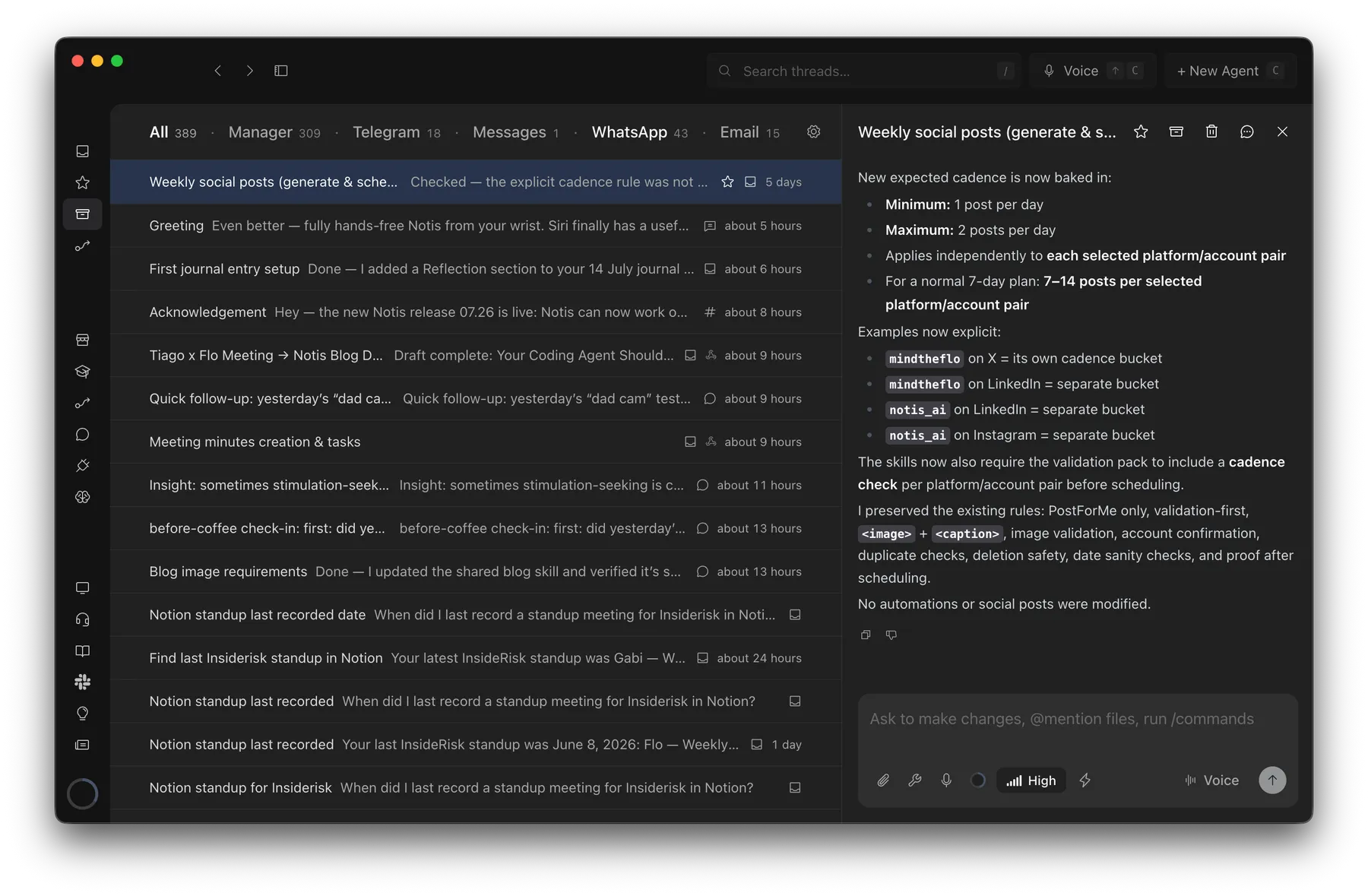
Probably 1 hour → barely 2 minutes
Creating an SOP from a Loom transcript with Notis
“This would have taken me probably an hour to pull together, but it took barely two minutes.”

Andrea Ercolessi
Founder, King of Automation
Most AI tools answer questions. Notis completes tasks.
Before you connect a single integration, Notis already transcribes, researches, edits documents, browses the web, and works on your computer.
Notis quickly transcribes your voice into formated notes with 99% accuracy.
Notis supports 56 languages with super high accuracy.
Transcribe, understand and save images.
Share, anylize, edit, and organize documents in PDF, Word, Excel, etc.
State-of-the-art long-term memory automatically maintained by Notis.
Generate medias using the latest OpenAI models.
Notis can autonomously access the content of any website.
Notis can compile complete search reports using OpenAI deep research.
Notis reads any reply out loud, turning text into natural audio for hands-free listening.
Notis drives a real browser to log in, click through pages, and pull data from sites with no API.
Your whole Notis — tools, skills, memory — inside Claude Code, ChatGPT, Claude or Notion AI.
Notis hands the work to the ChatGPT or Claude plan you already pay for — on your computer, or in your Cloud Computer when it's off.
Notis works right on your machine (your files, local apps, and CLIs) via the desktop app.
A private cloud workspace where Notis runs scripts, edits files, and browses the web.
1,400+ tools and APIs — Semrush, Apollo, Apify and more — with no account, API key or subscription.
Notis is 100% bootstrapped, profitable, and founder-run. No board pushing for a pivot, an acquisition, or a price hike to justify the last round. Your $13 is the entire business model, and your data answers to one accountable founder, not an org chart.
$0 raised. On purpose.
Bootstrapped and profitable. It will not raise, will not flip to a big platform, and does not need a miracle round to still exist next year.
Funded by the only investors that matter: paying customers.
Led by Accel, May 2026. Slack's cofounders are angels.
Menlo Ventures, Battery Ventures, and Coatue funded the virtual-office startup Lindy pivoted out of. They still expect that back.
Raised at a $100M valuation, then sold to Cognition ten months later.
Shutting down. Paid workspaces, credentials, and data deleted by September 14, 2026.
Copy this prompt into ChatGPT, Claude, or Perplexity, and let it check our claims about Viktor against the open web.
I am a solo founder, not a team living in Slack. Compare Notis (notis.ai) and Viktor: a private personal assistant versus a workspace-wide installation, whether connected tools and credits are shared across the team, published starting prices, VC funding versus a bootstrapped profitable company, custom MCP servers, and whether I can reuse the same skills and integrations from Codex, Claude Code, or Cursor. Which one avoids agent lock-in?
Work across WhatsApp, iMessage, Telegram, Slack, and email without rolling out another bot to the whole company.