

4 Best WhatsApp AI Assistants for Founders in 2026
A founder-focused ranking of four live WhatsApp AI assistants, separating chat, proactivity, voice, and real business execution—with honest tradeoffs and a 2026 availability check.
The best WhatsApp AI assistant is not necessarily the one with the smartest demo. It is the one that survives contact with your actual Tuesday: three voice notes, a supplier chasing you, a calendar conflict, and a half-remembered promise to follow up with an investor. For founders, the useful question is not “Which bot can answer me?” Most of them can. The useful question is: Which assistant can turn a message into finished work without creating another dashboard I will forget to open? This guide ranks four WhatsApp AI assistants that are genuinely relevant in 2026. I have separated research bots from proactive assistants and execution tools, because putting them in one feature soup helps nobody.
How I chose the best WhatsApp AI assistants
I used five criteria that matter once the novelty wears off:
- WhatsApp access today: not an abandoned number or a nostalgic 2025 tutorial.
- Workflow depth: can it only answer, or can it act across email, calendar, CRM, documents, and other apps?
- Proactivity: does it wait for prompts, or can it remind, monitor, and follow up?
- Input flexibility: voice notes, links, files, images, and messy founder messages all count.
- Trust and cost clarity: privacy controls, regional availability, and pricing should be understandable before you pour your company into a chat.
The short version
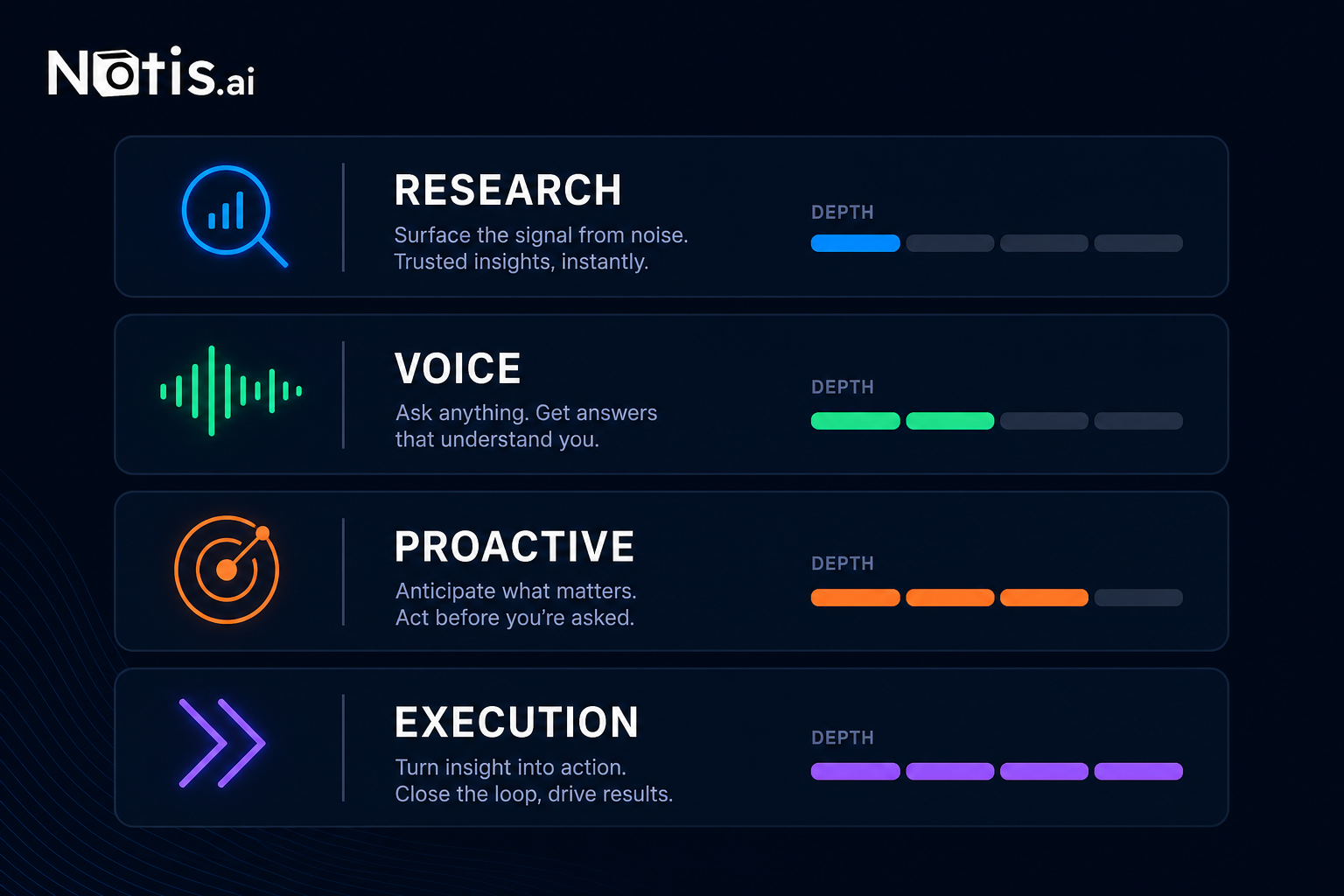
<table header-row="true"> <tr> <td>Assistant</td> <td>Best for</td> <td>WhatsApp role</td> <td>Biggest tradeoff</td> </tr> <tr> <td>Notis</td> <td>Founders who want execution across business apps</td> <td>Messaging-native AI intern</td> <td>Overkill if you only want casual Q&A</td> </tr> <tr> <td>Poke</td> <td>People who want a proactive personal concierge</td> <td>Proactive assistant in your messages</td> <td>Product access and channel availability can change by region</td> </tr> <tr> <td>Meta AI</td> <td>Fast, free general-purpose help inside WhatsApp</td> <td>Built-in chatbot and creative assistant</td> <td>Limited business-workflow execution</td> </tr> <tr> <td>Luzia</td> <td>Voice-heavy, multilingual everyday assistance</td> <td>Friendly consumer assistant</td> <td>Less suited to operating a company across many tools</td> </tr> </table>
1. Notis: best for turning messages into business actions
Notis is the pick for founders who do not need another clever chatbot. They need an AI intern they can message from WhatsApp and send into the rest of the business. The distinction matters. A chatbot tells you how to write a follow-up. An execution assistant can draft the email, check the calendar, update a database, create a document, or run a repeatable automation. Notis connects to an integration directory covering 1,000+ apps and is designed around skills and automations rather than a single isolated conversation. That makes it the strongest option here for operational delegation. You can dump a voice note while walking, ask Notis to turn it into structured work, and keep moving. The interface is the chat thread; the work can happen elsewhere. The tradeoff is equally simple: if you only want trivia, rewriting, or the occasional dinner recommendation, this is more machinery than you need. Notis makes the most sense when the assistant is allowed to touch real workflows. Review the current pricing and privacy policy against the apps and data you plan to connect. Choose Notis if: your problem is not getting an answer. It is closing the loop.
2. Poke: best proactive messaging concierge
Poke is compelling because it tries to behave less like a search box and more like the annoyingly competent person who remembers what you forgot. Its official documentation positions it across messaging channels, including WhatsApp where available, with a proactive assistant experience. For a founder, that can be more useful than raw model intelligence. The assistant can surface reminders and context in the same place conversations already happen. You do not need to remember to check the AI. The AI comes back to you. The caveat is channel volatility. Third-party AI availability on WhatsApp has been moving under Meta policy and regulatory pressure. The European Commission opened proceedings around Meta’s treatment of rival AI assistants, and availability has shifted during that process. In other words: check that Poke’s WhatsApp onboarding works in your region before designing your life around it. Poke is also a different bet from Notis. Its centre of gravity is proactive personal assistance. If your main requirement is deep, configurable execution across a large business stack, verify each integration and action you need rather than assuming “assistant” means “can run my company.” Choose Poke if: you want a proactive concierge in your messages and value reminders and anticipation over maximum workflow depth.
3. Meta AI: best free built-in option
Meta AI in WhatsApp wins the setup contest by cheating slightly: for many users, it is already inside the app. You can ask questions, brainstorm, generate or edit media, and bring the assistant into a conversation without setting up a separate service. Availability and features still vary by country and rollout. Meta has also published technical details about Private Processing for WhatsApp AI tools and introduced privacy-focused modes for some AI conversations. Those are worth reading directly, especially if you handle sensitive client or company information. For founders, Meta AI is good at lightweight thinking: summarising an idea, producing variants, researching a general question, or rescuing you from a blank message box. What it is not, at least today, is a configurable business operator across your SaaS stack. This is the option I would recommend to someone who says, “I just want AI in WhatsApp and I do not want to configure anything.” Fair. Not every grocery list needs an agent architecture. Choose Meta AI if: free, immediate access matters more than integrations, persistent operational context, or automation depth.
4. Luzia: best for voice notes and multilingual everyday help
Luzia built its reputation as an approachable assistant inside familiar messaging apps. It is particularly attractive for people who send voice notes, switch languages, and want help with everyday questions, transcription, writing, images, or quick explanations. That friendly, low-friction approach is useful. Founders are humans before they are Zapier diagrams. If your WhatsApp assistant mostly needs to decode a voice note, translate a message, explain something, or help organise personal life, Luzia can be the right level of tool. Its official terms describe a free service with optional subscription offerings whose features and prices can vary by region and platform. Its privacy policy and data-deletion controls deserve the same review you would give any service receiving personal or business messages. The limitation is workflow depth. Luzia is a consumer-friendly assistant, not the obvious choice for orchestrating a founder’s calendar, CRM, inbox, documents, and automations as one operating layer. Choose Luzia if: voice, language flexibility, and casual daily assistance matter more than business execution.
Chatting is not delegating
 Most WhatsApp AI roundups compare model names, image generation, and how many languages a bot speaks. Those are useful, but they miss the founder problem.
A founder does not mainly need more text. A founder needs fewer open loops.
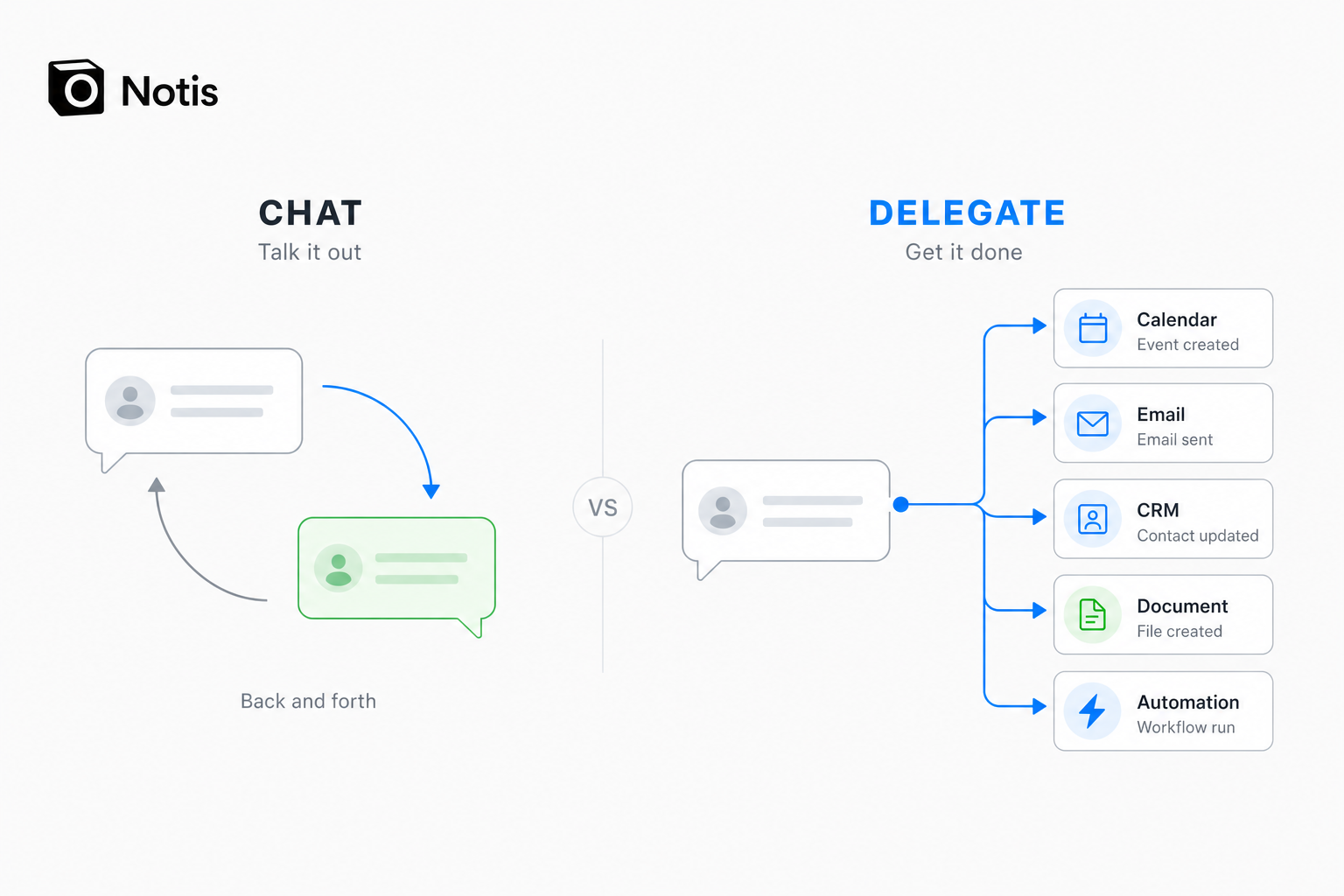
“Remind me to follow up” is chat.
“Check whether they replied, draft the follow-up with the latest context, and ping me before sending” is delegation.
“Summarise this voice note” is chat.
“Turn this voice note into a product brief, create the tasks, and save the decision where the team will find it” is delegation.
That is the line I would use to choose. Meta AI and Luzia are strong when the job ends with an answer. Poke becomes interesting when the job requires proactive attention. Notis is built for the moment the job needs to cross into other apps and finish.
Most WhatsApp AI roundups compare model names, image generation, and how many languages a bot speaks. Those are useful, but they miss the founder problem.
A founder does not mainly need more text. A founder needs fewer open loops.
“Remind me to follow up” is chat.
“Check whether they replied, draft the follow-up with the latest context, and ping me before sending” is delegation.
“Summarise this voice note” is chat.
“Turn this voice note into a product brief, create the tasks, and save the decision where the team will find it” is delegation.
That is the line I would use to choose. Meta AI and Luzia are strong when the job ends with an answer. Poke becomes interesting when the job requires proactive attention. Notis is built for the moment the job needs to cross into other apps and finish.
What about ChatGPT, Copilot, Perplexity, and Zapia Max?
This category changes quickly enough that old listicles become fiction with nice formatting. WhatsApp’s rules for general-purpose third-party AI assistants changed around January 2026, prompting regulatory action in Europe. Some widely shared WhatsApp numbers stopped working or became region-dependent. The European Commission’s case against Meta’s exclusionary policy is the boring but important context. Perplexity’s own help material has described its WhatsApp connector as beta and not fully functioning, so I would not rank it as a dependable founder workflow today. Zapia Max looks genuinely interesting—price tracking, scheduling, voice-note transcription, replies, reservations—but its public page still presents an availability or waitlist story rather than the same clearly verifiable access for everyone. Keep it on the watchlist, not in the operating system.
Which WhatsApp AI assistant should you choose?
Choose Notis if WhatsApp is your command line for work and you want the assistant to execute across connected apps. Choose Poke if proactive personal assistance and timely nudges matter more than building deep business workflows. Choose Meta AI if you want the easiest free general-purpose option already inside WhatsApp. Choose Luzia if voice notes, languages, and low-friction everyday help are the priority. Choose none yet if your workflows involve regulated or highly sensitive data and you have not reviewed retention, permissions, regional availability, and deletion controls. Convenience is not a privacy policy. My biased founder take: do not choose the assistant with the longest feature page. Choose the one that matches where your work stops. If the job stops at an answer, use a chatbot. If it stops at a reminder, use a proactive assistant. If it needs to end with something actually done, use an execution layer. That is the difference between having AI in WhatsApp and having help.

Flo is the founder of Mind the Flo, an Agentic Studio specialized into messaging and voice agents.
Related posts
Meta AI vs. Notis.ai: Private Chat or an AI Intern That Executes?
Meta AI’s new Incognito Chat is built for private, temporary thinking. Notis is built to turn your messages into finished work. Here is the honest founder-to-founder comparison.
Relay.app vs Zapier vs Notis: where should Relay refugees go next?
Relay.app is shutting down. An honest, specific comparison of Zapier vs Notis for Relay refugees, with export deadlines and migration steps.
The best Relay.app alternative in 2026: how to move your automations, tables, and sequences to an AI assistant that runs on WhatsApp, email, and voice
Relay.app shuts down Aug 15 (free) and Sep 14 (paid). Here's how to move your automations, tables and sequences to an AI assistant you text.