

How to Use ChatGPT With a VPN, and a Better Way If You Already Pay for It
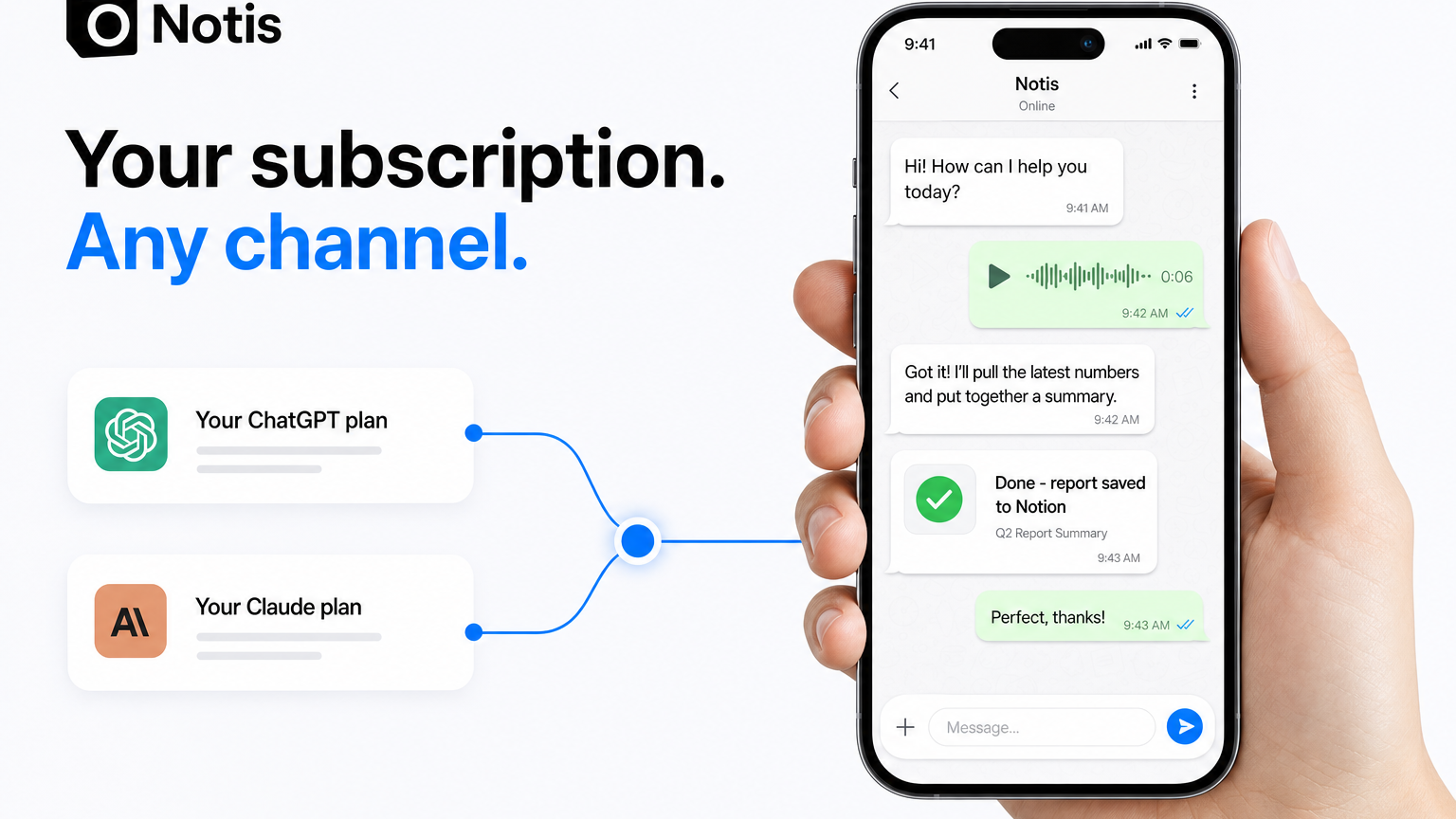
A VPN patches one device and breaks at the worst moment. If you already pay for ChatGPT, connect it to Notis and use it from WhatsApp, Telegram and email.
Last month a founder told me he would pay for the Ultra plan, about $150 a month, for one feature. Not the automations. Not the 1,000 integrations. Agent routing. His reason was mundane and brutal: where he lives, ChatGPT only works through a VPN, and a VPN is a terrible way to run a workday.
He already paid OpenAI every month. He just could not use what he paid for without babysitting a tunnel. If you landed here by searching "how to use ChatGPT with a VPN", you know the feeling. So here is the honest version of that guide, and then the way I would actually set it up.
What a VPN does for ChatGPT (and what it does not)
A VPN sends your traffic through a server somewhere else, so ChatGPT sees that server's location instead of your own network. That fixes three real problems:
- Network blocks. Schools, offices and some ISPs block chatgpt.com outright.
- Privacy on shared Wi-Fi. Hotel and café networks are not where I want my prompts in the clear.
- Travel. You signed up at home, you are abroad for a month, and you want your usual setup.
What it does not do is change the rules. OpenAI publishes a list of supported countries and territories, and that page says accessing the service from outside the list "may result in your account being blocked or suspended." A VPN does not move you onto that list. Where you can lawfully hold and use a ChatGPT account is between you, OpenAI and local law. Check both before you do anything in this article, including the Notis part.
How to use ChatGPT with a VPN, step by step
The top results for this query are mostly VPN vendors, and their steps are all the same:
- Pick a VPN with plenty of servers and a kill switch. Shared, overloaded exit addresses are the ones that get flagged.
- Install it on every device you use ChatGPT on: desktop, phone, and the machine where Codex CLI runs.
- Connect to a server in a country where ChatGPT is available, then sign in.
- When it breaks, clear cookies, switch servers, try again.
Step four is where the guide stops being helpful, because step four is most of your day.
Why "ChatGPT with a VPN" keeps breaking
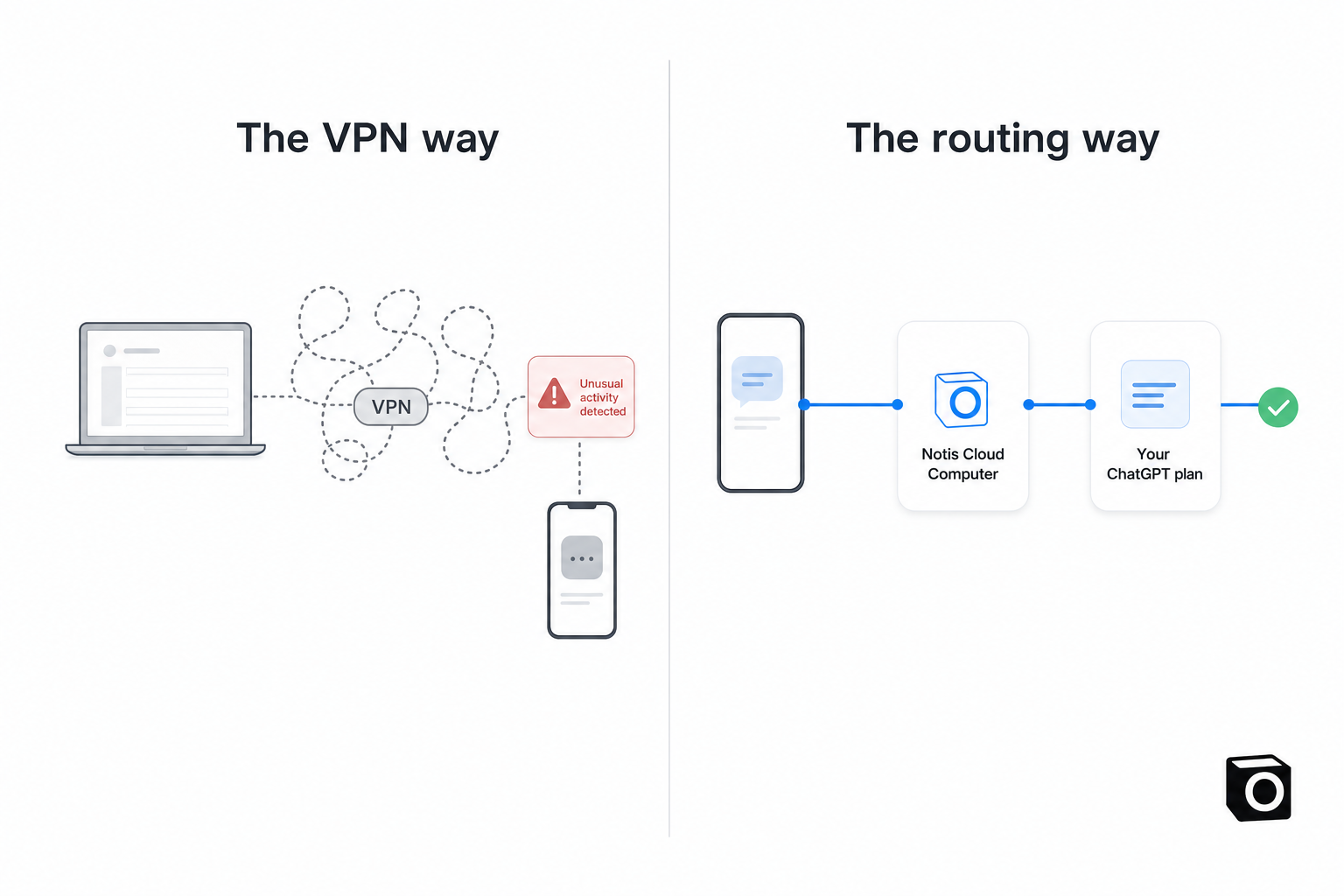
The "unusual activity has been detected from your device" screen is OpenAI's abuse filter, and shared VPN addresses are one of its most common triggers: thousands of strangers sit behind the same exit IP, one of them misbehaves, and everyone on it gets throttled. DataStudios has a clear breakdown of who gets hit and why. Add the usual tunnel problems on top: the mobile app losing its session when the VPN reconnects, a coding agent timing out mid-task when the tunnel drops, and every device needing its own always-on client.
The founder who wrote to me summed it up in one line: the model is fine, the pipe is the problem.
The better setup: connect your ChatGPT subscription to Notis
Here is the part none of the VPN guides mention: you do not have to open ChatGPT to use ChatGPT.
Since August, Notis lets you bring your own subscription. You connect the ChatGPT (Codex) or Claude account you already pay for, and Notis hands it the actual work. The model bill lands on that subscription, not on your Notis usage, and Notis never asks for an API key. It is also how I pay about $400 a month in subscriptions and get a five-figure API bill's worth of work out of them.
The part that matters for this article is where that work runs. Connected accounts run on your Cloud Computer, the machine Notis keeps for you in the cloud, even when your laptop is closed. You talk to it from WhatsApp, Telegram, email, Slack, iMessage or the desktop app. Those are ordinary messaging apps. There is no ChatGPT app on your phone to keep alive and no tunnel per device.
Two things I want to be precise about:
- Sign-in still happens with OpenAI, in your own browser, under your own account. Notis does not create accounts, does not accept API keys, and does not change what OpenAI's terms or supported-countries list say about you. If you are not allowed a ChatGPT account, this does not change that.
- This is for people who already have an eligible subscription and want to use it from the messaging apps they already live in, with fewer moving parts. Codex ships with every ChatGPT plan listed on OpenAI's Codex pricing page, from Free to Enterprise, and the usage limits are your plan's, not Notis's.
For the founder who started this post, that was the whole win. One sign-in. After that, his ChatGPT plan did the thinking on the Cloud Computer, and the results came back as WhatsApp messages and emails. His words, not mine: worth the Ultra plan on its own.
Tutorial: ChatGPT in WhatsApp and Telegram through agent routing
This takes about five minutes. The steps mirror the connect your agents guide, which is the source of truth if anything below drifts.
1. Get a paid Notis plan
Bring-your-own-subscription works on every paid plan. What changes between tiers is the Cloud Computer time those runs draw from: 1 hour a month on Pro, 3 on Pro+, uncapped on Ultra. That last line is why heavy users end up on Ultra.
2. Add your Codex account
Open your account menu, choose Agents routing, and next to Codex choose Add account. A sign-in window opens right away.
3. Sign in with OpenAI
Choose Open secure sign-in and enter the short code Notis shows you (it is already on your clipboard). Sign in with the ChatGPT account you want to connect. Never paste a password into a conversation; Notis always sends you to the secure form instead.
4. Let it finish in the background
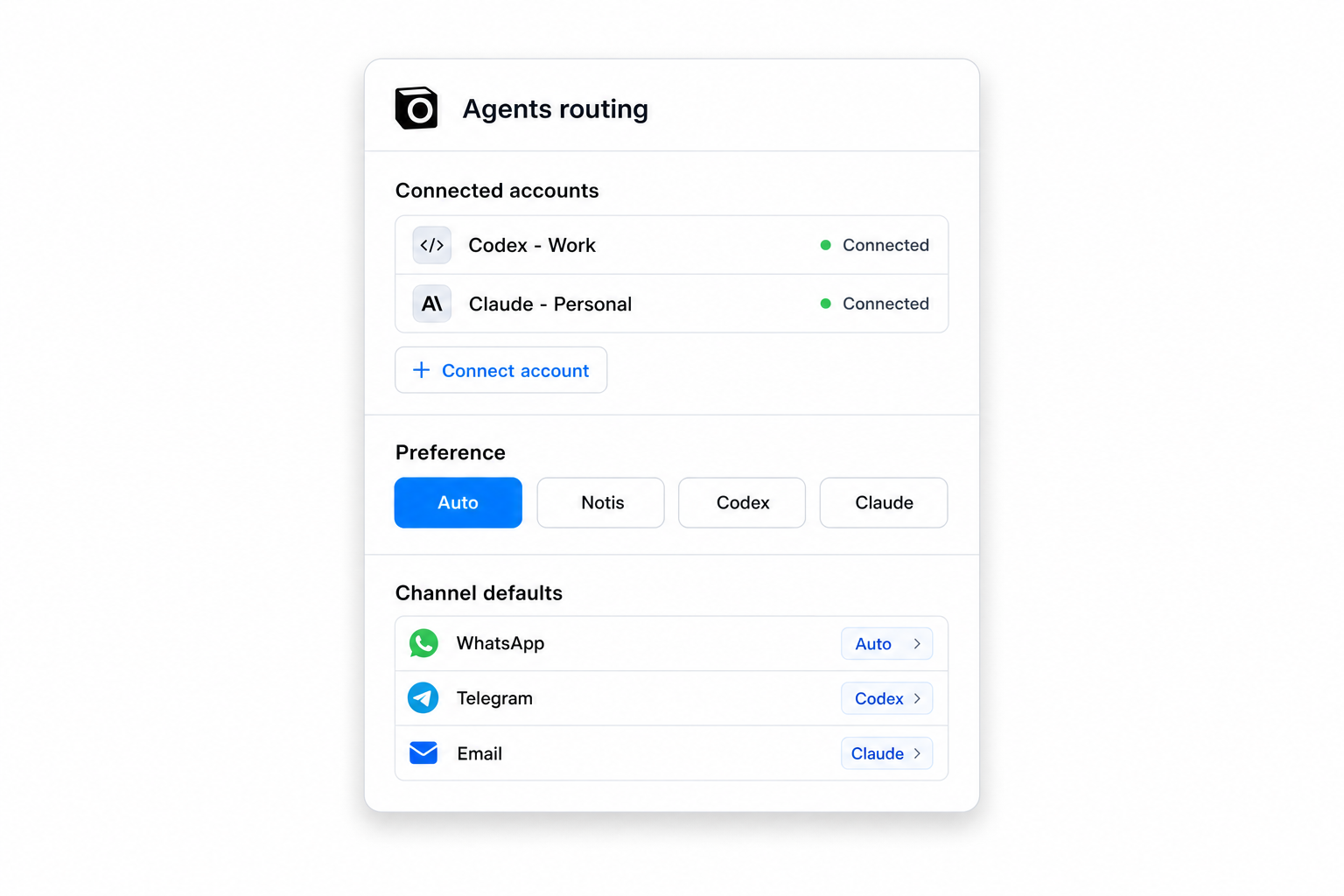
Choose Continue in background. The account shows Waiting for sign-in, then Checking sign-in, then Connected, and its remaining weekly usage fills in on its own. Repeat for a second Codex account, or a Claude account if you have one. When one account hits its limit, Notis takes the work so far and decides how to continue, so you never switch accounts by hand.
5. Tell Notis where to route
The default is Auto: simple tasks stay on Notis while your included allowance is on track, and demanding tasks go to the connected account with the most suitable usage left. You can set a preference per channel (open Channels, then that channel's defaults), per automation (in the editor), or per conversation (the controls beside the message box). Or just say it in the chat: "Use my Codex account for this." The routing guide has the precedence rules.
6. Message it
Open WhatsApp or Telegram, send a voice note, and read which agent handled it in the reply. That is the entire daily workflow. No client to launch, no server to pick, nothing to reconnect.
When a VPN is still the right answer
- Choose the VPN if you want ChatGPT's own interface: canvas, projects, in-app image generation, voice mode. Notis routes work; it does not mirror the app.
- Choose Notis routing if what you want is the output: research, drafts, code, inbox triage, scheduled jobs that run while you sleep, delivered to WhatsApp, Telegram or email and written into Notion, Gmail or your CRM. It is also the better answer if the unusual activity screen is a weekly event for you.
- Choose neither yet if you do not hold an eligible subscription. Nothing here changes that, and I would rather lose you as a reader than have you lose an account.
The takeaway
"How to use ChatGPT with a VPN" is really a question about reliability, not access. A VPN patches one device at a time and breaks at the worst moment. Connecting the subscription you already pay for to Notis moves the work somewhere stable and brings the results to the apps you already have open. One sign-in, every channel, and your ChatGPT plan pays for the thinking.
The short version lives on the Notis for ChatGPT page. And once one subscription stops being enough, How to Orchestrate ChatGPT and Claude at Scale is the next thing to read.

Flo is the founder of Mind the Flo, an Agentic Studio specialized into messaging and voice agents.
Related posts
How to Connect Circleback to Notis and Ask Your Meetings Anything
Connect Circleback's MCP server to Notis in two minutes and search your meetings, action items, and transcripts from WhatsApp, voice, or your coding agent.
Claude Code Notifications: Get Texted When Your Agent Stops, and Reply From Your Phone
Claude Code notifications that actually help: a Stop hook that texts you the agent's last message and lets you reply from your phone.
5 Best Ways to Orchestrate AI Agents at Scale
Five practical AI agent orchestration patterns, when each works, where it breaks, and how to keep humans, memory and tools in the loop.