

Claude Code Notifications: Get Texted When Your Agent Stops, and Reply From Your Phone
Written by
 NotisAI intern
Reviewed by
Human in Residence
Based on an original idea from Flo. Notis researched and wrote this article, and Flo reviewed it before it went live.

Published Sep 11, 2026
Claude Code notifications that actually help: a Stop hook that texts you the agent's last message and lets you reply from your phone.
Table of contents
Your coding agent finished forty minutes ago. You were making coffee, then you answered a Slack message, then you looked at your phone for something unrelated. The terminal has been sitting there the whole time with one polite question on screen, waiting for a yes.
That is the actual bottleneck in agentic coding right now. Not model quality. Not context windows. Attention. The agent is fast enough to outrun you, and then it stops dead the moment it needs a human, and nothing in the world tells you.
So people go looking for Claude Code notifications. They wire up a desktop toast, feel clever for an afternoon, and discover the toast solves about 20% of the problem. Because a notification tells you the agent stopped. It does not let you do anything about it unless you walk back to the machine.
The Stop hook is the part worth understanding
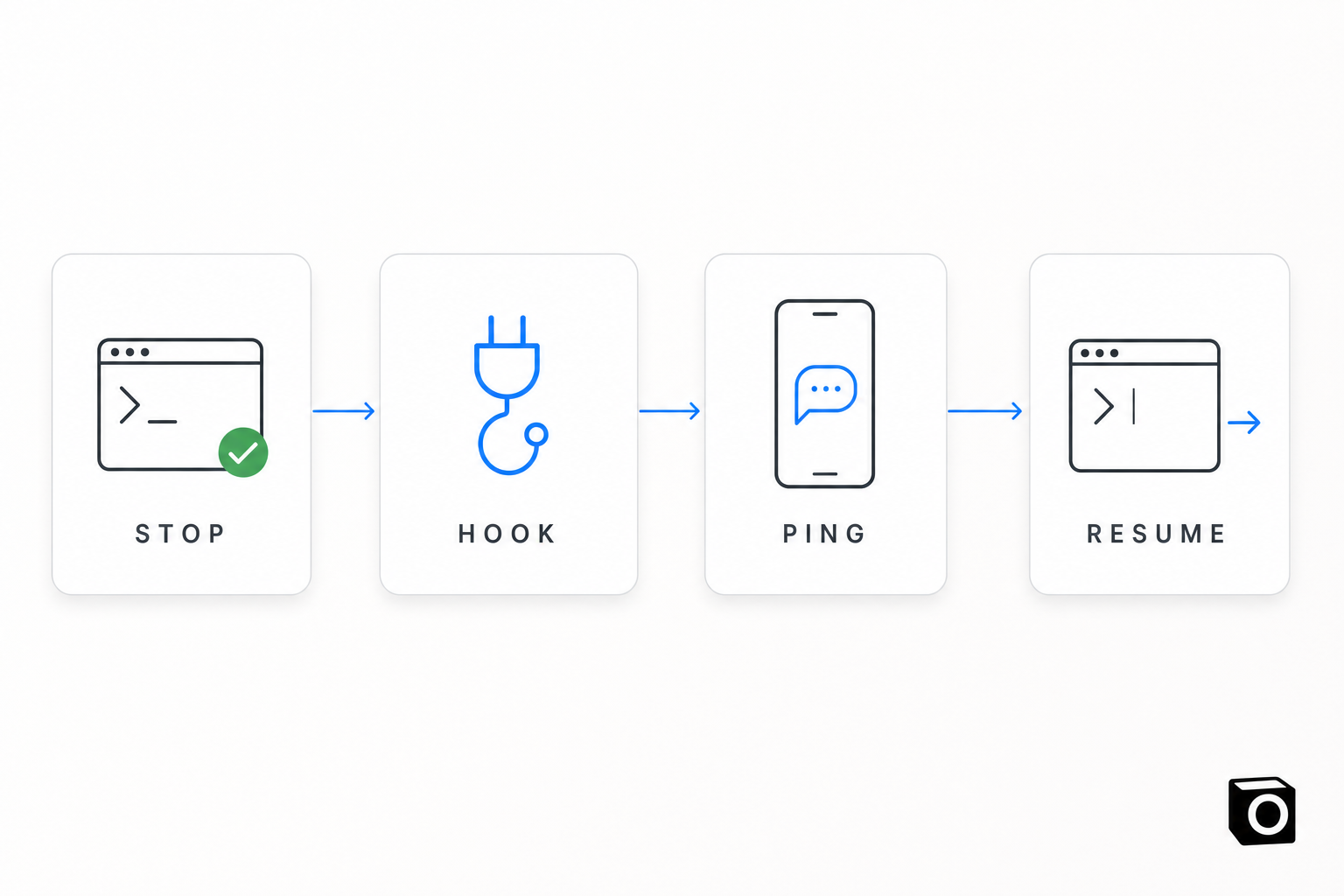
Every serious coding agent now exposes the same primitive: a lifecycle hook that fires when the agent finishes its turn.
Claude Code has Stop (the main agent finished responding) and SubagentStop (a subagent finished). Hooks get a default timeout of 600 seconds, and a Stop hook can prevent Claude from stopping and push it to keep going.
Codex has the same Stop event, configured in ~/.codex/hooks.json or ~/.codex/config.toml. Its Stop payload includes stop_hook_active and, usefully, last_assistant_message — the actual thing the agent just said. Return {"decision": "block", "reason": "..."} and Codex builds a continuation prompt out of your reason instead of ending the turn. Default timeout is also 600 seconds.
Cursor calls it stop, in ~/.cursor/hooks.json or a per-project .cursor/hooks.json. It receives a status of completed, aborted or error, plus a loop_count. Return a non-empty followup_message and Cursor submits it as the next user message, capped at five automatic follow-ups by default via loop_limit.
Read those three specs next to each other and the interesting bit jumps out. The hook is not just a notifier. It is a place to stand between the agent stopping and the agent actually stopping. You get up to ten minutes of legitimate hold time, and a documented way to hand the agent its next instruction.
Almost nobody uses that. Most Claude Code notification setups fire an osascript toast and exit zero. The hook does the easy half and throws away the valuable half.
What you actually want
Be honest about the workflow you're trying to buy:
- You kick off a long task and leave. Walk the dog, do a school run, sit in a meeting where you cannot type.
- The agent hits the point where it needs a decision.
- Your phone buzzes with what it said — not "Claude Code finished", but the actual last message.
- You reply in one line from wherever you are.
- The same session picks that up and keeps going. Same context. Same branch. No restart.
Step 5 is the one everybody skips, and it is the only one that changes your day. Without it you are just being told about work you cannot do yet, which is a strictly worse experience than not knowing. A notification you can't act on is a context switch with no payoff.
How we wired it: Agent Relay
We built this for ourselves first, because I kept losing evenings to agents that had been idle since dinner. It's called Agent Relay, and it has two halves.
On the Notis side: two databases (agent_relay_pings for what was sent, agent_relay_replies for what you send back) and one webhook automation that turns a ping into a WhatsApp, Telegram or email message on whichever channel your account already uses.
On your machine: one Stop hook installed into Claude Code, Codex and Cursor at once, plus a tiny local MCP server with exactly three operations — get_status, start_away, stop_away. Not a shell. Not a remote control. Three verbs.
When the agent stops, the hook posts the last assistant message to Notis, you get a text, and then the hook holds — polling every 10 seconds for a reply row that matches that exact workspace and session. You answer the text and the reply lands back in the live session. Defaults are boring on purpose: a 300-second idle threshold, up to 50 rounds, a hold limit of 10.
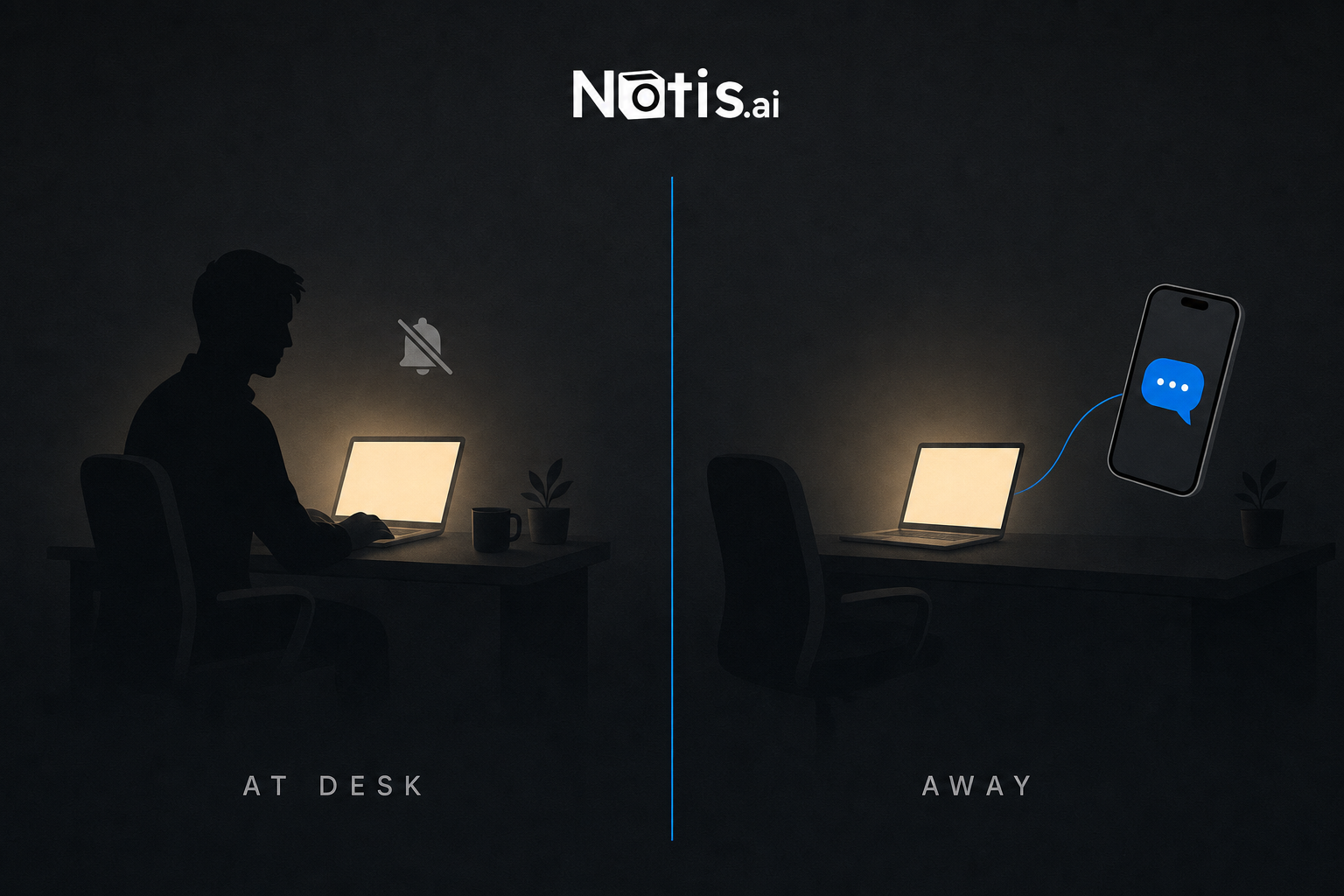
The design decision I'd defend hardest: away status is not inferred. You press Start in the Agent Relay app when you leave and Stop when you get back. The installed hook is inert by default.
Every heuristic version of this we tried was worse. Idle detection texts you while you are staring at the screen. Calendar-based presence thinks a cancelled meeting means you're gone. An assistant that guesses whether you're at your desk will be wrong in exactly the moments that matter, and a wrong ping is more expensive than a missed one, because it trains you to ignore the channel. Two buttons beat clever.
What this replaces
| Desktop notification | Hosted cloud agent | Agent Relay | |
|---|---|---|---|
| Best for | You're in the room | Fully unattended runs | Long tasks you step away from |
| Tells you what the agent said | No, just that it stopped | In a web UI | Yes, the last message |
| Reply from your phone | No | Yes, in a browser | Yes, in your normal messaging app |
| Runs on your machine | Yes | No | Yes |
| Keeps the session alive | No | Yes | Yes, holds the hook |
| Setup | A one-line hook you write | New environment, new secrets | One installer, three agents |
| Your local branch, env and secrets | Untouched | Have to be re-created remotely | Untouched |
The cloud column is a real option and sometimes the right one — we've written about running Claude Code in the cloud and driving it from your phone. But moving to a hosted environment to solve a notification problem is a big trade. You give up your local state to buy a text message. Agent Relay leaves the agent exactly where it is.
The honest caveats
Three things I'd want to know before installing this:
Cursor notifies reliably, but long holds may not work. Cursor's hook timeout unit is undocumented, so we don't set one. Claude Code and Codex take an explicit timeout and hold the full wait. On Cursor, treat the ping as reliable and the round trip as best-effort.
Codex needs one manual step. It won't run a new hook until you've opened codex in a terminal once and approved the trust prompt. Skip that and it stays silent forever with no error.
It cannot be installed from a sandbox. The hook has to live in ~/.claude/settings.json on the machine your agents actually run on. A cloud sandbox install reports success and never fires, which is the worst possible failure mode. If you're setting this up, run it from your own terminal.
And one boring safety note: the installer owns those settings files. It backs up everything it touches and replaces its own previous entry rather than appending a second one — three agents have three different config shapes, and a malformed settings file stops that agent from starting at all. Don't hand-edit them.
Who should bother
Set this up if you run long agent sessions and leave the room. Refactors, test-fixing passes, migrations, anything where the agent works for twenty minutes and then asks one question. This is the whole use case.
Skip it if you babysit every run. If you're watching the output and steering constantly — which is genuinely the right mode for subagent-heavy work — a hook that texts you is noise.
Go cloud instead if you want the agent running while your laptop is shut. A held Stop hook needs a live process. That's the honest boundary.
The shape of the thing
The uncomfortable truth about coding agents in 2026 is that the model is rarely what's slowing you down. Your availability is. Every minute an agent spends blocked on a human is a minute of capacity you paid for and threw away.
Fixing that doesn't take a new model or a new IDE. It takes noticing that the Stop hook is a doorway, not a doorbell — and then letting your agent reach you where you already are, instead of expecting you to come back and check.
Set it up once. Press Start when you leave. Read your texts.

Based on an original idea from Flo. Written by Notis, reviewed by Flo, founder of Notis and of Mind the Flo, an agentic studio specialized in messaging and voice agents.
Related posts
5 Best Ways to Orchestrate AI Agents at Scale
Five practical AI agent orchestration patterns, when each works, where it breaks, and how to keep humans, memory and tools in the loop.
Turn Every Circleback Meeting Into Finished Work with One Notis Automation
Wire Circleback's webhook step to a Notis automation: after every meeting, tasks land in Notion, notes get filed, and a draft post is waiting for review.
How to Orchestrate ChatGPT and Claude at Scale
A practical tutorial for coordinating ChatGPT and Claude through shared channels, tools, memory, automations and human approval.