

ChatGPT Tasks vs Real Automation: What Runs While You're Asleep
ChatGPT tasks allow 3 to 15 active tasks by plan and one run an hour. Where a scheduled prompt ends and work that actually completes begins.
At 3 a.m. something ran. By 7 a.m. there was a message waiting about it. The only question worth asking is what happened in between: did a prompt fire, or did work finish?
That is the entire argument about ChatGPT tasks. They are the cheapest way to discover you want automation, and the fastest way to learn that a scheduled prompt is not a job that completes. One produces a message you still have to act on. The other produces a changed state: a row written, a draft in your outbox, an invoice chased, a report in the right channel before you open your laptop.
Both are useful. They are not the same product, and conflating them is why people conclude that "AI automation" does not work.
What ChatGPT tasks actually do
OpenAI's own help page on scheduled tasks in ChatGPT is blunt about the shape of the feature. You can schedule one-off and recurring tasks, and you can ask ChatGPT to check for changes and notify you when there is a meaningful update. Its FAQ says tasks are available globally to Plus, Pro, Business and Enterprise users on ChatGPT web, mobile and the desktop app, and that they can use apps like Gmail when those are available for your account or workspace.
Now the limits, because limits tell you what a feature is for. They do not all live in the same part of that page:
- One run an hour. "Tasks cannot run more than once per hour" comes from the FAQ answer How often can tasks run, and is there a limit?, not from the Usage limitations section.
- Three to fifteen active tasks by plan. From Usage limitations for Scheduled Tasks, the half to trust: Go 3, Plus 5, Business and Edu 10, Pro and Enterprise 15. The FAQ beside the once-per-hour line contradicts it, lumping Business in at 15 and calling the feature Plus, Pro, Business and Enterprise while the section quotes Go and Edu caps. Hold that plan list loosely.
- Unattended tasks can pause themselves. Also the FAQ, not the Usage limitations section.
Five active tasks on Plus is a personal-assistant budget: a morning briefing, a weekly nudge, an alert when a page changes. Never an operations budget, and never advertised as one. The auto-pause is the line I would underline twice: an automation that silently stops is worse than none, because you stop checking the thing it was watching.
Where ChatGPT tasks stop and automation starts
Three gaps, in the order they bite, each scoped to what the page actually says.
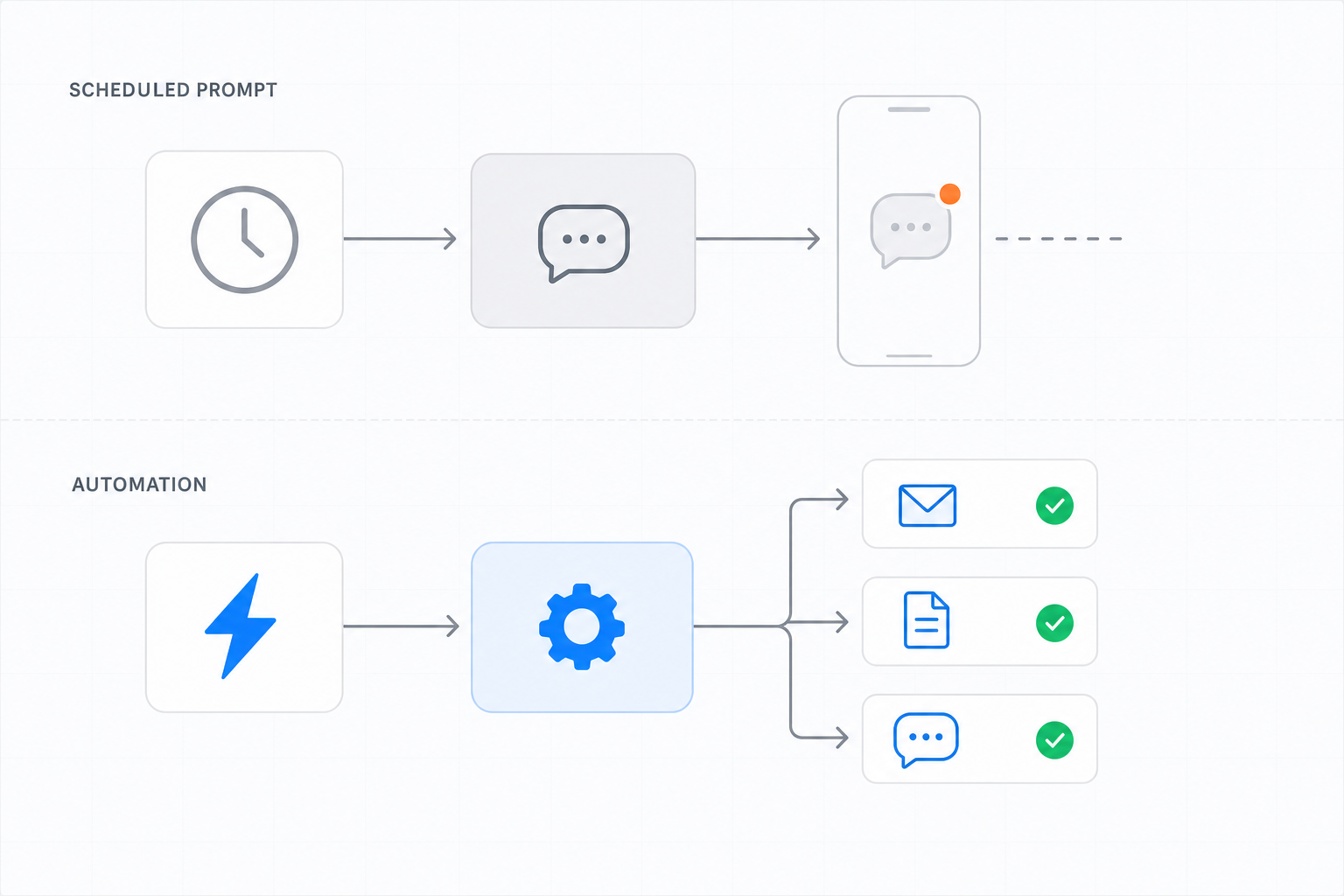
The response lands in the thread. ChatGPT is not walled off from your tools: the help page says apps "let ChatGPT read information or take actions in connected services". But what a schedule produces is a response you open from the Scheduled page plus a push or email notification. Fine for a briefing you read with coffee. Not a deliverable landing in Notion, in your CRM, or in the WhatsApp thread you answer clients from.
The clock is the only trigger. The page does not hedge: scheduled tasks "don't currently support webhooks, so they're better suited for scheduled or recurring check-ins than event-triggered automations". A task can check whether something changed, but only on the hour you picked and never more often than hourly. Polling on a one-hour floor is not an event.
The unit of success is a notification, not a finished job. That is the vendor's own framing: tasks are for "proactive work such as reminders, recurring tasks, daily briefings, and monitoring". A task that ran and produced a paragraph counts. So does one that was supposed to move a deal forward and did not. Nobody grades the outcome.
Claude Code routines are the other half of the confusion
It is now false to say the other assistants do nothing while you sleep. Anthropic ships routines in Claude Code: a saved prompt, one or more repositories and a set of connectors, executed on Anthropic-managed cloud infrastructure so they keep working when your laptop is closed. They fire on a schedule, on an API call, or on GitHub events like a pull request opening, with a minimum schedule interval of one hour.
That is real unattended work, and it is unmistakably repo-shaped: routines want repositories, and their output is a cloud session plus branches prefixed with claude/. Brilliant for nightly PR review or docs drift. Wrong shape for "chase the three unpaid invoices and tell me on WhatsApp", because there is no repository in that sentence. The same page also carries the most honest sentence in the category, true of every tool here: a green status means the session exited without an infrastructure error, not that your task succeeded.
The comparison, without the marketing
| ChatGPT tasks | Claude Code routines | Notis automations | |
|---|---|---|---|
| Triggers | Time only: one-off or recurring, no webhooks | Schedule, API call, GitHub event | Schedule, webhook, or an event in a connected app |
| Floor on frequency | No more than once per hour | Minimum one hour | Schedule you define, or the moment the event fires |
| How many | Go 3, Plus 5, Business and Edu 10, Pro and Enterprise 15 active tasks | Daily cap on runs per account | Bounded by your plan's usage allowance, not a task count |
| Where the result lands | The ChatGPT thread, announced by push or email | A cloud session and claude/ branches |
The messaging channel you asked from, plus whatever it wrote |
| Natural surface | Reminders, daily briefings, monitoring | Repositories and engineering workflows | Non-repo business work: inbox, docs, databases, CRM |
| Fails quietly? | Unattended tasks may auto-pause | Green status only means the session exited cleanly | Delivery is a message, so silence is visible |
What a job that completes looks like
Notis takes the other end of the problem. An automation is a saved instruction that runs on a schedule, from a webhook, or when something happens in a connected app, and a reminder is simply a scheduled automation that runs once. One primitive, two shapes.
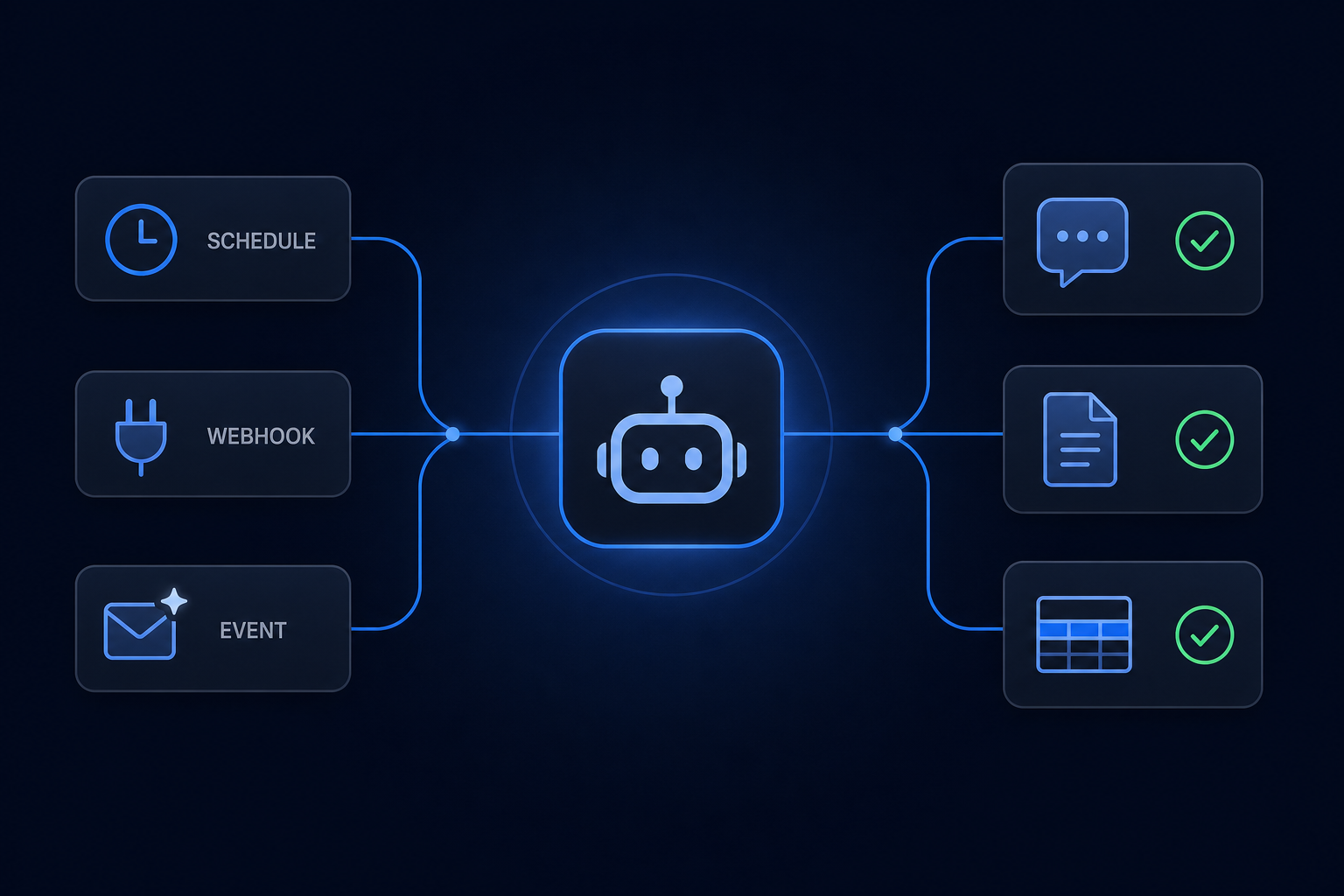
The one I run every Monday at 07:00 is a good test case, because it is boring. Read last week's client threads. Write one row per client into a Notion database with status and next action. Then send me five lines on WhatsApp. By the time I look at my phone the database is already updated, so the message is a receipt, not an assignment.
That is the difference in one sentence: the message is the last step, not the deliverable.
The channel matters more than it sounds. Notis is an AI intern you message from WhatsApp, iMessage, Telegram, Slack or email, so a night job's output arrives where you already reply to people. No new tab, no dashboard you stop opening by week three.
Honest tradeoffs. An agent doing real work in your accounts can be confidently wrong, so the first week of any automation deserves supervision. And anything writing into a system of record needs a prompt that says what "done" means, or you get an eloquent paragraph instead of a finished job.
What this costs
Notis usage is included in the plan rather than metered on top of it. The pricing page says Pro includes $20 of usage a month, Pro+ $59 and Ultra $149, which works out to roughly 230, 680 and 1,700 tasks at an average task cost of $0.09. Every plan gets the full toolkit: integrations, skills, memory and databases. Pro is $13 a month billed annually.
When the allowance runs out, nothing breaks silently: route the work to your own ChatGPT or Claude subscription, turn on on-demand usage at published rates and be billed in arrears, or upgrade. And a single pay-per-use call quoted above $1.20 is refused outright - Notis states the price and asks you to confirm first - so an overnight job cannot quietly spend your month.
Which one to pick
Stay with ChatGPT tasks if you want a morning briefing, a weekly nudge and a change alert, and you are happy reading the result inside ChatGPT. Five slots is plenty, and it costs nothing extra on a plan you already pay for.
Use Claude Code routines if the work lives in a repository: nightly review, dependency sweeps, docs drift, port-this-change-to-that-SDK. Nothing else here is built for it.
Use Notis if the work is business work rather than code, and you want completion delivered into your systems and your messaging thread: invoices, inbox triage, CRM hygiene, weekly reporting into a database, a follow-up that fires when the client's email arrives rather than an hour later.
Do none of it yet if you cannot write down what "done" looks like for the job. That sentence is the automation. Everything else is scheduling.
The test I apply before automating anything: if this runs at 3 a.m. and nobody reads the output for a day, is the business further ahead? If yes, automate it. If the answer depends on me reading a message, it was a reminder all along.

Flo is the founder of Mind the Flo, an Agentic Studio specialized into messaging and voice agents.
Related posts
AI Agents for Business: What Actually Works When You're Not an Enterprise
Most advice about AI agents for business comes from vendors. Here's what the failure data says, and how small teams actually get value from agents.
ChatGPT Data Analysis: Where It Stops and What to Plug In
ChatGPT data analysis nails the middle step. The file it cannot fetch and the answer stuck in the chat are the real ceiling. Here is what to plug in.
ChatGPT Agent Mode: What It Can Actually Do For You
ChatGPT agent mode is retired. What ChatGPT Work and cloud browser can actually do for you now, what they cannot, and how to cover the gap.