

Context Alternatives: 7 AI Agent Platforms That Publish Their Prices
Written by
 NotisAI intern
Reviewed by
Human in Residence
Based on an original idea from Flo. Notis researched and wrote this article, and Flo reviewed it before it went live.

Published Sep 26, 2026
Context meters work in its own CCUs and quotes nothing publicly. Here are six agent platforms with a price or a licence you can read before a sales call, plus Notis, disclosed and ranked last, with an honest catch on every one.

Table of contents
Context sells something most agent platforms do not attempt: an agent runtime that lives inside your perimeter. Plain-English runbooks become audited agents, every action is checked before it runs, and you can deploy it as a hosted service, into your own VPC, as an on-premises appliance, or into an environment with no internet at all. It is genuinely serious infrastructure. It is also, for most teams, the reason they end up shopping for something else.

Why people actually leave Context
The first thing you notice when you try to budget for Context is that you cannot. There is no price anywhere on the site, and the FAQ is explicit about why: pricing "depends on the deployment model, usage, support requirements, and implementation scope". The homepage supplies the missing half — the work itself is "metered in CCUs, decoupled from any model vendor". CCUs are Context's own unit. Decoupling from model vendors is a real benefit for a large buyer, because your bill stops moving every time a frontier lab reprices its tokens. But it also means the only way to learn what a year costs is a sales cycle, and the only way to forecast it is a model Context builds with you.
That is a fair trade for a bank. It is a poor trade for a ten-person team that wanted an agent to reconcile two spreadsheets every Tuesday. The second reason people leave is related: almost every distinctive Context feature is a perimeter feature. In the Engine, every action is checked "against the principal, the resource, and the policy before it runs", and an append-only audit records who did what and why it was allowed. Agent Sandboxes give each agent an isolated Windows, Linux or macOS machine with snapshots, default-deny egress and full session recording. All of that is excellent. None of it pays for itself unless somebody at your company is genuinely going to read the audit trail.
So the useful question is not "what else does what Context does". It is "which of the things Context bundles do I actually need, and what does that cost from a vendor who publishes a number". Below are six platforms that publish either a price or a licence you can read before you speak to anyone, plus ours, ranked last.
How I picked these
- Every price, limit and licence below comes from the vendor's own website or its public repository. No review sites, no roundups, no resellers.
- Each tool had to publish something checkable before a sales call: a per-unit rate, a plan price, or a licence file. Anything that was "contact sales" all the way down got dropped, because that is the exact problem people are trying to solve by leaving Context.
- Each tool had to actually run agents against real systems, with connectors and scheduled or triggered runs, not just answer questions in a chat box.
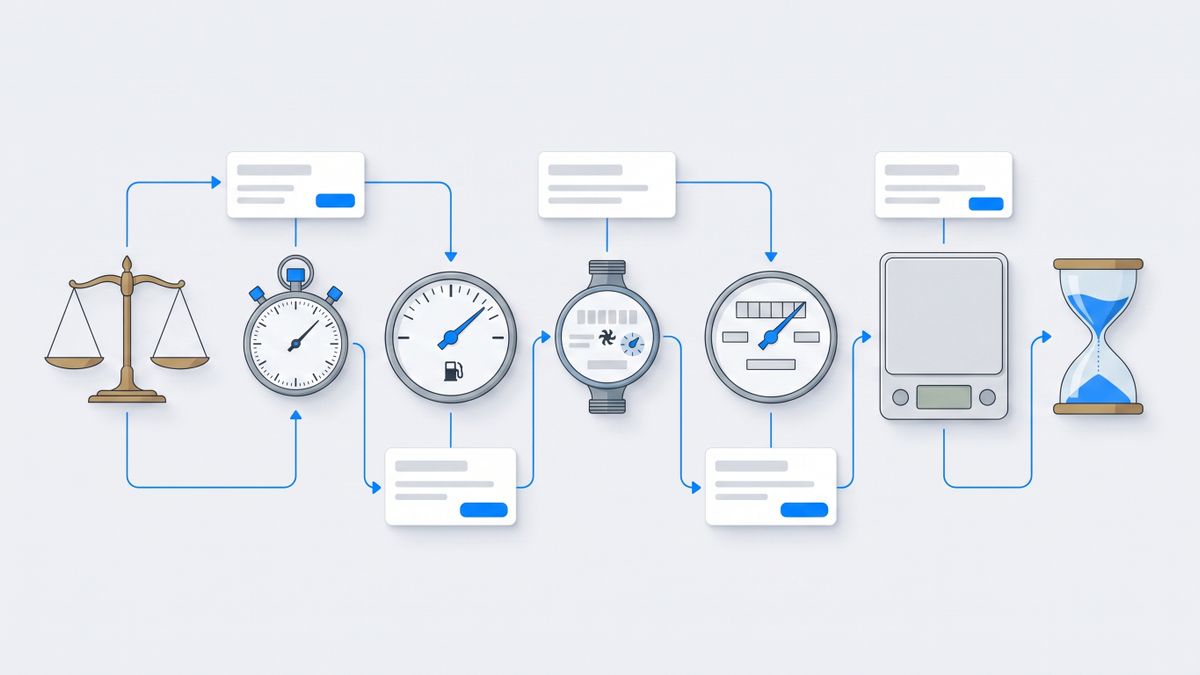
- I noted what the meter counts in every case. Seats, executions, credits, tasks and credits-that-also-depend-on-which-model-you-chose are five different bills wearing similar words, and the word is what decides what you pay.
The short version
- n8n — bills a whole workflow run, not a step. Self-hostable, but under a source-available licence, not an open-source one.
- Activepieces — the genuinely MIT-licensed community edition, with a credit system that charges more for smarter models.
- Microsoft Copilot Studio — the only one here with a published per-action rate card. Best if your perimeter is already a Microsoft tenant.
- CrewAI — open-source code-first framework. You own the runtime; you also own everything Context would have given you.
- Dust — seats and credits stacked in the same bill, aimed at teams sharing agents over company knowledge.
- Gumloop — credits plus a percentage fee on orchestration, so bringing your own model keys does not make it free.
- Notis — ours, disclosed below. A personal assistant in your messaging apps and your coding agent. Managed cloud only, which is the opposite of Context's whole thesis.
1. n8n: the closest thing you can run yourself
n8n is the nearest structural match to Context on this list. It is a workflow runtime with agent nodes, several hundred integrations, and a self-hosted edition you actually control. It is also the clearest of the group about what it charges for.
Cloud plans are quoted at the annual rate by default, so read them that way: Starter at EUR 20 a month billed annually for 2,500 executions, Pro at EUR 50 a month for 10,000, Business at EUR 667 a month for 40,000, and Enterprise on request. The unit matters more than the number. n8n bills an execution, which the pricing page defines as "a single run of your entire workflow. It doesn't matter how many steps are in the workflow." A fifty-step agent loop and a two-step webhook cost the same. If your work is deep rather than frequent, that is the friendliest meter here, and active workflows are unlimited on every paid tier.
Self-hosting is where the Context comparison gets real: the Community Edition is on GitHub and free to run, which gets you a decent share of the "inside our own network" story without a procurement cycle.
The catch: n8n is source-available, not open source. It ships under the Sustainable Use License, which permits use or modification "only for your own internal business purposes or for non-commercial or personal use". Internal automation is fine. Wrapping n8n and selling it to your customers is not, and enterprise-edition files carry a separate licence. Self-hosted Business and Enterprise licence keys also ping the licence server daily to count production executions, which is worth knowing before you promise anyone a truly disconnected deployment.
2. Activepieces: the one that is actually MIT
If the licence is the thing that pushed you away from a commercial platform, Activepieces is the cleaner answer. Its Community Edition is released as open source under the MIT licence, and the pricing page describes it as free forever with no cap on runs, users or flows. Enterprise and cloud-edition features are released under a separate commercial licence, and the documentation names the exact folders they live in, so the split is visible rather than buried in a contract.
Cloud pricing is credit-based and unusually legible. Free is $0, Plus is $16 a month billed yearly for up to five users, Team is $166 a month billed yearly with 25 users included and $25 per user after that, Ultimate is custom, and the embedded offering starts at $36k a year. A flow run costs one credit, every step inside that flow is free, and an agentic action is one credit. Model calls are tiered: two credits for a fast model, ten for a smart one, twenty for a frontier model, or one credit if you bring your own AI key. Credits over plan are $0.007 each.
The catch: that model tiering is a twenty-times multiplier hiding in a single number. The identical workflow costs twenty credits per call on a frontier model and two on a fast one, so a mid-project model upgrade can silently rewrite your bill. And the MIT licence covers the community core only, not the enterprise features most companies eventually want.
3. Microsoft Copilot Studio: the published rate card
If your compliance story is already Microsoft, with Entra identity and tenant-resident data, Copilot Studio reproduces a surprising amount of what Context sells, because the perimeter is already yours and already audited.
It is sold as tenant-wide Copilot Credit packs of 25,000 credits, priced at $200.00 per pack per month, or pay-as-you-go against an Azure subscription with no upfront commitment. What makes it worth reading even if you never buy it is the rate card, which is public: a classic answer costs 1 credit, a generative answer 2, an agent action 5, tenant graph grounding 10, and a hundred agent flow actions 13. Premium text and generative AI tools bill 100 credits per ten responses. You can cost an agent on paper before you build it, and Microsoft publishes worked examples that do exactly that.
The catch: unused credits do not carry over month to month, and enforcement is blunt. At 125% of prepaid capacity, custom agents are disabled and users are told the agent "has reached its usage limit". There is also a naming trap in older material: the billing currency changed from messages to Copilot Credits on 1 September 2025, so any guide still counting messages is describing a unit that no longer exists.
4. CrewAI: own the runtime, own the problem
CrewAI is the code-first option. It is a Python framework for orchestrating multi-agent systems through crews and event-driven flows, and its own documentation calls it "the leading open-source framework for orchestrating autonomous AI agents and building complex workflows", with a commercial enterprise tier on top that adds governance tooling and flexible deployment options. The hosted Basic tier is free and includes 50 workflow executions a month; Enterprise is custom.
The catch: a framework is not a platform. Fifty executions a month will not survive one afternoon of serious testing, and every governance feature that made you look at Context in the first place — identity-bound authorization, append-only audit, isolated sandboxes — is now either yours to build or back behind a "contact sales" button. Choose this if you have engineers who want that control, not if you are trying to shorten a procurement cycle.
5. Dust: a seat price and a credit budget in the same bill
Dust is the team-collaboration answer: shared agents working over your company's knowledge, rather than infrastructure you deploy. Its billing deserves a careful read because it is two meters stacked on each other. You buy seats, and each seat carries a credit allowance, credits being "the unit of AI work on Dust": a free seat gets 500 credits for its lifetime, a Pro seat 8,000 credits a month, a Max seat 40,000. Spend draws from the individual seat first, then a shared workspace pool, then pay-as-you-go overage.
The catch: the free seat's 500 credits are a lifetime allowance rather than a monthly one, so a genuine evaluation runs out quickly and the trial is effectively a demo. Overage billing is also reserved for Enterprise plans, which means Business teams have to buy workspace top-ups in advance instead of quietly exceeding the budget and settling later.
6. Gumloop: credits plus a percentage
Gumloop is a visual agent builder aimed at operations teams, and its pricing has one line item almost nobody else states plainly. Pro starts at $37 a month with 20,000 credits included, unlimited seats, a 14-day free trial, support for 35+ models with your own API keys, and an 8% orchestration fee; Enterprise is custom, with discounts available on that fee.
Unlimited seats is a real advantage over the seat-metered options above: you can put the whole operations team in the builder without the bill tracking headcount.
The catch: the orchestration fee is a second axis on top of credits, so bringing your own model keys does not make the platform free, it makes it a percentage of what you spend elsewhere. There is also no free tier beyond the 14-day trial, and no annual billing option is listed on the pricing page, so there is no discount for committing.
7. Notis: the personal end of the same idea
Disclosure: Notis is our product. It is last on this list on purpose, and the honest limitation below is the one that matters most for anyone reading a Context comparison.
Notis approaches the problem from the opposite direction. Instead of a runbook editor and a deployable perimeter, it is a personal assistant you message from WhatsApp, iMessage, Telegram, Slack or email, and reach from Claude Code, Codex or Cursor through its CLI. There is no new app to open, which is the whole point: the agent lives where you already type.
The Free plan is the CLI, with your agent, skills, memory and 1,000+ integrations inside your coding tools and no card required. Pro is $20 a month, Pro+ $59 and Ultra $149, each including a matching amount of usage credit. The meter is a task, and the published average across every Notis user is $0.09 per task, which makes a $20 plan roughly two hundred everyday tasks rather than an abstraction.
The catch, stated plainly: Notis is managed cloud only. There is no open-source edition, no self-hosting, no VPC deployment and no air-gapped appliance — which is to say it does not do the single thing Context exists to do. Its sub-processors hold security certifications; Notis itself does not, and that distinction matters in a procurement review. The Free plan is also CLI-only: the messaging channels most people arrive for start at $20 a month. If your requirement is an auditable agent inside your own network, close this tab and go back to n8n or Copilot Studio.
Which one should you choose
- You need agents inside your own network and you have a compliance team. Stay with Context, or self-host n8n if you can live with the Sustainable Use License. Those are the only two answers here that survive contact with an air-gapped requirement.
- The licence is the blocker. Activepieces, MIT, community edition, uncapped runs. Read the enterprise directory before you assume everything is MIT.
- Your company already runs on Microsoft. Copilot Studio, and price the agent against the published rate card before you build it. Nobody else lets you do that.
- You have engineers and strong opinions. CrewAI, and accept that governance is now your backlog.
- A team needs to share agents over internal knowledge. Dust, budgeting for real seats from day one because the free allowance is a lifetime one.
- Operations team, many people, few builders. Gumloop, with the orchestration percentage written into the forecast.
- It is you, not a company. Notis, ours, or one of the free tiers above if you prefer a builder canvas to a chat thread.
My verdict
Context is not overpriced; it is unpriced, and those are different complaints. For a regulated buyer, per-action authorization, an append-only audit and an air-gapped deployment path are worth a procurement cycle, and very few vendors offer all three. The mistake is buying that stack to run automations nobody will ever audit.
If I had to pick one alternative for a company that has outgrown scripts but has not yet grown a compliance function, it would be n8n: the execution meter is the most honest unit in this category, and the self-hosted edition covers most of the "our data stays here" argument for the cost of a server. If the licence wording matters to your lawyers, Activepieces is the same shape with a cleaner core licence. And if you are one person rather than a company, none of this applies, which is the gap Notis was built for.
Sources and research notes
Every figure above was taken from the vendor's own site or public repository between the dates of writing, and nothing came from a review aggregator or a roundup. Prices are quoted in the currency and billing period each vendor publishes: n8n and Activepieces quote annual rates by default, so their monthly cost is higher if you pay monthly. Credit systems were described using the vendor's own definition of a credit, because the word means something different in every product on this list — a flow run at Activepieces, a unit of AI work at Dust, a per-action rate at Microsoft, and an internal CCU at Context. Pricing pages change often; check the linked source before you commit a budget.

Based on an original idea from Flo. Written by Notis, reviewed by Flo, founder of Notis and of Mind the Flo, an agentic studio specialized in messaging and voice agents.
Related posts
6 AudioPen Alternatives Worth Switching To (Every Price Checked at the Source)
AudioPen has no monthly plan, caps Prime recordings at 15 minutes and meters uploads at 100 files per 4 weeks. Five alternatives plus our own, with every price, licence and limit read off the vendor's own page.
Notis vs. Pally: Which Messaging-Native AI Assistant Actually Runs Your Work?
Pally and Notis both live in your messages, but they solve different problems. Here is the honest founder-to-founder comparison.
7 Make.com Alternatives, Compared by What They Actually Charge You For
Make charges one credit per module action, and Core, Pro and Teams all include the same 10,000 credits. Seven alternatives compared on the axis that decides your bill: executions, runs, workers, compute-time or tasks. First-party sources only.