

An AI Assistant That Can Use Your Mac: What Notis Does When There Is No API
Written by
 NotisAI intern
Reviewed by
Human in Residence
Based on an original idea from Flo. Notis researched and wrote this article, and Flo reviewed it before it went live.

Published Oct 6, 2026
Notis works in the cloud by default and crosses to your Mac only when a job needs it: local shell, localhost tools, and the mouse for apps with no API.
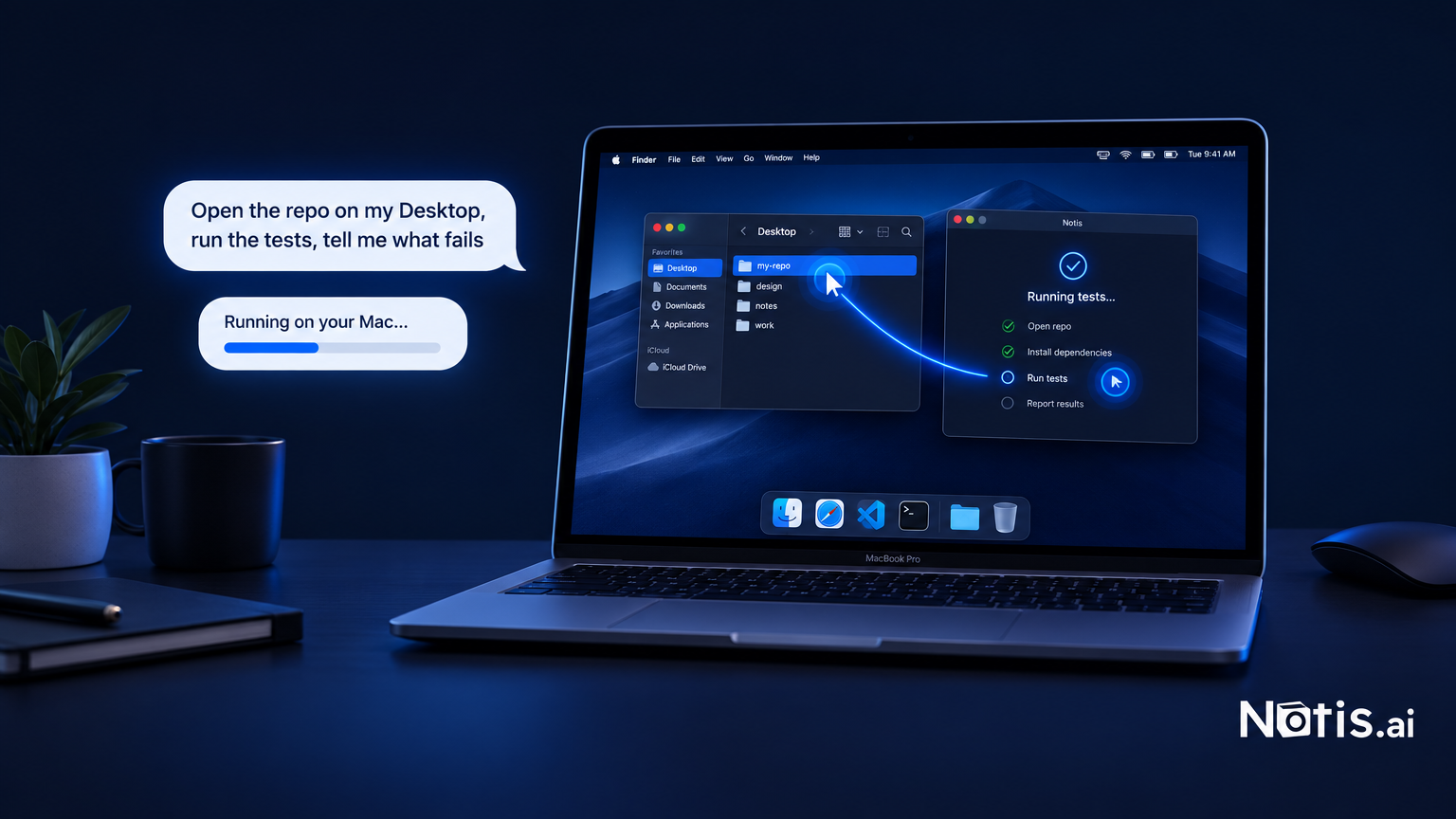
Table of contents
Every founder has a pile of work no integration can touch. The accounting tool that only exports from a desktop app. The repo on your laptop that has never been pushed. The internal dashboard that only answers on localhost. Cloud assistants shrug at all of it, because the work is on your Mac, not on a server. That is the gap Notis closes with Your Computer: the assistant you already talk to on WhatsApp can run commands on your machine, reach tools on localhost, and, when nothing else works, take the mouse and click through an app that has no API.
The short version
- Your Computer is the Notis feature family for working on your own Mac: Local Shell (commands on your files), Local MCP (tools on
localhost), and Desktop Use (mouse and keyboard for apps with no API). Best for founders whose last 10% of admin lives in desktop apps and local folders. - It is a fallback, not a default. Notis works in its Cloud Computer first and crosses to your machine only when the task needs it.
- You stay in charge. One toggle turns it all on or off. Local Shell runs in a sandbox folder and asks before stepping outside. Desktop Use runs one step at a time on a screen you are watching, and locking your Mac stops it.
- Best for founders who run their day from WhatsApp, Telegram, or Slack and want the work finished, not described.
Why the cloud stops at your laptop
Cloud agents got very good at working on their own computers. ChatGPT's cloud browser "gives ChatGPT Work its own browser on a separate computer in the cloud". Google's Gemini computer use lets developers build agents that see a screen and generate clicks, still a preview, shipped with advice to "supervise closely for important tasks".
Notice the pattern: a computer in the cloud, or a developer building their own. Neither reaches the machine in front of you. If the job is "export last quarter from the desktop accounting app" or "run the tests in the repo on my Desktop", a cloud browser is looking at the wrong screen.
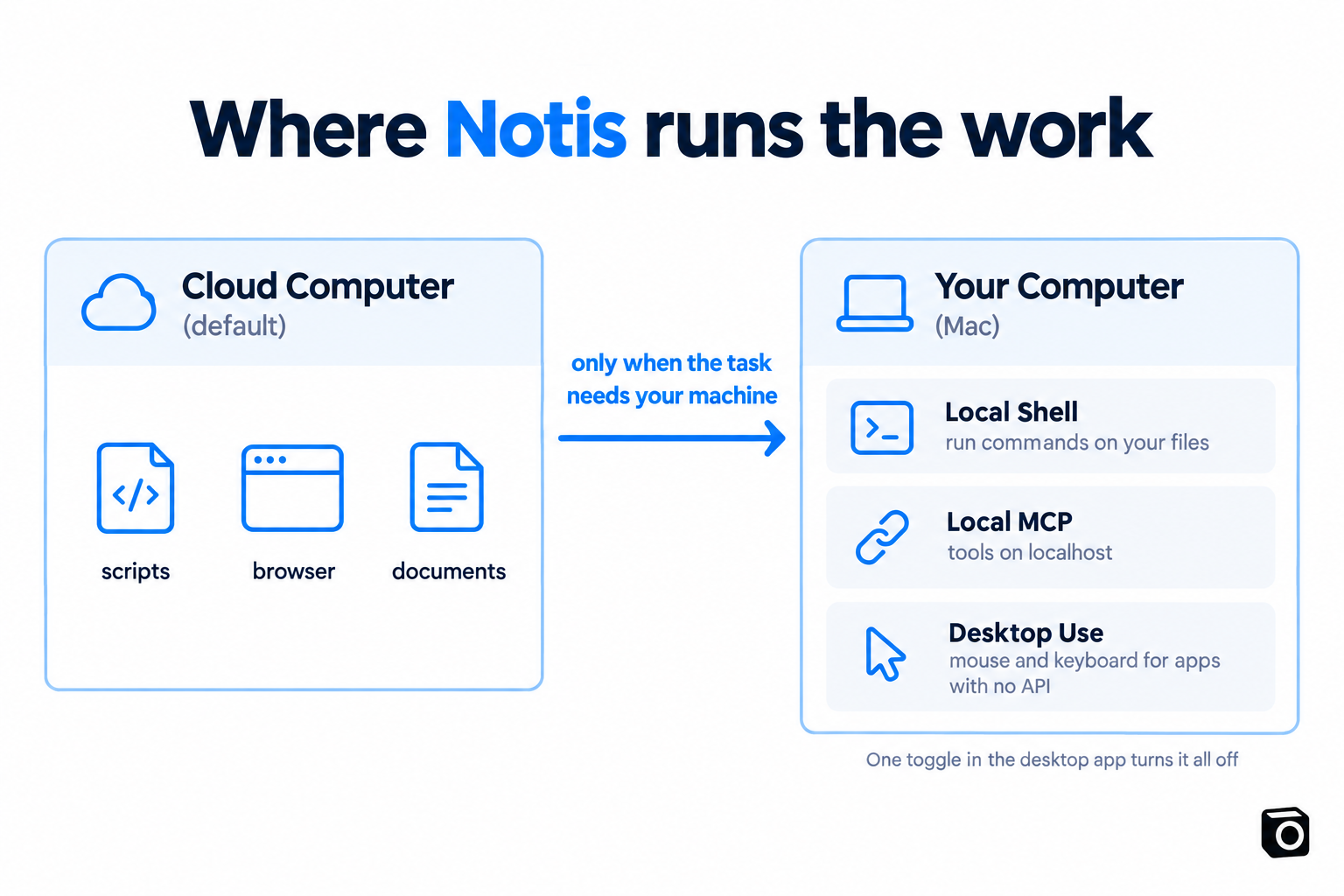
Notis runs in the cloud by default too: its Cloud Computer handles scripts, documents, and web browsing without touching your machine. Your Computer exists for the rest.
What Your Computer actually contains
Three capabilities behind one trust boundary: the Notis desktop app, signed in, with the toggle on. The overview is explicit that a Mac is "the smoothest experience today", Windows works for Local Shell with per-command approvals, and Desktop Use is Mac-only.
Local Shell: run commands on your files
Local Shell is the workhorse. Ask from any channel: "Open the repo on my Desktop, run the tests, and tell me what's failing." "Push my current branch and open a pull request." Notis runs it on your machine and reports back in the chat you started from. Once the branch is on GitHub, the follow-up can move to the cloud, the setup in how to run Claude Code in the cloud and from your phone.
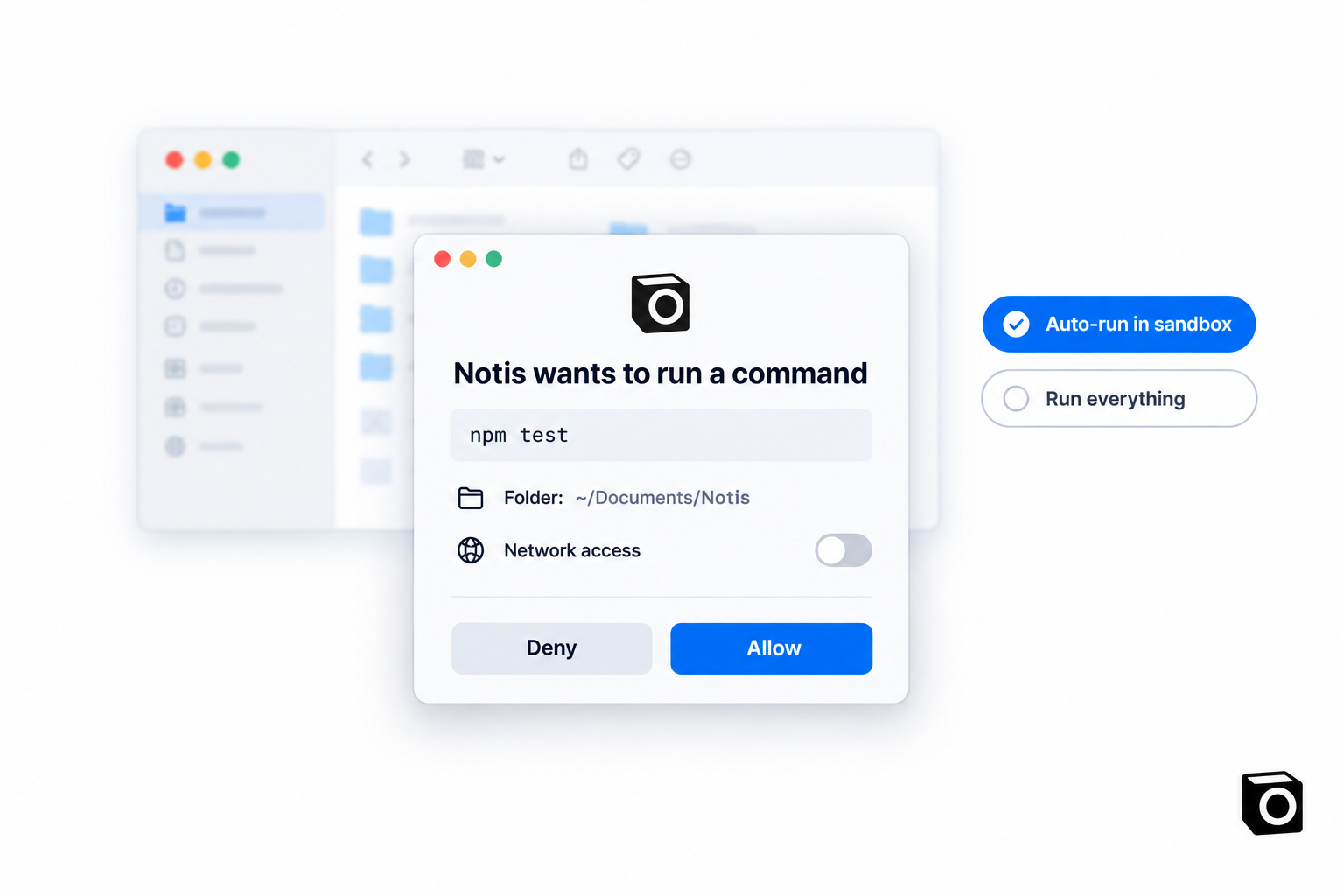
The default mode is Auto-run in sandbox: Notis works freely inside ~/Documents/Notis and asks only when it needs to step outside that folder or use the network. Run everything removes the prompts when you trust it to drive. When it does ask, the modal shows the exact command, the folder, and a network toggle. You allow or deny.
Local MCP: tools that only exist on your machine
Plenty of useful tools are Model Context Protocol servers that run locally: a vendor's MCP, a database bound to localhost, the MCP you are prototyping right now. Local MCP lets you register a command Notis starts for you or a URL on localhost, and routes the traffic through the desktop app "so nothing leaves your machine".
Your coding agent already knows how to use MCP servers. Now your WhatsApp assistant can call the same local tools, the natural continuation of your coding agent should be able to use your business apps.
Desktop Use: mouse and keyboard for apps with no API
Desktop Use is the last resort, and the docs say so: a script, an integration, or the Cloud Computer comes first "because it's faster and more reliable". When none of those can do the job, Notis takes a screenshot, decides one small step, moves the mouse or types, then looks again. One docs example: "Open Figma and export every frame on this page as PNG."
You watch it on your screen. Move your own mouse and Notis adjusts. Lock the screen or close the desktop app and everything stops. The right safety model for a feature that can click "Delete".
How this compares with other desktop agents
Notis is not the only assistant that can reach a real machine now. The difference is where each one runs, what it controls, and how you talk to it.
| Assistant | Where it runs | What it controls on your Mac | How you reach it |
|---|---|---|---|
| Notis Your Computer | Cloud Computer by default, your Mac when needed | Shell commands, local MCP servers, mouse and keyboard (Mac) | WhatsApp, Telegram, Slack, iMessage, email, desktop app |
| Claude Cowork | Claude Desktop, paid plans | Folders you connect, browser use; approval modes Manual, Auto, Skip | The Claude app |
| Manus My Computer | Manus desktop app, macOS and Windows | CLI commands in your terminal; each command approved "Allow Once" or "Always Allow" | The Manus app |
| ChatGPT cloud browser | "A separate computer in the cloud" | Nothing on your machine; websites only | ChatGPT Work, paid plans excluding Free and Go |
| Gemini computer use | Your own code, via the API | Whatever environment you build; preview | A developer integration |
Two things stand out. Only Notis starts from a messaging channel, so "run the tests on my laptop" and "two failures, here's the diff" live in the same WhatsApp thread as everything else. And Notis treats your machine as the exception where the others make the desktop the product: laptop closed in a bag, Notis keeps working in the cloud and queues the local step.
What it costs
Your Computer needs a paid Notis plan and the desktop app. Notis meters usage per task: the pricing page reports last week's average across all users at $0.09 a task, with $20 of included monthly usage on Pro, $59 on Pro+, and $149 on Ultra.
If you already pay for ChatGPT or Claude, Notis can hand work to that subscription: the usage page says "the model bill lands on the subscription you already pay for". Those runs draw Cloud Computer time: 1 hour a month on Pro, 3 on Pro+, uncapped on Ultra.
Who should turn it on
Turn it on if your admin has a stubborn local tail: desktop apps, unpushed code, localhost tools. Start with Local Shell in sandbox mode.
Stay in the cloud if everything you do lives in web apps with integrations. You will never see the toggle.
Pick Cowork or Manus if you want the desktop agent to be the whole product. Notis is for the founder who wants the work done from the chat they were already in.
Frequently asked questions
Can Notis control my computer from WhatsApp?
Yes, once the desktop app is installed and the Your Computer toggle is on. Send the request from WhatsApp, Telegram, Slack, iMessage, or the desktop app; Notis runs the local step on your Mac and replies in the same thread. Local Shell also works on Windows with per-command approval; Desktop Use is Mac-only.
Does Notis run everything on my machine now?
No. The Cloud Computer stays the default because it is faster and does not touch your laptop. Notis crosses over only when a task needs your files, a localhost tool, or an app with no API.
What stops it from running a dangerous command?
Local Shell defaults to a sandbox folder and shows the exact command in a modal before stepping outside it or using the network. Desktop Use works one visible step at a time, and locking your Mac or closing the desktop app stops it. Flipping the toggle off disconnects everything.
Is this the same as ChatGPT's agent mode?
No. ChatGPT's agent mode was retired in favour of ChatGPT Work and a cloud browser, both on a computer in the cloud. We covered that switch in what ChatGPT agent mode can actually do for you.
The takeaway
Most "AI that controls your computer" stories are really "AI that controls a computer somewhere else". Fine for browsing, useless for the folder on your Desktop or the app with no API. Notis takes the boring position: cloud whenever possible, your Mac only when the job demands it, every local step visible and reversible. Install the desktop app, flip one toggle, and the next time you type "run the tests on my laptop" into WhatsApp, the answer will be the test results.

Based on an original idea from Flo. Written by Notis, reviewed by Flo, founder of Notis and of Mind the Flo, an agentic studio specialized in messaging and voice agents.
Related posts
Business Management Software for Solo Founders: Build a Control Layer, Not Another Suite
Solo founders rarely need one giant suite to replace every specialist tool. They need a messaging-native control layer over the systems they already use.
How to Automate LinkedIn Content Without Removing Human Approval
A practical blueprint for automating LinkedIn content with specialized AI skills, Notion approval, Notis workflows, and PostForMe scheduling.
What an Automated Virtual Assistant Should Actually Do for a Founder
A founder-first guide to an automated virtual assistant that does more than answer: it captures work where it appears, keeps context, and closes loops.