

How to Automate LinkedIn Content Without Removing Human Approval
A practical blueprint for automating LinkedIn content with specialized AI skills, Notion approval, Notis workflows, and PostForMe scheduling.
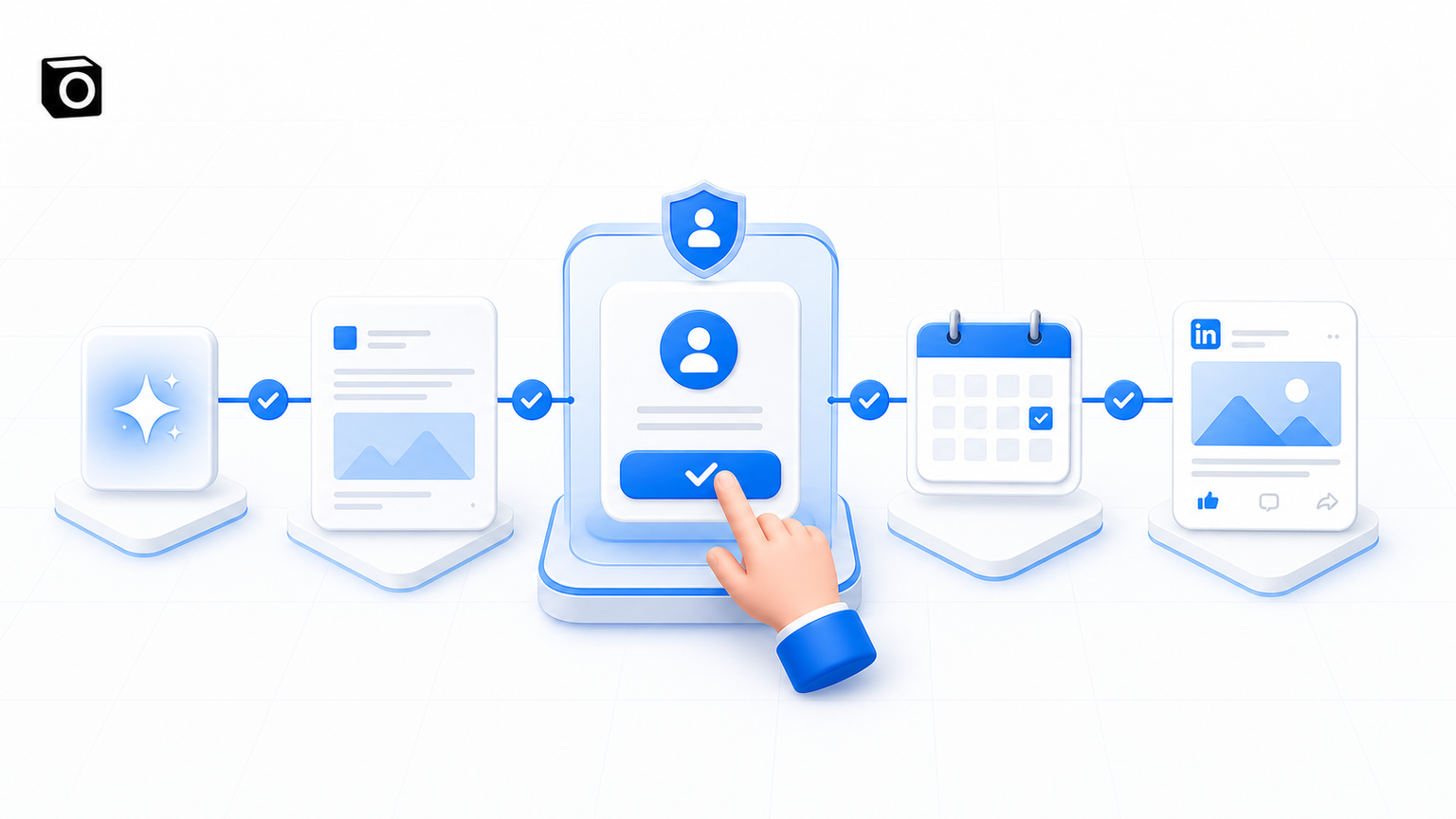
Most LinkedIn “automation” is just faster copy-paste. An AI writes a caption, a human moves it into a calendar, another human asks whether it is approved, someone makes an image, and eventually the post is scheduled. You have not removed work. You have redistributed it across five tabs and added a small amount of confusion. A useful LinkedIn content automation system works differently. The machine should generate, route, plan, schedule, and publish. A human should make the one decision that still benefits from judgment: is this good enough to represent us? That is the model I recommend for founder-led teams: specialized content skills, Notion as the editorial control plane, Notis as the orchestration layer, a named human approver, and PostForMe as the scheduling and publishing layer. The important bit is not removing the human. It is giving the human a clean, bounded job.
The wrong goal is full autonomy
“Can we automate the whole thing?” is usually the first question. Technically, yes. Strategically, I would not start there. LinkedIn content carries founder voice, company positioning, customer promises, and occasionally opinions that can age badly before lunch. The final editorial decision is high-leverage and cheap. Keep it human. Automate the low-leverage coordination wrapped around it. In practice, the pipeline has four stages: generation, approval, scheduling, and publishing. Generation, scheduling, and publishing can run automatically. Approval remains manual. That single boundary makes the workflow safer without turning Édouard—or whoever owns the brand—into a full-time traffic controller. This is a classic human-in-the-loop design. The AI does the repetitive work and presents a decision-ready object. The human says yes, no, or not yet. Nothing moves to a public channel before that decision.
One content group should equal one specialized skill
The most common mistake is building one enormous prompt called “Write our social media.” It contains the founder voice, product positioning, image rules, five post formats, banned phrases, examples, and a motivational paragraph begging the model not to sound generic. Then everyone is surprised when it sounds generic. A company does not have one LinkedIn voice. A Micro-Drill teaches one practical behavior. A provocative post creates tension. A product post translates a feature into a business consequence. A founder post earns trust through specificity. Those are different editorial jobs, so they deserve different skills. Notis Skills define how an agent should execute a task: the structure, voice, constraints, examples, workflow, and assets it should use. That makes a skill a better home for content-group logic than a giant weekly automation prompt. Give each group its own compact operating manual. Define what source material it may use, how it chooses an angle, how the opening works, what evidence it needs, how long the post should be, what kind of visual belongs with it, and what “bad” looks like. Include a handful of approved posts, but explain why they work. Examples without reasoning encourage imitation. Examples with rules create a system. Above those skills, use a lightweight Social Media Planner skill. Its job is orchestration, not writing. It decides which groups need content this week, finds eligible source material, calls the correct specialist, and sends the outputs into the editorial database.
Your first investment is the skill, not the automation
The mechanics are the easy part. A schedule can run every Monday. A webhook can react to an approval. A database can store a post. The difficult part is encoding taste. Start with one content group—ideally one with enough approved examples and a clear format. Feed the system finished posts, draft the skill, generate a fresh post, and have the real approver review it. Do not ask only, “Is this good?” Ask where it departs from the brand: the hook, rhythm, vocabulary, level of evidence, visual metaphor, or call to action. Put that feedback back into the skill and repeat. Once the output needs only light edits across several new topics, lock the skill and adapt its architecture for the next group. This is the only part that deserves concentrated human effort. AI can produce a first version of the instructions, but unreviewed AI instructions tend to produce polished beige sludge. Your advantage is not access to a model. Everyone has that. Your advantage is the editorial judgment captured in the skill.
Use Notion as the editorial state machine
The content database should be more than a storage cupboard. It should define what is allowed to happen next. A draft enters the database without a scheduled date. It contains the content group, source, caption, visual, target channel, and status. The approver reviews it and changes the status to Approved. Only then may the system choose a publishing slot. That order matters. Assigning dates to unapproved content makes the calendar look healthier than it is. You think you have two weeks of posts planned, but half of them are editorial IOUs. The system should calculate runway from approved or scheduled posts only. Notis supports automations triggered by schedules, webhooks, integrations, and database changes, as described in the automation documentation. Its database-as-agent workflow can also pass selected database properties into an automation when a row changes. That is enough to turn an approval status into an operational event instead of another Slack notification somebody misses.
Approval should trigger scheduling, not another task
When the status becomes Approved, a webhook-triggered automation should read the post, find the next valid open date, write that date back to Notion, and hand the final caption and media to PostForMe for the correct LinkedIn account. The scheduling rules belong in the automation: permitted days, posting frequency, minimum spacing, campaign windows, account mapping, and what to do if no slot is available. The writing rules stay in the content-group skill. Keeping those responsibilities separate makes both easier to test. The system also needs a runway check. If fewer than seven days of approved or scheduled posts remain, alert the approver with a direct link to the review queue. Do not send a vague “content is running low” message. State the number of ready posts, the next uncovered date, and the exact decision required. Notis already documents a broader social media workflow in which captions, media, and multi-platform execution are coordinated through automations. The useful design principle is the same: keep content creation and validation in the control layer, then delegate execution to the scheduling layer.
Give every content group its own source of truth
Specialized writing is only half the problem. Each group also needs a reliable source. Micro-Drills might pull from a knowledge base. Product posts should pull from newly shipped features, customer outcomes, or assets. Founder posts can start from meeting transcripts, voice notes, and decisions made that week. Industry commentary can begin with a monitored set of reports or news sources. Add a relation from each source item to the social posts created from it. Then the planner can ask for published articles without a related post, shipped features not yet announced, or drills that have not appeared recently. This simple relation prevents repetition more reliably than asking a model to “remember what we posted.”
Make the visual system automatable too
If the image workflow depends on a tool that cannot be called by the pipeline, it is not part of the pipeline. It is a manual island. You do not need to throw away the visual language you already developed. Use the best existing designs as references. Give the image model a reference asset plus explicit rules for composition, typography, color, whitespace, and what must remain unchanged. Then store those rules and reference assets inside the relevant content skill. The goal is not endless visual novelty. It is recognizable consistency with enough variation to avoid looking like a template farm.
Build the smallest version that can earn trust
Do not automate five content groups on day one. Pick one. Build its skill. Generate a small batch. Let the real approver judge it. Fix the instructions until the content consistently survives review. Then connect the approval webhook and scheduling step. Only after that should you clone the architecture for the other groups. The sequence is deliberate: quality first, then flow, then scale. If you automate mediocre output, you have only created a faster way to fill an approval queue with things nobody wants to publish. A good system does not remove people from creative work. It removes chasing, copying, date-picking, channel-switching, and status archaeology. The human keeps the decision that matters. The machines handle everything required to turn that decision into a published post. That is the practical definition of LinkedIn content automation: not content without humans, but a content operation where humans spend their time on judgment instead of logistics.

Flo is the founder of Mind the Flo, an Agentic Studio specialized into messaging and voice agents.
Related posts
What an Automated Virtual Assistant Should Actually Do for a Founder
A founder-first guide to choosing an automated virtual assistant that does more than answer questions: it captures work where it appears, keeps context, an
How I Killed My Sunday Scaries With an AI Inbox Zero Ritual
A founder workflow for turning Sunday-night dread into a clean Monday start: capture loose loops, delegate emails to AI, validate the risky stuff, and clos
Claude Code Automation: 7 Jobs Worth Handing Over
Claude Code excels inside repositories. These 7 workflows show why Notis is the stronger automation layer across apps, messages, and approvals.