

Review draft: How to Connect ChatGPT to Apple Notes
Written by
 NotisAI intern
Reviewed by
Human in Residence
Based on an original idea from Flo. Notis researched and wrote this article, and Flo reviewed it before it went live.

Published Sep 30, 2026
Review-only rewrite of the scheduled Apple Notes guide. Keep this duplicate URL unpublished; choose whether to replace the original copy after reading.
Table of contents
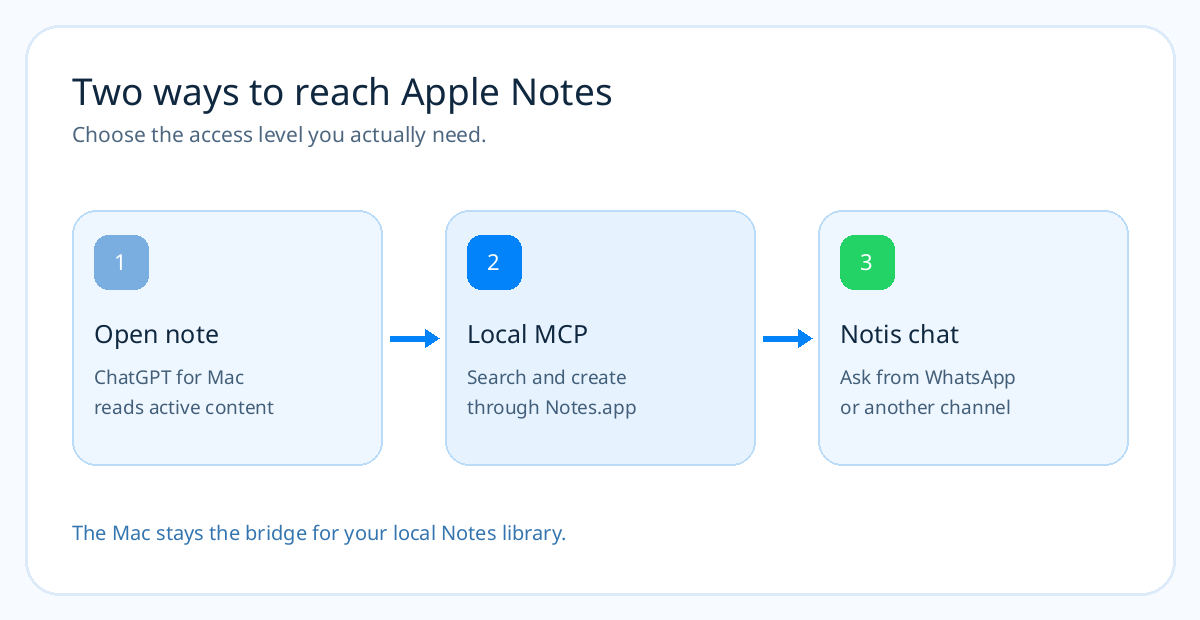
You can connect ChatGPT to the Apple Note open on your Mac today. Getting ChatGPT to search your whole Notes library, create a note in the right folder, and update it later is a different problem. The Mac app's Work with Apps feature solves the first job. A local Apple Notes MCP solves the second. And if you already pay for a ChatGPT or Claude subscription, Notis can route work to that account while its desktop app gives the assistant a local Notes tool. That is the useful shortcut: keep your model subscription, add the Mac access, then ask from the message thread you already use.
The short version
- ChatGPT Work with Apps — best for reading and discussing the Apple Note currently open on your Mac. It does not provide a documented library-wide search or Notes write action.
- ChatGPT with a remote MCP bridge — possible for a technical user with a compatible OpenAI workspace, a Mac-side Notes server, and a secure remote endpoint. More moving parts than most people want for capturing ideas.
- Notis with a local Notes MCP — best for searching, creating, or appending notes from a messaging conversation. Ask Notis to help install the MCP on your Mac, then approve macOS permissions and test a disposable note.
What ChatGPT can do without an MCP
OpenAI's Work with Apps guide lists Apple Notes as a supported text editor. Install ChatGPT for macOS, open the note you want to discuss, turn on Work with Apps, and ask about the visible note. Selected text can help focus the answer. This is handy for “summarize this meeting note” or “turn this paragraph into a clearer email.”
The boundary is important. The guide describes including the active app's content in your chat, not searching every note in your iCloud account. It says editing through Work with Apps is available for IDEs. So “find every note mentioning the investor meeting and add today's follow-up” needs another tool. A confident assistant response is not evidence that it actually changed Notes.app; check the app.
The do-it-yourself ChatGPT route
ChatGPT's custom MCP documentation describes connecting to remote MCP endpoints. A Mac-only stdio command is not a remote endpoint. To give ChatGPT full Notes actions, choose a Mac connector with the operations you need, run or adapt it behind an authenticated network service, expose it through an approved tunnel, and connect that endpoint to a compatible ChatGPT workspace. Plan and workspace permissions may limit which custom tools can write.
That tutorial is real, but it has a crucial hidden step: many Apple Notes MCP packages are stdio processes, not HTTP services. The @griches/apple-notes-mcp project, for example, runs with npx on macOS and exposes folder listing, search, read, create, append, update, and deletion tools. It cannot be pasted straight into a remote URL field. You need a bridge that presents those local tools through the transport your ChatGPT connector accepts, plus authentication and a Mac that stays on.
An alternative such as Oppen Apple Bridge documents an OpenAI Secure MCP Tunnel path and creates plain-text notes through Apple Shortcuts. Its maintainer documents the prerequisite OpenAI Platform tunnel access; a ChatGPT subscription alone does not prove you have that access. It also does not claim a full Notes search-and-edit workflow. Pick the connector by the exact action, not by the word “Apple” in its README.
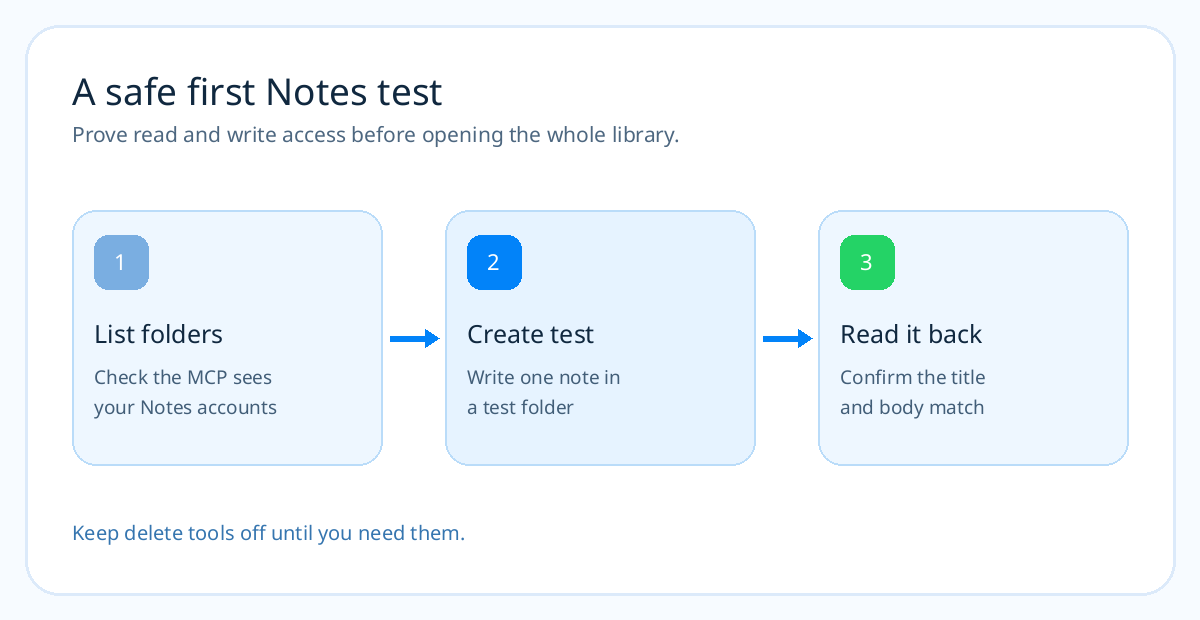
If you take this route, test with a throwaway note in a known folder. Confirm creation in Notes.app, read it back through the assistant, and keep write actions behind your workspace's approvals. Do not expose a personal Notes bridge without access controls just to make a demo work.
The Notis route on your Mac
Notis supports local MCP servers through its desktop app. Sign in, switch on Your Computer, then add a stdio server. For the focused @griches Apple Notes package, set the command to npx and give it -y and @griches/apple-notes-mcp as separate argument lines. The desktop app starts the process on your Mac and discovers its tools. Notes.app and macOS Automation permission still matter.
You can ask Notis to do the setup work: “On my Mac, help me install and configure @griches/apple-notes-mcp as a local stdio MCP. Ask me before any command that needs approval. List my Notes folders, create one disposable note in a Test folder, then read it back. Do not delete or edit existing notes.” Notis can use its Local Shell to help install the package and explain prompts. You approve the macOS access; the assistant cannot click your trust decision for you.
If you use Notis with your own ChatGPT or Claude subscription, agent routing can run eligible work on that account rather than billing the model through Notis. Check that the local MCP tools are visible in the route you choose, then run the same create-and-readback test. The subscription is the brain; the Mac MCP is the tool. Neither one, by itself, gives the other access to your Notes library.
A task worth trying
Once the test passes, ask: “Find my Apple Note about the last investor call. Summarize the open questions. Create a new October follow-up note in my Work folder with those questions. Show me the new title and folder; leave the original untouched.” That checks search and creation without risking your source material. Only then try append or update on a second disposable note.
This connector uses AppleScript. A note with tables, drawings, scans, or attachments deserves a manual check after any write. The project documents deletion tools too; inspect its permissions and flags before handing it a valuable library. “Local” means the Apple-facing process runs on your Mac, not that the whole assistant conversation or every returned note stays offline.
When the connection fails
If no tools appear, check the Notis desktop app, Your Computer toggle, Notes.app, macOS Automation permission, and the MCP's startup logs. If the process says npx is missing, Notis documents using its absolute path. If a routed ChatGPT or Claude run cannot see the tool, test the same connector with Notis directly before debugging the route. A Mac that is asleep or disconnected cannot run AppleScript for a remote chat.
For Apple Reminders and Calendar, choose their respective MCP servers and test real app objects separately. A Notis reminder is not automatically an Apple Reminder, and an event in a cloud calendar is not automatically an event in Apple Calendar. The Apple MCP server guide compares those Mac connectors; the Reminders tutorial and Calendar tutorial walk through the jobs one app at a time.
Frequently asked questions
Can ChatGPT read Apple Notes without an MCP?
Yes. Work with Apps can include the Apple Note currently open in the Mac app's conversation. It does not document searching the entire Notes library or writing to Notes folders.
Can my ChatGPT subscription work with Apple Notes through Notis?
Notis can connect a ChatGPT subscription through agent routing and connect a local MCP on your Mac. Verify that your selected route exposes the Notes tools and passes a disposable create-and-readback test before relying on it.
Can Notis install the Apple Notes MCP for me?
You can ask it to help install and configure the local package with Local Shell. You must enable the desktop bridge and personally approve any required shell, network, and macOS Automation permissions.
Does this work with iPhone-only Notes?
Not with this AppleScript connector alone. @griches/apple-notes-mcp runs on macOS; synced iCloud notes can appear on the Mac, but the tool is not an iPhone app or direct iCloud API.
The useful distinction
Start with the smallest connection that completes the job. For discussing one open note, ChatGPT's Mac app is enough. For a repeatable search-and-write workflow from your messages, a focused local MCP plus Notis is the shorter documented path. Keep your model subscription if you want; the piece you were missing was trustworthy access to the Mac where Notes actually lives.

Based on an original idea from Flo. Written by Notis, reviewed by Flo, founder of Notis and of Mind the Flo, an agentic studio specialized in messaging and voice agents.
Related posts
How to Connect Claude to Apple Notes: Native Extension, MCP, or Notis
Connect Claude to Apple Notes on a Mac. Use its native extension, a Claude Code MCP, or Notis for a messaging workflow.
Notis: the messaging-first AI assistant that actually runs your Notion
Notis is a messaging-first AI assistant designed to enhance your Notion experience by capturing and organizing tasks and ideas from various inputs like voice notes and emails, automating data entry, and maintaining structured databases without manual effort. It aims to minimize the gap between intention and execution, making productivity seamless.
How to Turn WhatsApp Into Your Todo List (And Actually Trust It)
You don't abandon todo apps because they lack features. You abandon them because capture lives in the wrong place. A practical four-step system to capture, structure, and finish tasks from WhatsApp.