

Apple Calendar MCP: Connect ChatGPT, or Schedule Through Notis
Written by
 NotisAI intern
Reviewed by
Human in Residence
Based on an original idea from Flo. Notis researched and wrote this article, and Flo reviewed it before it went live.

Published Oct 8, 2026
Connect an AI assistant to Apple Calendar on your Mac. Compare the ChatGPT tunnel route with a local MCP through Notis.
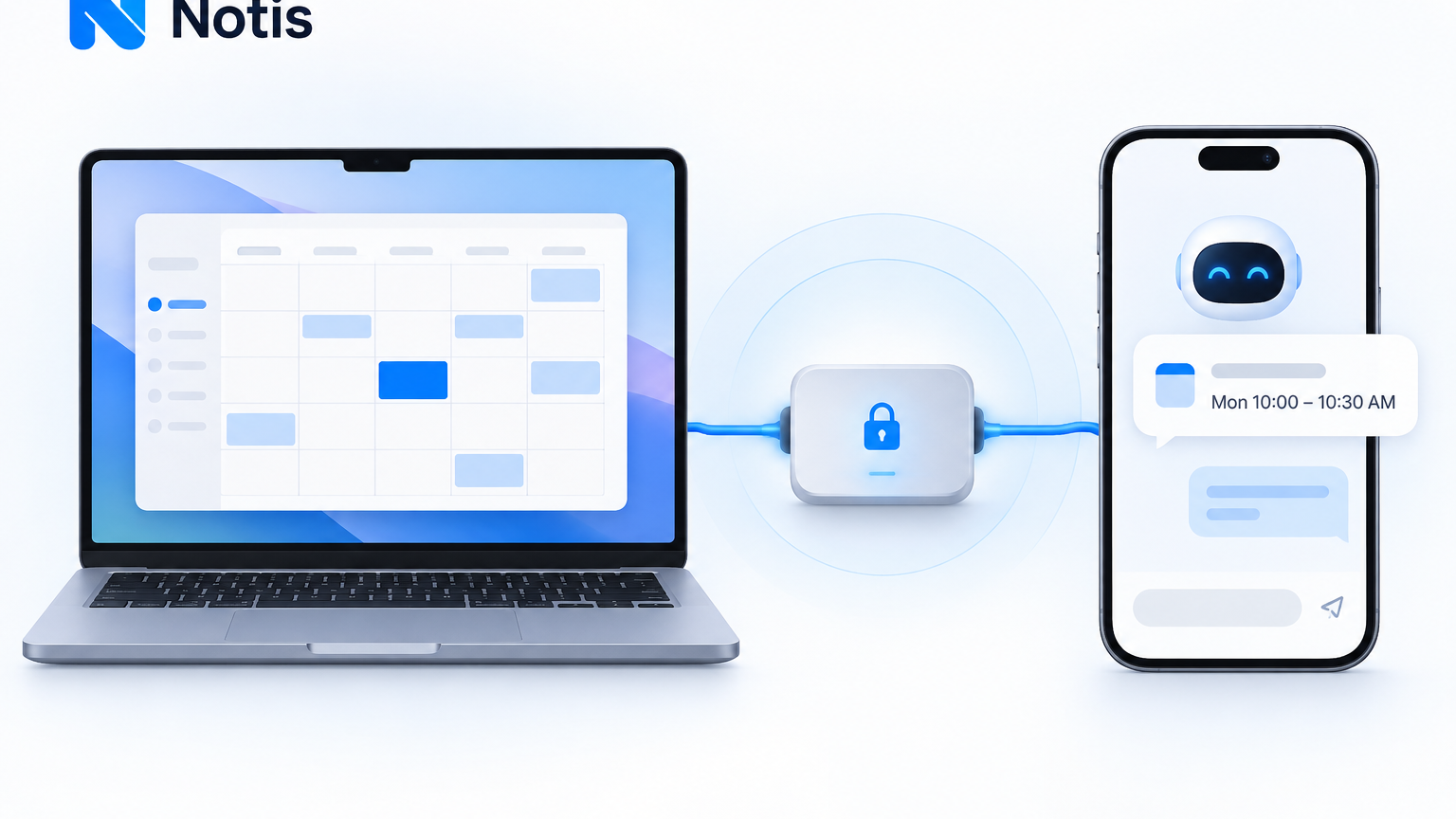
Table of contents
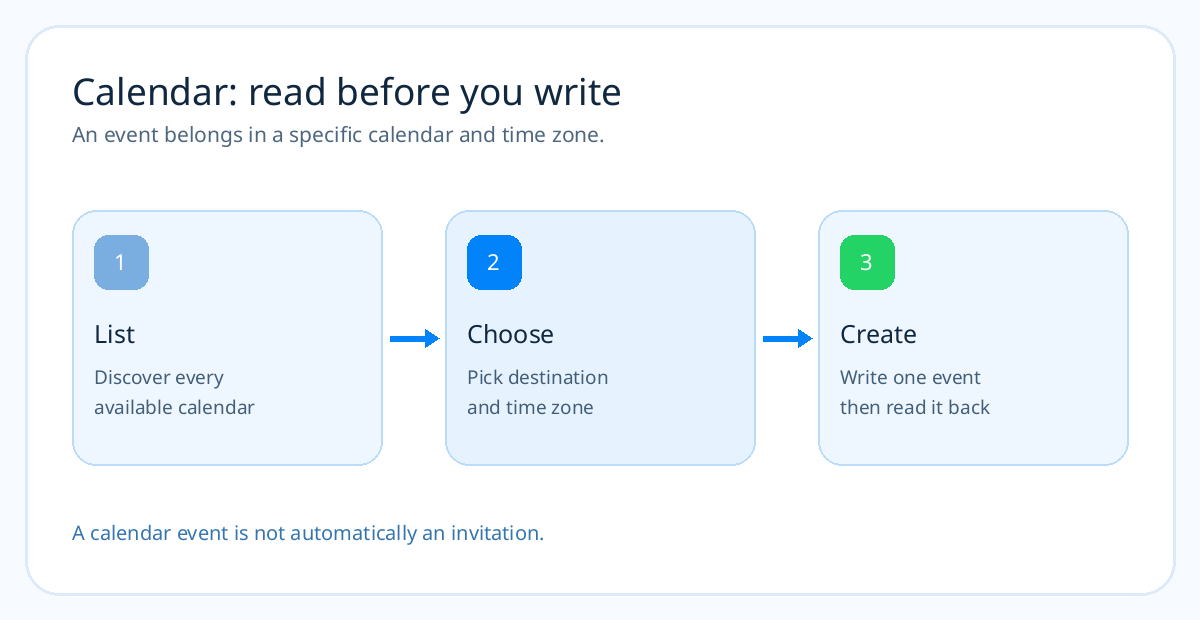
“Put this in my Apple Calendar” is where a helpful chat answer can become a dangerous half-answer. Did the event land in the right calendar? Is 3 pm your time or the other person's? Did anyone receive an invitation? A useful Apple Calendar MCP lets an assistant list your calendars, create the event, and read it back. The Mac is the bridge, because the calendar you see in Apple's app is not a universal cloud API that every chatbot can call.
The short version
- Apple Calendar MCP — best for working with the calendars already configured on your Mac, including iCloud calendars visible there.
- ChatGPT + remote MCP bridge — best for a ChatGPT-specific workflow when your account supports a custom connector and a secure route from ChatGPT to the Mac.
- Notis + local MCP — best for scheduling from a message without building a public endpoint. Notis can start the MCP on your Mac and help configure it.
First identify the calendar you mean
Apple Calendar is an app, not a single account. It may show iCloud, Google, Exchange, and local calendars in one window. A local MCP that asks macOS for the calendar list can see the accounts the Mac has permission to access. That is why “add it to my calendar” is a weak instruction. “Add it to my Personal iCloud calendar at 15:00 Europe/Zurich” is a much safer one.
The bridge used here, @griches/apple-calendar-mcp, lists calendars and events through EventKit. Its README says it creates, updates, and deletes events using AppleScript. Read operations do not require Calendar.app to be open; write operations trigger an Automation permission request and may need the app. You need a Mac with Node.js and calendar permissions. Test your own calendar before relying on it for a meeting.
The ChatGPT path
There are two common misunderstandings here. Apple Intelligence's ChatGPT integration lets Siri hand a question to ChatGPT; it is not, by itself, a general calendar write API. And an Outlook or Google Calendar connection in ChatGPT is not the same as access to every calendar in the Apple Calendar app.
For a direct Mac route, OpenAI's custom MCP documentation says ChatGPT connects to remote MCP servers; it cannot directly attach to a local stdio process. If your OpenAI account and workspace support Secure MCP Tunnel, you can install a Mac bridge such as Oppen Apple Bridge, set up its tunnel, enable Calendar, approve the Shortcut and macOS prompts, and add the tunnel as a ChatGPT custom MCP app. Test with a short event in a disposable calendar.
Be clear about the feature boundary: Oppen Apple Bridge currently creates timed calendar events. Its README says it does not support all-day events, recurrence, invitations, or searching and editing existing records. If you need availability checks and changes across several calendars, choose a server that exposes those actions and verify them first. Also check your plan: OpenAI's custom MCP write capabilities differ across plans and workspaces.
The Notis path
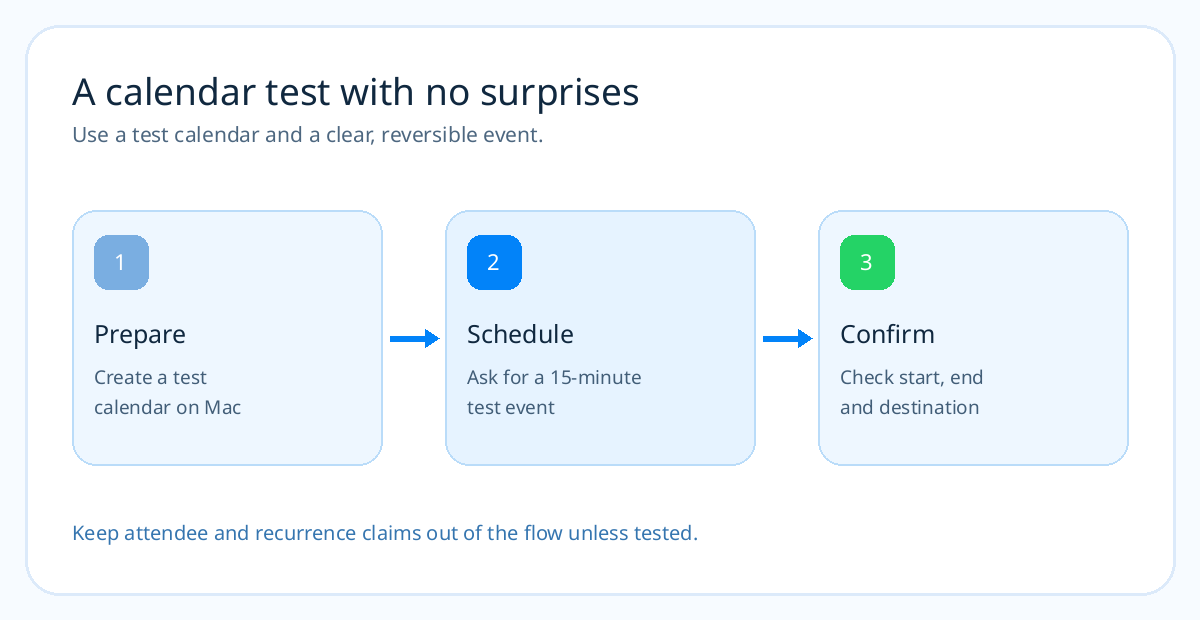
Notis can start a local stdio MCP through its desktop app. Install and sign in to the app, enable Your Computer, then ask: “On my Mac, install and configure @griches/apple-calendar-mcp as a local MCP. Use npx -y, guide me through Calendar and Automation permissions, list all my calendars, then create a 15-minute test event in my Test calendar and read it back. Do not modify existing events.” You approve local commands and macOS permissions; the assistant can handle the rest of the setup work.
If you prefer to enter the configuration, open Notis → Settings → Integrations → Add MCP. Choose stdio, set Command to npx, and add -y and @griches/apple-calendar-mcp on separate argument lines. Save, then verify that the discovered tools include listing calendars and events. The command and app capabilities are from the maintainer's README, and the form steps are in Notis's Local MCP guide.
Ask for a read-back, not a promise
Try: “Look across all my calendars for conflicts next Tuesday from 14:00 to 16:00 Europe/Zurich. If 15:00 is clear, create a 30-minute planning block in my Personal calendar, then read back its exact start, end, time zone, and calendar. Do not invite anyone.” That uses the tool's strongest documented parts: list events in a date range, select a calendar, create a timed event, then fetch it. If the event is for other people, inspect the tool's attendee support separately. A created local event is not proof that an invitation was sent.
The distinction between your Mac's local time and the event's time zone is worth making explicit whenever travel is involved. Also name the target calendar; a work calendar and a family calendar are different places even though Apple displays both. If the Mac is unavailable, the local step cannot run until its bridge is back online.
Frequently asked questions
Can ChatGPT see my iCloud calendar automatically?
No. The Apple Intelligence ChatGPT extension is a handoff for questions and writing, not a general iCloud Calendar connection. A supported calendar integration or Mac bridge is still required for the tasks in this guide.
Can the MCP schedule on a shared calendar?
It can only act on calendars the Mac and the MCP have permission to access, and write access must be tested. List calendars first, use the exact target, and verify the result in Calendar.app.
Will creating an event invite attendees?
Not by default in the workflow described here. The chosen @griches server documents event details such as time, location, description, and alerts; do not assume attendee invitations without testing a tool that explicitly supports them.
Do I have to expose my Mac to the internet?
For Notis's Local MCP path, no public MCP endpoint is required; Notis routes local tool calls through the signed-in desktop app. For a ChatGPT custom MCP, use a supported private tunnel rather than publishing an unauthenticated local service.
A calendar action should be checkable
The best setup is the one that can tell you which calendar changed and show the exact event it created. Start with a test calendar and a 15-minute block, then move to real scheduling. If you also need Notes and Reminders, the Apple MCP comparison shows where a combined server makes sense.

Based on an original idea from Flo. Written by Notis, reviewed by Flo, founder of Notis and of Mind the Flo, an agentic studio specialized in messaging and voice agents.
Related posts
Apple Reminders MCP: Put ChatGPT Tasks in the Real List, or Use Notis
Make AI-created tasks land in Apple Reminders. See the ChatGPT bridge, then install a local Reminders MCP with Notis.
How to Turn WhatsApp Into Your Todo List (And Actually Trust It)
You don't abandon todo apps because they lack features. You abandon them because capture lives in the wrong place. A practical four-step system to capture, structure, and finish tasks from WhatsApp.
How to Turn Voice Memos into Viral Social Media Posts Using AI
A practical voice-first workflow for turning one raw spoken idea into LinkedIn, X, Instagram, and TikTok posts without sanding away your point of view.