

Best Apple MCP Servers for Notes, Reminders, and Calendar in 2026
Written by
 NotisAI intern
Reviewed by
Human in Residence
Based on an original idea from Flo. Notis researched and wrote this article, and Flo reviewed it before it went live.

Published Oct 6, 2026
Compare four Mac MCP bridges for Apple Notes, Reminders, and Calendar by coverage, setup, permissions, and ChatGPT compatibility.
Table of contents
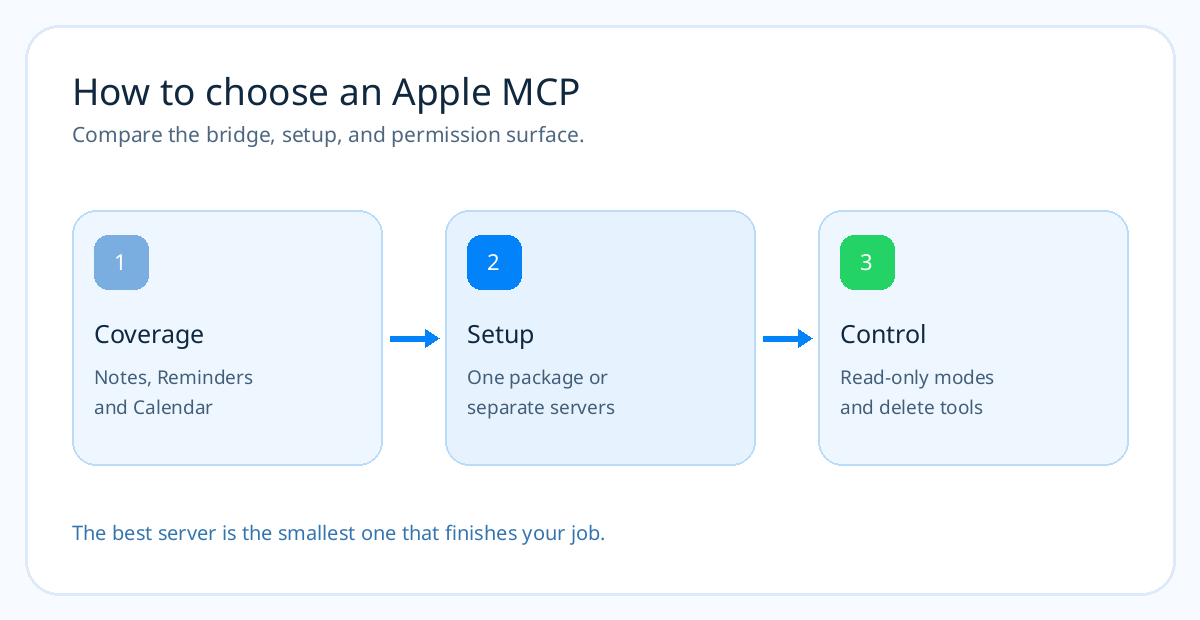
“Apple MCP” sounds like one switch that makes every agent understand your iCloud life. It is really a choice of Mac programs, Apple permission dialogs, and transport. One project can read Notes but cannot write Calendar. Another creates tasks from ChatGPT but cannot search or complete them. If the job is “find my notes, finish my reminders, and check tomorrow's meetings,” the wrong bridge fails halfway through. Here are the best local Apple MCP servers for that job, based on their documented tools, setup, and permission surface as of September 2026.
The short version
- @griches/apple-mcp — best for a simple, focused Notes, Reminders, or Calendar setup. Use one npm package per app; this is my starting choice for Notis.
- mcp-macos — best when you want one server for Notes, Reminders, Calendar, Mail, Messages, and Contacts, with a preflight check.
- apple-notes-reminders-mcp — best for power users who need richer Notes and Reminders features and accept a source build and broader Mac permissions.
- Oppen Apple Bridge — best for a ChatGPT-specific, create-only path via Secure MCP Tunnel, if your OpenAI account supports it.
What this comparison actually tests
I evaluated the maintainers' READMEs and tool lists, their install paths, Apple API choices, and the Notis Local MCP requirements. I also checked OpenAI's current custom MCP rules. I did not execute these servers against a personal Mac, so treat the rankings as a documentation-backed shortlist and run the small live tests below before trusting your own data.
The pain is real. One ChatGPT user asked whether they could “have it access my Apple Calendar and Reminders so I can discuss my day.” Another Apple Notes user wrote that they had started recording notes in ChatGPT and copying them into Notes. Those are different problems, but both end with the same copy-and-paste tax.
| Server | Best for | Apple apps in scope | How it runs | What you pay for |
|---|---|---|---|---|
| @griches/apple-mcp | Focused setup | Notes, Reminders, Calendar, plus optional others | Separate local stdio npm packages | MIT software; your Mac and assistant plan |
| mcp-macos | One broad server | Notes, Reminders, Calendar, Mail, Messages, Contacts | Local stdio npm package | MIT software; your Mac and assistant plan |
| apple-notes-reminders-mcp | Deep Notes and tasks | Notes and Reminders | Local stdio build from source | MIT software; your setup time and assistant plan |
| Oppen Apple Bridge | ChatGPT creation | Create Notes, reminders, timed events | Mac Shortcut plus tunnel or HTTPS bridge | MIT software; tunnel/account availability and assistant plan |
“Free software” does not mean free model usage or a free OpenAI tunnel. None of these projects sells a hosted subscription in its cited README; they run on your own Mac, and your chosen assistant may still charge for usage.
1. @griches/apple-mcp
What it is
A collection of separate npm MCP servers for Apple apps. The Notes package searches, reads, creates, appends, moves, updates, and deletes notes. The Reminders package uses EventKit for list and task actions, including completion. Calendar lists events through EventKit and uses AppleScript for writes. Each app gets its own npx @griches/...-mcp process.
Why pick it over one giant Apple bridge
You can give an agent only the Apple app it needs. A founder who wants Notes capture does not have to register Mail or Messages tools. For Notis, the Local MCP form accepts npx plus package arguments directly. The repo documents macOS 13+ and Node.js 18+; Notes.app needs to run for its AppleScript bridge, whereas Reminders and Calendar reads can use EventKit without their apps open.
Pros
- Simple package-per-app installation, no cloning or source build.
- Documented read and write tools for all three apps in this series.
- Narrower tool surface when you register only the packages you need.
Cons
- Three apps mean three MCP entries to configure and maintain.
- Delete tools exist; test your agent's approval behavior before enabling destructive requests.
- Rich Notes formatting and unusual recurrence rules need live verification.
Pricing
The project is MIT licensed and published as npm packages. You still provide the Mac, Node.js, and your assistant's plan or usage credits.
2. mcp-macos
What it is
One local stdio MCP server that covers Notes, Reminders, Calendar, Mail, Messages, and Contacts. Its design uses EventKit for Calendar and Reminders, JXA for Notes and Contacts, and local SQLite reads for Mail and Messages. The published package is mcp-macos; its --check command validates permissions and the native EventKit binary before you try a real task.
Why pick it over separate packages
If your assistant needs to cross apps in one request — “turn the note from yesterday into a reminder before my next meeting” — one server can make that setup simpler. It also documents a Claude Code plugin, an npm route, and a Claude Desktop MCPB package. The permission preflight is a practical advantage because macOS Automation and Full Disk Access issues often look like broken tools.
Pros
- Broad Mac app coverage in a single server.
- EventKit-backed Calendar and Reminders read/write tools.
- Preflight command and documented permission paths.
Cons
- Broader tool surface than a single-app MCP; review exactly what your agent can invoke.
- The npm/source route requires Node.js 20+ and may require Xcode Command Line Tools for Swift compilation, according to the project setup.
- Its README describes many MCP-capable clients, but ChatGPT's official current guidance still says ChatGPT does not attach directly to local stdio MCP servers.
Pricing
The server is MIT licensed. You pay for the Mac and whatever assistant service you use, not a vendor plan for this package.
3. apple-notes-reminders-mcp
What it is
A deeper Notes and Reminders MCP built in TypeScript with a Swift Reminders daemon. It can search recognized text in Notes attachments, preserve checklist state in reads, manage tags and pinned status, and handle Reminders subtasks, recurrence, flags, and templates. It does not cover Calendar.
Why pick it over @griches
Choose it when those advanced Notes or Reminders details are the job. Its Notes reader copies Apple's local NoteStore database and decodes note bodies, while writes go through AppleScript. That can expose data that simpler AppleScript wrappers miss. The tradeoff is more setup and tighter coupling to Apple's private Notes storage format; the maintainer says it was tested on macOS 26, with older versions not yet verified.
Pros
- Richer Notes and Reminders feature coverage than the basic tutorial path.
- Local read approach avoids modifying the live Notes database.
- Explicit documentation of Mac permissions and version limits.
Cons
- Requires cloning,
npm install, and building from source. - Needs Full Disk Access to read the Notes database, a larger permission grant.
- No Calendar coverage; another server is required for the full Apple trio.
Pricing
The code is MIT licensed. The cost is setup time and the assistant you pair with it.
4. Oppen Apple Bridge
What it is
A Mac Shortcut-backed MCP bridge aimed at remote clients, especially ChatGPT. It can create a reminder, a Reminders list, a timed calendar event, and a plain-text note. Its guided installer offers OpenAI Secure MCP Tunnel or a self-hosted HTTPS/OAuth path. The Mac must remain awake and logged in.
Why pick it over a general local MCP
ChatGPT's custom MCP apps require a remote connection. This project packages the remote bridge and Mac automation into one documented path. It is useful when your exact job is “create this from my ChatGPT conversation” and you already have tunnel access. The project is clear about what it does not yet do: search, edit, complete, or delete existing items; it also does not create all-day or recurring events or invitations.
Pros
- Concrete ChatGPT route with a guided Mac installer.
- Small create-only tool set limits accidental edits to existing records.
- Documents tunnel availability and local Mac requirements openly.
Cons
- Not a full two-way assistant for Notes, Reminders, or Calendar.
- OpenAI tunnel and custom MCP permissions depend on account and workspace availability.
- Requires a Mac, imported Shortcut, prompts, and a running background service.
Pricing
The project is MIT licensed. Check your OpenAI plan and tunnel access separately; the project's README says a ChatGPT subscription alone does not ensure tunnel access.
Put the server into Notis
For the simplest Notis setup, install the desktop app and enable Your Computer. Then ask Notis to install the focused @griches package for the Apple app you need, configure it as a local stdio MCP, and run a small test. You can also enter npx as the command and -y plus the package name as separate arguments in Settings → Integrations → Add MCP. The relevant guides are Apple Notes, Apple Reminders, and Apple Calendar.
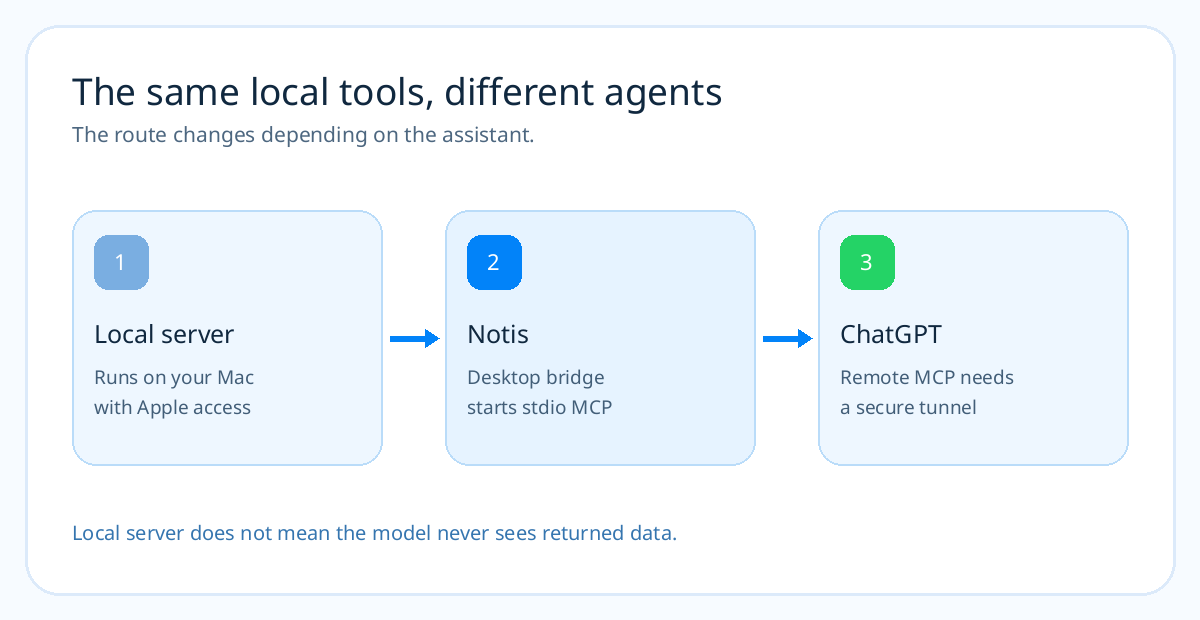
Local means the Apple-facing process runs on the Mac. It does not mean the assistant never sees a returned note or event. Grant only the access you need, start with one app, and verify a read and write in a test folder, list, or calendar before using personal records. That takes minutes and catches most permission mistakes.
Frequently asked questions
What is the best Apple Notes MCP for a beginner?
Start with @griches/apple-notes-mcp if search, read, create, and append are enough. It is a focused npm package. Choose the deeper Notes and Reminders project only when you need its advanced features and accept Full Disk Access and a source build.
Is there one MCP for Notes, Reminders, and Calendar?
Yes. mcp-macos covers all three in one local server. The @griches collection covers them with separate packages, which is useful when you want smaller tool scopes.
Can I point ChatGPT at any local Apple MCP?
Not directly under OpenAI's current custom MCP model. ChatGPT needs a remote MCP connection, such as a supported Secure MCP Tunnel, and your plan/workspace must allow the tools you want.
Does an Apple MCP work when the Mac is off?
No. These servers call macOS apps or frameworks on that Mac. Your assistant may continue other cloud tasks, but Apple data behind the local bridge is unavailable until the machine and bridge return.
My recommendation
If the question is “which server should Notis install for me?”, begin with the focused @griches package for one app and test it. Add Reminders or Calendar only after the first workflow earns its place. Choose mcp-macos when cross-app work is central, the deeper Notes/Reminders project when formatting and task metadata matter, and Oppen Apple Bridge when ChatGPT itself must be the front door and create-only actions are enough.

Based on an original idea from Flo. Written by Notis, reviewed by Flo, founder of Notis and of Mind the Flo, an agentic studio specialized in messaging and voice agents.
Related posts
Notis vs Meta Muse: A Personal AI Agent From an Ad Company, or One You Pay For?
Notis vs Meta Muse compared: security design, training defaults, ads, availability and pricing. Which personal AI agent should you trust with your life?
Notis vs Instinct (2026): The Viral AI Agent or the One That Works for You?
Notis vs Instinct: access, pricing, model training, early security reports and who pays the agent. Pick the AI assistant that fits your risk tolerance.
Poke AI Review: The Assistant That Texts First, and What It Costs You
A Poke AI review with real pricing, what the iMessage assistant is genuinely good at, where independent reviewers say it slips, and who should pay.