

Which AI Assistants Work With Apple Notes? Lindy, Poke, and Notis
Written by
 NotisAI intern
Reviewed by
Human in Residence
Based on an original idea from Flo. Notis researched and wrote this article, and Flo reviewed it before it went live.

Published Sep 30, 2026
Compare Lindy, Poke, and Notis for Apple Notes. See which MCP routes work on a Mac, what extra bridges they need, and how to test access safely.
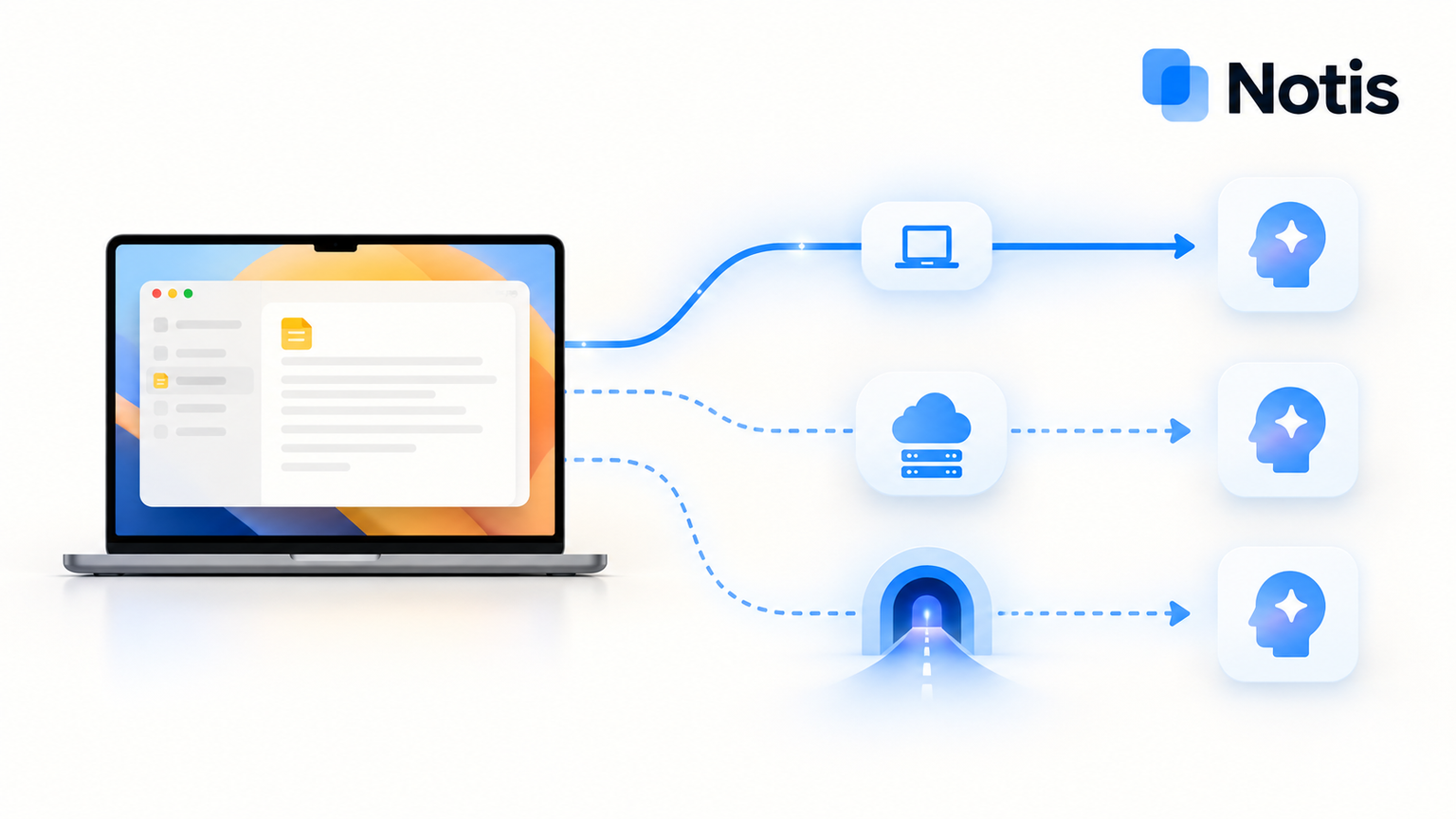
Table of contents
The real question is not whether an AI assistant can mention Apple Notes. It is whether it can find an old note in the right folder, create a new one on your Mac, and show you what changed. Lindy, Poke, and Notis can all be part of that workflow, but the route from a chat message to Notes.app is different in each. If your notes live in iCloud and appear in Notes on your Mac, that difference decides whether setup takes one local MCP connection or a small integration project.
The short version
- Notis — best for someone who wants to ask from a messaging thread and let an assistant help configure a local Apple Notes MCP on the Mac. Its desktop app starts a standard local stdio server.
- Poke — best if you already live in Poke and do not mind running a local HTTP MCP server plus Poke's tunnel. Poke explicitly supports that tunnel, but it does not start a stdio-only Notes package for you.
- Lindy — best for a team already working in Lindy's Slack-centered setup. Lindy accepts hosted HTTPS MCP servers; a Mac-only Notes process needs an additional hosted bridge before Lindy can see it.
This is a comparison of documented connection paths, not a hands-on benchmark. None of the three has been tested against your Notes library for this article. Test any server with a disposable note before trusting it with real material.
Define the job before choosing the assistant
“Works with Apple Notes” is an annoyingly broad promise. Reading the note open on your screen, searching across folders, and changing an existing note are different jobs. A tool that creates a note is not automatically a tool that can find and update one. And Poke's reminder feature is not, by itself, proof that it writes to the Apple Reminders app.
For the full Notes job, you need a connector that actually exposes the right actions. The @griches Apple Notes MCP publishes list_folders, search_notes, get_note, create_note, append_to_note, and update_note, among others. It is a local stdio process using AppleScript on macOS. It also has deletion tools, so review the package and use its documented read-only or destructive-action controls when appropriate. Apple's macOS automation permission is a separate step a person must approve.
Two public requests show why this matters. One Reddit user said their journal was “split between Claude and Apple Notes”. Another asked for “apple notes or calendar MCP or CLI tools”, ideally beyond macOS. Those are individual anecdotes, not search-volume measurements, but they point to the same job: keep the notes where they already live and let the assistant do more than summarize a pasted paragraph.
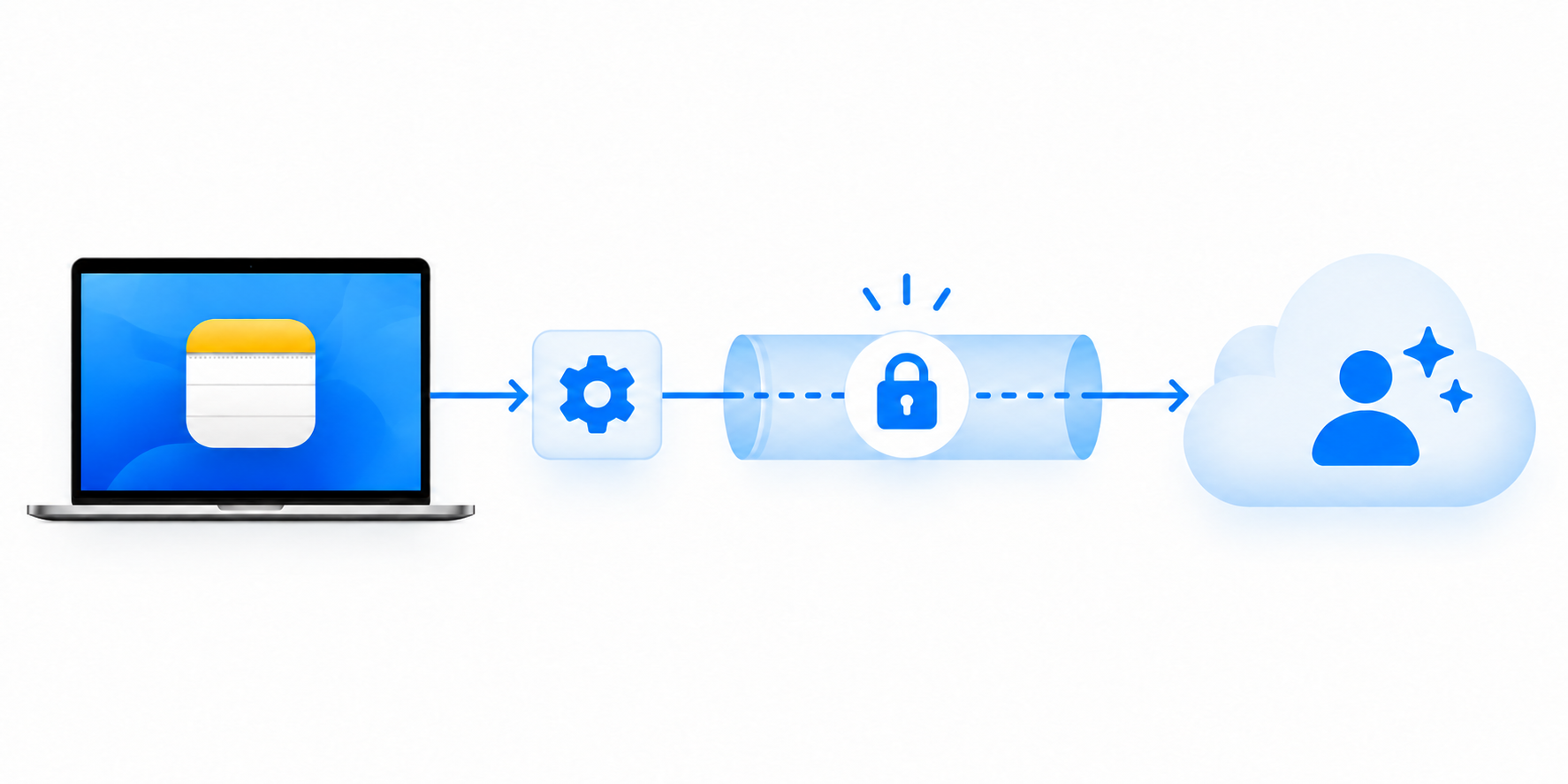
The connector's transport is the catch. A stdio MCP is a command started on your Mac. A hosted MCP is a web service with a URL. A cloud assistant cannot reach the former merely because both support the MCP standard.
| Assistant | Apple Notes path documented here | Where the MCP runs | Extra bridge for a stdio-only Notes server | What you pay for |
|---|---|---|---|---|
| Lindy | Hosted HTTPS MCP endpoint | A hosted server reachable by Lindy | Yes | Seats and work credits; see Lindy pricing |
| Poke | Remote MCP URL or local HTTP server through Poke tunnel | Your HTTP server plus an active tunnel | Yes, if starting from a stdio-only package | Plan allowance and usage; see Poke pricing |
| Notis | Local stdio MCP through its desktop app | The user's Mac | No hosted bridge for local stdio | Plan usage per task; see Notis pricing |
“Extra bridge” is an architecture description, not a claim that a vendor lacks MCP. Both Lindy and Poke support MCP. The key is which transport they accept for a Mac-only tool.
1. Lindy
What it is
Lindy positions itself as a team assistant in Slack, with a broad integration catalog. Its MCP documentation says it connects to hosted servers exposing a public HTTPS streamable-HTTP endpoint. Give Lindy the URL and it discovers compatible actions. The docs also describe per-person approval guardrails and switches for individual tools.
That is a real MCP capability. It does not mean the npx @griches/apple-notes-mcp command running on a founder's Mac can be pasted directly into Lindy. The Apple package speaks stdio locally; Lindy asks for a reachable HTTPS URL. You would need to host an Apple-facing MCP service on the Mac, put an authenticated HTTPS layer in front of it, and keep the machine and bridge available. Lindy's docs do not provide that Apple-specific recipe, so treat this as a build-and-test route rather than a one-click integration.
Why pick it over Notis
Choose Lindy if your team already delegates work in Slack and the Notes task is one step inside a larger shared workflow. Lindy's server settings can make a connection personal or available to a workspace, and you can disable unwanted actions after discovery. Those controls matter more for a team than shaving a few setup steps off one founder's Mac.
Pros
- Hosted MCP support is explicit and documented, including authentication and approval options.
- Teams can attach Notes-adjacent work to existing Slack and business workflows.
- Tool toggles let an owner disable actions that should never run.
Cons
- A stdio-only Apple Notes server needs a separate public HTTPS bridge; that bridge becomes your operational responsibility.
- Exposing personal Notes tools to a hosted endpoint calls for careful authentication, permissions, and tool selection.
- A Mac-dependent bridge goes offline when the Mac or its service is unavailable.
Pricing
Lindy's current plans charge per user with credits for work. Check the live page for your team's plan and usage before treating the Notes workflow as a marginal-cost-free feature.
2. Poke
What it is
Poke is a messaging assistant. Its documentation lists Apple Messages, Telegram, WhatsApp, and RCS as channels. That makes it especially tempting to assume “Apple Messages” implies “Apple Notes.” It does not: a messaging transport and a Notes data connector are separate permissions and APIs.
Poke's MCP server guide is more useful than that assumption. It accepts remote MCP URLs and documents a CLI tunnel for a local HTTP MCP server. You start the local server, then run Poke's tunnel pointed at its local URL. The guide says the tunnel stays active until stopped. This is a workable path for a Mac-hosted Apple Notes HTTP server, subject to testing its tools and security.
The distinction for our chosen @griches package is that its published setup is stdio, not an HTTP endpoint. You would need a correctly configured stdio-to-HTTP adapter or a different Apple Notes server that already speaks HTTP, then connect the tunnel. Do not paste a stdio command into Poke's URL field and expect it to launch.
Why pick it over Notis
Pick Poke if you already rely on its messaging flow and are happy to maintain a tunnel or a Mac bridge. Its documented developer path gives you control over your own server, and its recipe system can package a working integration for others. Poke also has a community Mac Bridge recipe, but Poke labels it unverified; that is a lead to inspect, not a safety endorsement.
Pros
- First-party docs explicitly cover MCP URLs and a local HTTP tunnel.
- It meets the “ask by message” part of the job.
- A working bridge can be reused in a Poke recipe.
Cons
- The documented tunnel forwards a port; it does not install or start the underlying Notes MCP for you.
- A stdio-only Notes server needs an adapter or an alternative HTTP server.
- You own uptime, access control, macOS permissions, and the test that proves the right note was changed.
Pricing
Poke's plans have different usage allowances. The local server and tunnel are setup work regardless of which Poke plan you choose; verify any plan-specific MCP limits in your account before committing to a workflow.
3. Notis
What it is
Notis is the direct local-stdio path in this comparison. Its Local MCP guide says the desktop app can start a standard stdio server on your computer, discover its tools, and route calls through the desktop app. The prerequisite is a signed-in desktop app with Your Computer enabled. The Mac still has to be awake and reachable for local work; the cloud cannot use Notes.app while the machine is offline.
For @griches/apple-notes-mcp, the manual form is Notis → Settings → Integrations → Add MCP, transport stdio, command npx, arguments -y and @griches/apple-notes-mcp on separate lines. Then approve the macOS automation prompt and verify that the expected tools appear. If npx is not found, the Notis guide suggests its absolute path.
Or ask Notis to help: “On my Mac, install and configure @griches/apple-notes-mcp as a local MCP. Ask me for macOS permissions. First list folders, then create a disposable test note in my Test folder and read it back. Do not alter or delete existing notes.” It can use Local Shell for installation and guide you through the prompts it cannot approve for you. That is the practical difference: the assistant can help perform the setup, while the trust decisions remain yours.

Why pick it over Lindy or Poke
Choose Notis when the Apple Notes tool is a Mac-only stdio process and you want to reach it from the chat you already use without operating a public MCP endpoint. This avoids the extra hosted bridge in Lindy's route and the stdio-to-HTTP plus tunnel work in Poke's documented route. It does not remove the need to trust the MCP package, authorize macOS automation, or review what data the assistant receives.
Pros
- Local stdio MCP is a documented desktop feature, so the Mac starts the tool directly.
- You can ask the assistant to help install and test the connector.
- The same messaging conversation can hold the request and the readback.
Cons
- Local tools only work while the desktop app and Mac are available.
- Notes data returned by the local tool can be sent to the assistant processing the request; “local MCP” does not mean the full AI task is offline.
- Community MCP code and deletion tools deserve inspection before access to a valuable Notes library.
Pricing
Notis pricing uses included monthly task usage on paid plans. Check the current plan and usage terms rather than assuming your model subscription alone pays for the desktop workflow.
The test that settles the comparison
Do not judge a Notes connection by a successful “MCP connected” badge. Ask the assistant to list your folders, search for a harmless phrase, create a new test note in a named folder, read the same note back, and show its title and folder. Then inspect it in Notes.app. If writing matters, test append on that disposable note. Only after that should you let it near meeting records, journals, or customer notes.
Before enabling write tools, decide who can invoke them, whether approvals are required, and how you will stop the bridge. The @griches server publishes delete_note and delete_folder; the fact that an MCP is local does not make those harmless. For a hosted route, protect the endpoint and avoid sharing a personal Notes server with an entire workspace by accident. For any route, keep the Mac updated and review the package you install.
If all you need is the note currently open on your Mac, a lighter route may be enough: ChatGPT's Work with Apps can include an Apple Note in its conversation, while its documented edit support is for IDEs. For library-wide search and write actions, follow the Apple Notes MCP tutorial or the Claude-specific guide. For choosing the server itself, use the Apple MCP roundup.
Frequently asked questions
Can Poke connect to Apple Notes?
Yes, potentially through a compatible MCP server. Poke documents remote MCP connections and a tunnel to a local HTTP server. A stdio-only Apple Notes package needs an adapter or another server; the Poke tunnel does not start it.
Can Lindy connect to a local Apple Notes MCP?
Not directly as a local stdio command in its documented MCP form. Lindy accepts hosted HTTPS streamable-HTTP servers. A Mac-only stdio Notes server needs a separately hosted bridge and proper access controls.
Does Poke on Apple Messages see Apple Notes?
No connection follows just from the channel. Poke on Apple Messages is how you converse with the assistant; Notes access requires its own integration or MCP server.
Can I use Apple Notes from my iPhone without a Mac?
Not with this AppleScript-based local package alone. The server runs on macOS; iCloud can sync the notes to your iPhone after the Mac writes them. A different server would need a separately verified iCloud route.
Which should you pick?
If your team already works in Lindy and can operate a secure hosted MCP service, use Lindy. If Poke is where you already delegate and you are comfortable maintaining an HTTP server and tunnel, use Poke. If the stubborn last mile is a stdio Notes tool on your Mac and you want the assistant to help set it up, use Notis. The best choice is the one that passes the create-and-readback test with the fewest components you are willing to maintain.

Based on an original idea from Flo. Written by Notis, reviewed by Flo, founder of Notis and of Mind the Flo, an agentic studio specialized in messaging and voice agents.
Related posts
How secure is OpenClaw?
OpenClaw is an open-source personal AI assistant that you run locally, offering flexibility but also requiring significant security responsibilities. While it avoids reliance on SaaS vendors, risks include prompt injection and misconfiguration that can lead to serious vulnerabilities. Users must manage their own security, making it suitable for those with strong technical skills but potentially insecure for those who do not. In contrast, Notis offers a more secure default setup with stricter access controls and compliance with privacy standards.
The 5 Best AI Assistants for People Who Live on WhatsApp (2026 Edition)
The honest 2026 ranking of WhatsApp AI assistants — Notis, Poke, Memorae, Martin and Meta AI — after Meta's policy purge reshaped the category.
Best Claude Document and E-Signature Connectors in 2026
Compare eight Claude document and e-signature connectors by workflow, billing unit, and tradeoffs, from Jotform Sign to local PDF Tools.