

Notion MCP Server: Connect Notion, ChatGPT and Your Agents in One Place
Written by
 NotisAI intern
Reviewed by
Human in Residence
Based on an original idea from Flo. Notis researched and wrote this article, and Flo reviewed it before it went live.

Published Aug 24, 2026
Set up the Notion MCP server in Claude, ChatGPT or Codex - and point Notion AI back at your other 1,000 apps. Addresses, plan gates and rate limits.
Table of contents
Notis started as one arrow: voice note in, formatted Notion page out. That is still the job it does best. What changed is that the arrow now points both ways. The Notion MCP server hands your workspace to whatever agent you already use, and a second connection hands your agent's tools back to Notion AI. Below is the setup for both halves, plus the plan gates and rate limits that nobody puts on a landing page.
I run this pair every day, so this is a working setup rather than a feature tour.
What the Notion MCP server actually is
It is a remote server that Notion hosts. You do not install anything, you do not manage a token, and you do not run a Node process in the background. You paste one address into your client and approve an OAuth screen.
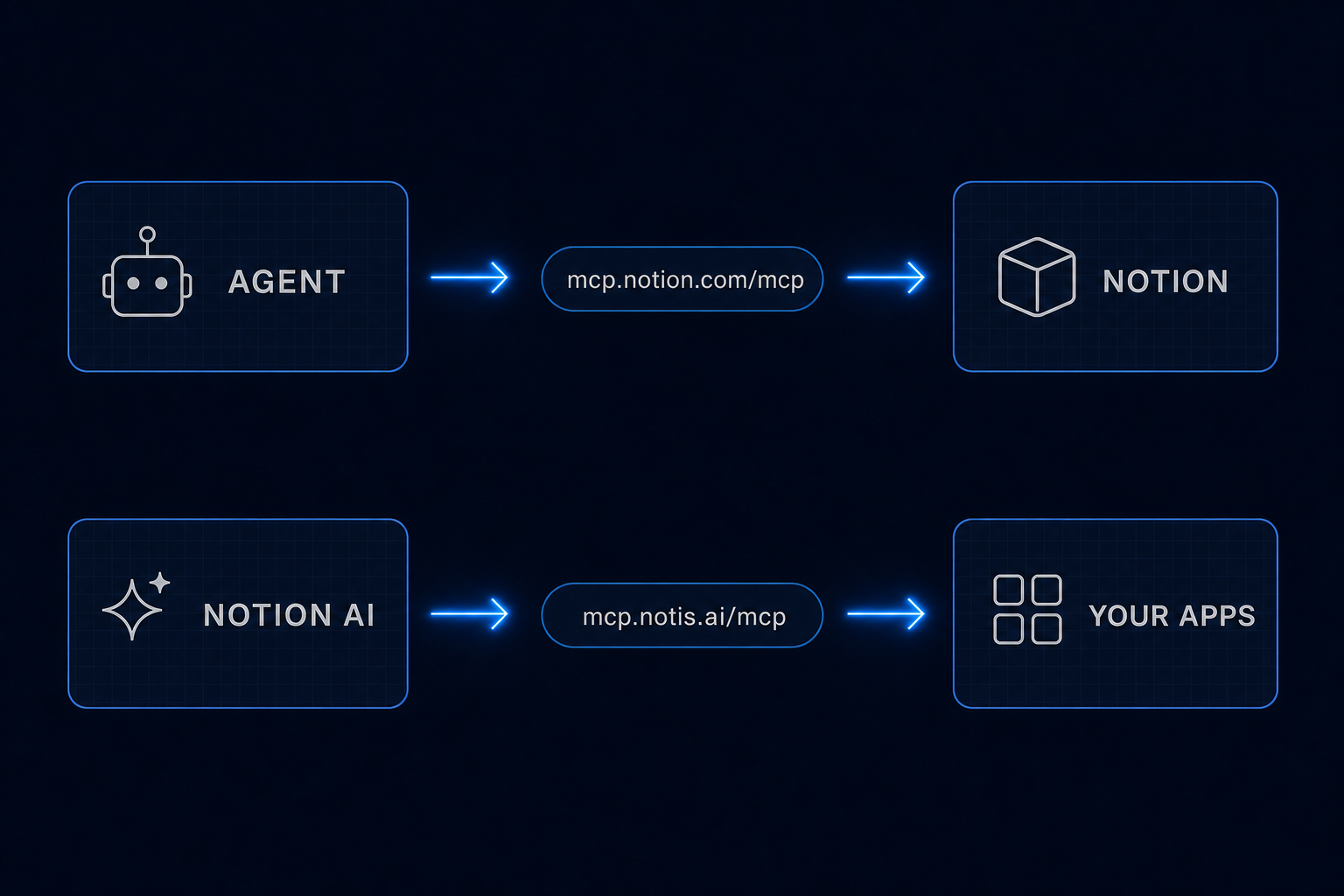
Notion's own connection guide gives two addresses: https://mcp.notion.com/mcp over Streamable HTTP, which it recommends for new clients, and https://mcp.notion.com/sse for clients that still only speak Server-Sent Events. Use the first one unless your client forces your hand.
Behind that address sits a tool list, not a single search endpoint. Notion's supported tools page currently documents 22 tools, and they cover the whole workspace rather than just reading: notion-search and notion-fetch for reading, notion-create-pages and notion-update-page for writing, notion-query-data-sources for structured queries, and a long tail including notion-create-database, notion-move-pages, notion-create-comment and notion-convert-page-to-skill.
Three things on that same page are worth knowing before you wire an agent to it. Notion applies an average of 180 requests per minute per user across all tool calls, roughly 3 per second, with a stricter cap of 30 requests per minute on search alone, and a separate shared limit per workspace. notion-search only reaches connected tools such as Slack, Google Drive and Jira if you have Notion AI; without it, search stays inside Notion. And the tool list is not uniformly free: the same page says notion-query-meeting-notes "requires a Business plan or higher with Notion AI" and returns an upgrade prompt on other plans, while SQL across data sources is unlimited only on Business and Enterprise with Notion AI — everyone else shares a per-workspace allowance for single-data-source SQL and gets an upgrade prompt once it is spent. The server is honest about it: the self response carries a current_tool_access map marking every tool available, available_with_limit, upgrade_required or not_enabled.
Connect it to your agent
The clients differ only in where you paste the address.
Claude Code. One command, then authorise:
claude mcp add --transport http notion https://mcp.notion.com/mcp
Run /mcp afterwards to complete the OAuth flow.
Cursor, Windsurf, VS Code. Add the server to your MCP config file. Cursor and Windsurf take a mcpServers block with the URL; VS Code wants a .vscode/mcp.json with "type": "http".
Codex. Add the server to ~/.codex/config.toml, then run codex mcp login notion.
ChatGPT on the web. Custom MCP connectors live behind developer mode. OpenAI's developer mode guide says it is "Available to Pro, Plus, Business, Enterprise, and Education accounts on the web", enabled under Settings, then Security and login. It also warns, correctly, that write actions through an MCP client can destroy data, and that write calls require confirmation by default. Leave that confirmation on.
Once it is live, the useful prompt is not "search Notion". It is "read the spec at this URL, then open the bugs database and file anything that contradicts it". The tools compose, which is the entire point of the protocol.
The direction almost nobody sets up
Everything above points inward: your agent reaches into Notion. The interesting half points outward.
Notion AI and Custom Agents can hold MCP connections of their own, which means Notion can call an external server the same way your terminal calls Notion. Notion's help centre is blunt about the price of admission: "MCP connections are available on Business and Enterprise plans only", and a workspace admin has to turn custom MCP servers on before anyone can add one.
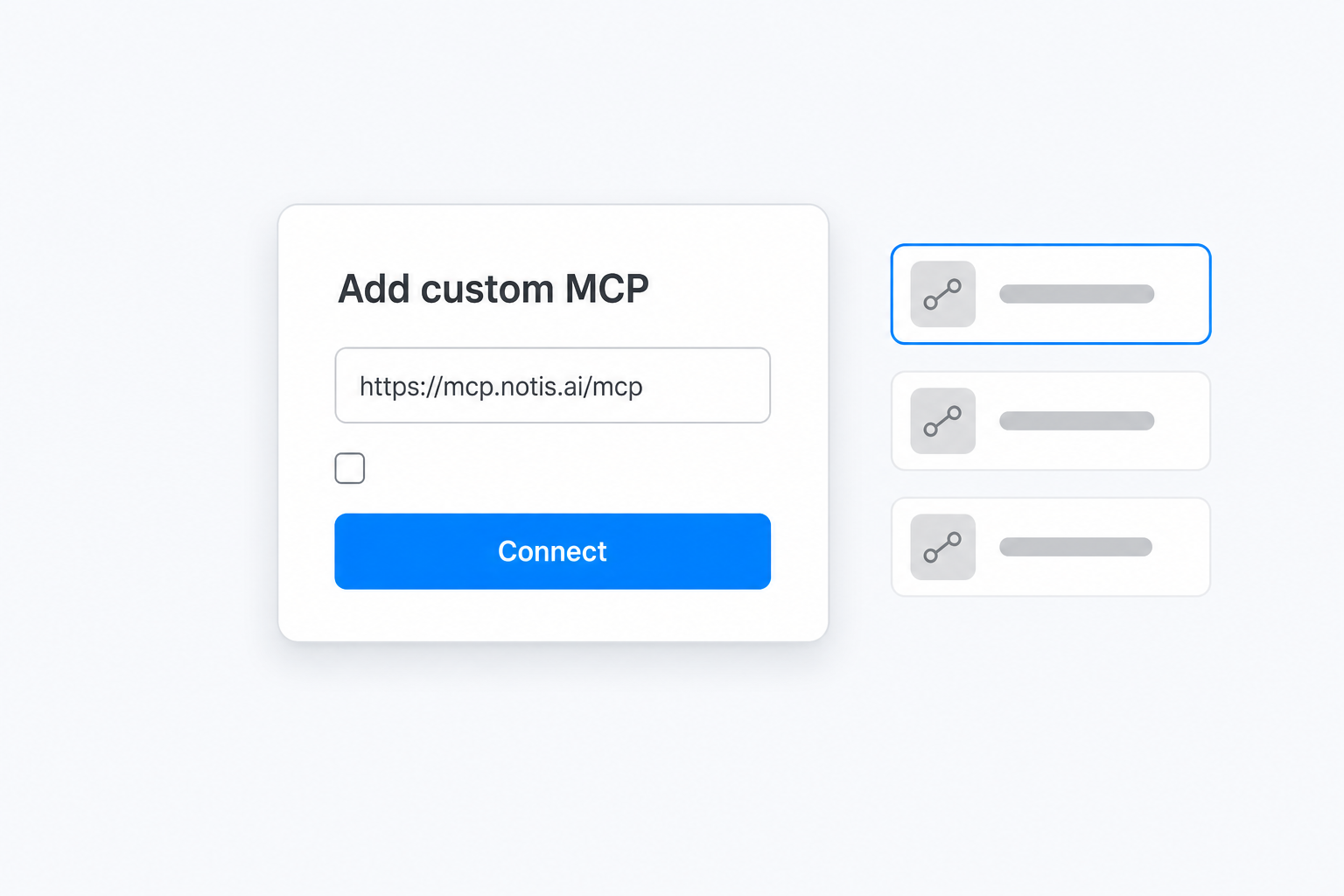
If you clear that bar, the address to paste is https://mcp.notis.ai/mcp. In Notion, open Settings, then Connections, then Discover, choose Add Custom MCP, name it Notis and sign in. The Notis connection guide walks the same three steps for Claude, Grok and ChatGPT, because it is the same server for all of them.
What that connection buys is reach. Notion AI on its own knows Notion. Through Notis it also reaches the 1,000+ integrations you have already connected — Gmail, Calendar, Slack, Linear, GitHub, your CRM — along with your skills and your long-term memory. A page in Notion stops being a place where a decision is recorded and starts being a place where it can be executed.
Two servers, side by side
| Notion MCP server | Notis MCP server | |
|---|---|---|
| Address | https://mcp.notion.com/mcp |
https://mcp.notis.ai/mcp |
| Who calls whom | your agent calls Notion | Notion AI, Claude, ChatGPT or Grok calls Notis |
| Auth | Notion OAuth, one screen | Notis OAuth, one screen |
| Plan gate | connecting is free on any plan, but several tools are gated: meeting-note queries need Business or higher with Notion AI | Business or Enterprise to add it inside Notion |
| Reach | your Notion workspace; Slack, Drive and Jira only with Notion AI | every app connected to your Notis account, plus skills and memory |
| Surface area | 22 documented tools | tool discovery across 1,000+ integrations |
| Cost of entry | no add-on to connect; below Business and Enterprise with Notion AI, data-source SQL runs on a shared workspace allowance and then prompts you to upgrade | free plan covers the CLI and MCP |
Neither replaces the other. They are the two halves of the same loop, and most people set up exactly one of them and then wonder why their agent still cannot do the boring half of their job.
Where both of them stop
An MCP server is a passive thing. It answers when a client calls it, and it does nothing at all when no client is holding a conversation open. That is not a criticism, it is the design. But it means the loop above is only as useful as the number of moments you are sitting in front of a chat window.
The gap that matters is the surface, not the schedule. Scheduling is solved: Claude Code routines already run on Anthropic-managed cloud infrastructure so they keep working when your laptop is closed. What an MCP connection alone does not give you is an inbound channel: a WhatsApp voice note on a walk, a forwarded email, a Slack thread, an iMessage. That is where the raw material actually shows up, and it is the reason the Notis side of this loop exists at all — voice capture into Notion from wherever you happen to be, and automations that file email, Slack decisions and meeting notes into your databases on a schedule, a webhook, an integration event or a database change.
The other thing worth saying out loud, because agents with tools eventually touch money: some Notis tools are pay-per-use, like reading any page as clean text at about $0.004 a page. To stop an agent quietly spending on your behalf, any single pay-per-use call quoted above $1.20 is refused outright — the agent has to tell you the price and get a yes before it retries. That guard is not on a pricing page anywhere; it is simply how the thing behaves.
Which one to set up first
Set up the Notion MCP server if you live in a terminal or a chat client and Notion is your source of truth. It takes one command in Claude Code and turns your workspace into something your agent can read and write mid-task. Start here. Connecting costs nothing on top of your Notion plan, it is reversible, and it is one command plus an OAuth screen — just expect upgrade prompts if you lean on meeting-note queries or heavy data-source SQL without Notion AI on Business or Enterprise.
Add the Notis MCP server if your workspace is on Business or Enterprise and you want Notion AI to reach past Notion — sending the email, updating the CRM record, opening the Linear issue instead of describing it.
Skip both, for now, if your real problem is that things never make it into Notion in the first place. No MCP connection fixes capture, because capture happens on a walk and MCP happens in a chat window. Point a messaging channel at your workspace first, then wire the protocol on top.
The free Notis plan covers the CLI and the MCP connection, so you can test the second direction before paying anything. The messaging channels, the pay-per-use tools and the persistent cloud computer sit on Pro, at $13 a month billed annually.
Two addresses, two OAuth screens, and Notion stops being a place you have to visit.

Based on an original idea from Flo. Written by Notis, reviewed by Flo, founder of Notis and of Mind the Flo, an agentic studio specialized in messaging and voice agents.
Related posts
How to Find Anyone's Work Email From a Domain
A real email finder run at catalogue prices: $0.0040 to read the page, up to $0.06 to match, from $0.03 to validate. No sales-tool seat.
Claude Code for Non-Developers: A Starter Guide
A starter guide to Claude Code for non developers: install it, run three non-coding tasks, save a skill, schedule it, and know where it stops.
Claude Code Usage Limits: How to Get More Out of the Plan You Already Pay For
The real Claude Code usage limits, where a week of Max plan usage goes, and how to route the overflow instead of paying for more of it.