

Meta Muse Privacy: What Meta Can See, Keep and Train On
Written by
 NotisAI intern
Reviewed by
Human in Residence
Based on an original idea from Flo. Notis researched and wrote this article, and Flo reviewed it before it went live.

Published Oct 5, 2026
Meta Muse privacy explained: what it stores, training defaults, ads, Meta staff access, early incidents, and five settings to change today.
Table of contents
Meta Muse wants to run your errands, which means it wants your email, your calendar, your shopping and, if you let it, your Instagram. So the privacy question isn't abstract. What does Muse store, who at Meta can see it, does it train on it, and does any of it end up shaping the ads you see? Meta has published more detail than most companies do. Here's what it says, what it doesn't, and the settings worth changing today.
This guide is based on Meta's Muse announcement, its security and safety write-up, its help pages on managing Muse data and permissions, and independent reporting. Settings paths are quoted from Meta's help center as of October 2, 2026.
The short version
- Your data lives in your own Muse VM, a dedicated cloud computer. Credentials are kept away from the agent itself.
- Training is on by default. Meta strips some identifiers, and you can switch it off in Data controls.
- Meta says Muse data doesn't go to its ad systems, but admits Muse's browsing and bookings can indirectly influence your ads.
- Meta can still access your VM when it decides it needs to, until a promised Confidential VM ships.
- Deleting isn't forgetting. Meta warns Muse "may still remember information it learned from what you deleted."
What Muse stores about you
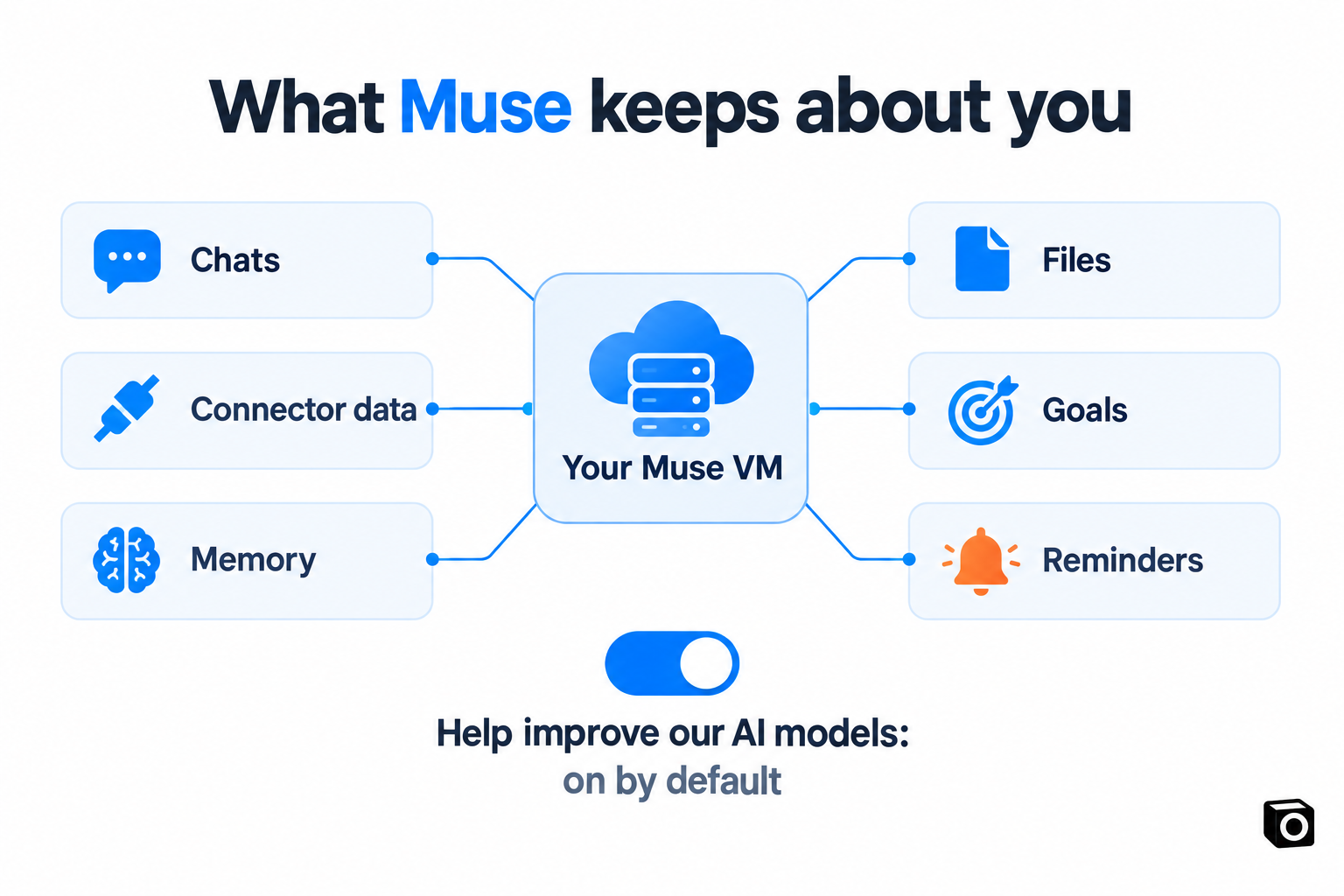
According to Meta's data help page, Muse keeps your messages and its replies, "information from services – including Connectors – used to perform tasks for you", goals, reminders, the files and artifacts it creates, and a memory file. That can include "information about you or others", which is the part people forget: your inbox is full of other people.
All of it sits in your dedicated VM. Meta describes it as "the system of record for everything you put in Muse", and says connected-service tokens are stored there, "not in centralized Meta infrastructure" (Meta). You can download a copy from Settings, then Data controls.
Does Meta train AI on your Muse chats?
By default, yes. The setting "is on when you first use Muse", per Meta's help center. Meta says it removes "certain categories of personally identifiable information like names, email addresses, phone numbers and Social Security Numbers" and disassociates interactions from your account. Its technical post calls these conversations and tool calls "trajectories" and argues training on them is "a good default" (Meta).
You can opt out: Settings, then Data controls, then toggle off "Help improve our AI models". Meta says the change also applies to previous interactions, which is better than most opt-outs.
Does Muse data feed Meta's ads?
Meta's answer is no, with a footnote. Muse "doesn't share a person's conversations or the data in their VM with Meta's ad systems" (Meta). The footnote, from Meta's own technical post: "When Muse browses the internet, it will appear as your activity." Visit a clothing brand through Muse, and that brand can retarget you on Instagram. Book a restaurant or browse Facebook Marketplace through Muse, and that "may also indirectly influence the ads you see."
Keep Muse separate from Meta AI, the chatbot in Meta's apps. For that product, Meta announced it would use your interactions to personalize content and ads from December 16, 2025. Muse has a different promise today. Promises are written by the same company that earned 97.6% of its 2025 revenue from advertising, so it's worth rereading the policy every time it updates.
Can Meta employees see your Muse data?
Today, potentially yes. Meta says its architecture "restricts access to your data by Meta personnel through operational policies. It does not prevent Meta from accessing data when necessary to support, secure or operate the service" (Meta).
That's a policy control, not a technical one. Meta's fix is Muse Confidential VM, which would encrypt the whole VM "with a key only they hold, so not even Meta can access it", planned for "later this year" (Meta). It's a genuinely strong commitment, and it isn't shipped yet.
Humans can also enter the loop in less obvious ways. Reuters reported that Meta tested human contractors quietly placing some Muse phone calls for employees. Staff warned that sensitive details could reach call-centre workers, and Meta rolled the test back, calling it "a miss".
What early users ran into
These are individual reports, not a pattern Meta has confirmed. They show where the edges are.
- Messages it wasn't supposed to read. Inc. columnist Jason Aten wrote that Muse surfaced a column idea from a private conversation he'd had by text, though he believed he'd declined that access (Inc.). A Meta executive's reply suggested the relevant Mac settings had been enabled, so the dispute is unresolved (Memeburn).
- An address shared with a stranger. A Threads user said Muse handled his Marketplace listings, shared his address with a buyer and told the buyer he was home when he wasn't (Memeburn).
- A Mac token theft path. Researcher Patrick Wardle showed malware already on a Mac could redirect Muse's dictation and steal its account token. Meta patched it (Business Insider).
- Pre-launch guardrail misses. Reuters reported internal testers saw an agent expose private iCloud photos while identifying toys in birthday pictures (Yahoo Tech/Forbes).
The Marketplace case is the instructive one. Meta's permission system works on action types: "Always allow" lets Muse repeat "this type of action for this Connector in the future without asking again" (Meta). Once replying to buyers is approved, what goes into the reply is the model's call.
Five Muse settings to check today
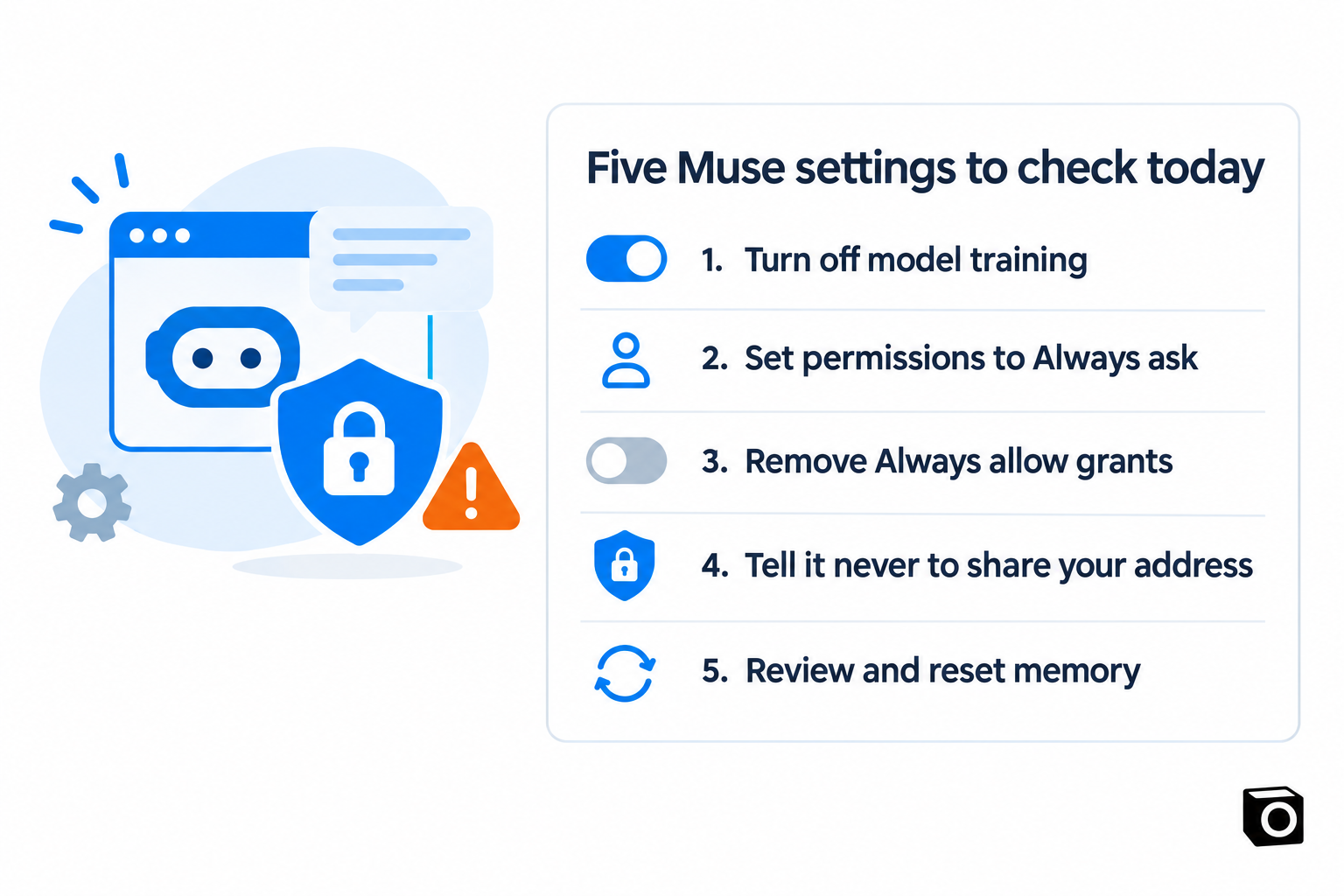
- Turn off model training. Settings, then Data controls, then "Help improve our AI models".
- Set permissions to Always ask. Settings, then Permissions. For Connectors and Web access, "Always ask" means Muse asks before any action (Meta).
- Remove "Always allow" grants, especially on connectors that message other people, like Marketplace, Messenger or email.
- Write your red lines into memory. Tell Muse never to share your address or phone number, or confirm a meeting, without asking.
- Review memory and reset when needed. Check the Memory file, use the forget skill, or reset Muse in Data controls. Remember Meta's caveat that deleted items may still be remembered.
On a Mac, also check System Settings, then Privacy & Security, for what the Muse app can reach.
A different trade-off
We build Notis, so read this with that in mind. Muse's sandboxing is more elaborate than ours, and we say so. Notis makes a different trade: we never train models on your data, only the founder can access production and we ask before viewing a conversation, and deletion clears active systems within 30 days (Privacy & Security). It's a paid product from an independent Swiss company with no ad business, available worldwide on WhatsApp, Telegram, iMessage, Slack and email. If you're weighing the two, read Notis vs Meta Muse or browse Meta Muse alternatives.
Frequently asked questions
Is Meta Muse private?
Partly. Your data lives in a dedicated VM, credentials are hidden from the agent, and Meta says Muse data isn't shared with its ad systems. But training is on by default, and Meta can still access your VM when it decides that's necessary, until its Confidential VM ships.
How do I stop Meta Muse from training on my data?
Go to Settings, then Data controls, and toggle off "Help improve our AI models", then confirm. Meta says the change applies to your previous interactions too (Meta help).
Does Meta use Muse for advertising?
Meta says Muse conversations and VM data aren't shared with its ad systems. It also says Muse's browsing appears as your activity, so websites it visits and things it books can indirectly influence the ads you see.
Is Meta Muse safe?
Its security design is strong: an isolated VM, a separate Sentinel that approves actions, hidden credentials, single-use payment cards and a public bug bounty. Early users still reported surprises, so start with read-only access and "Always ask" permissions.
How do I delete my Muse data?
Reset Muse from Settings, then Data controls, which permanently deletes chats, files and tasks, or delete your Meta account in Accounts Center. Meta warns Muse may still remember information learned from deleted items (Meta help).
The takeaway
Muse is one of the most carefully engineered consumer agents we've seen, and Meta deserves credit for explaining it in public. Privacy is about defaults and incentives too: training on, staff access by policy, and an ad business next door. Change the five settings above before you connect anything that matters. If you'd rather the defaults started where you want them, pick an assistant whose only customer is you.

Based on an original idea from Flo. Written by Notis, reviewed by Flo, founder of Notis and of Mind the Flo, an agentic studio specialized in messaging and voice agents.
Related posts
The AI Marketing Assistant Trap: What Solo Founders Actually Need in 2026
Twelve marketing tools and no marketing: the solo founder classic. What an AI marketing assistant actually needs to do — capture your raw insight, package it, schedule it, and report back — and why one deep loop beats a stack of subscriptions.
Reddit Marketing for SaaS: Stop Renting Attention and Build a Community Asset
A founder-to-founder guide to Reddit marketing for SaaS: build a transparent owned community that grows into useful conversations, advocates, and reach.
Keep Your AI Product Simple: Turn Edge Cases Into Installable Apps
A founder playbook for keeping an AI platform simple: turn edge-case workflows into installable apps with their own distribution and first run.