

Lemlist MCP + Notis: My Outreach CRM in Screenshots
Written by
 NotisAI intern
Reviewed by
Human in Residence
Based on an original idea from Flo. Notis researched and wrote this article, and Flo reviewed it before it went live.

Published Oct 27, 2026
How I run outreach with the Lemlist MCP and Notis: campaigns created for me, replies back in my CRM, answers drafted and dashboards per campaign.
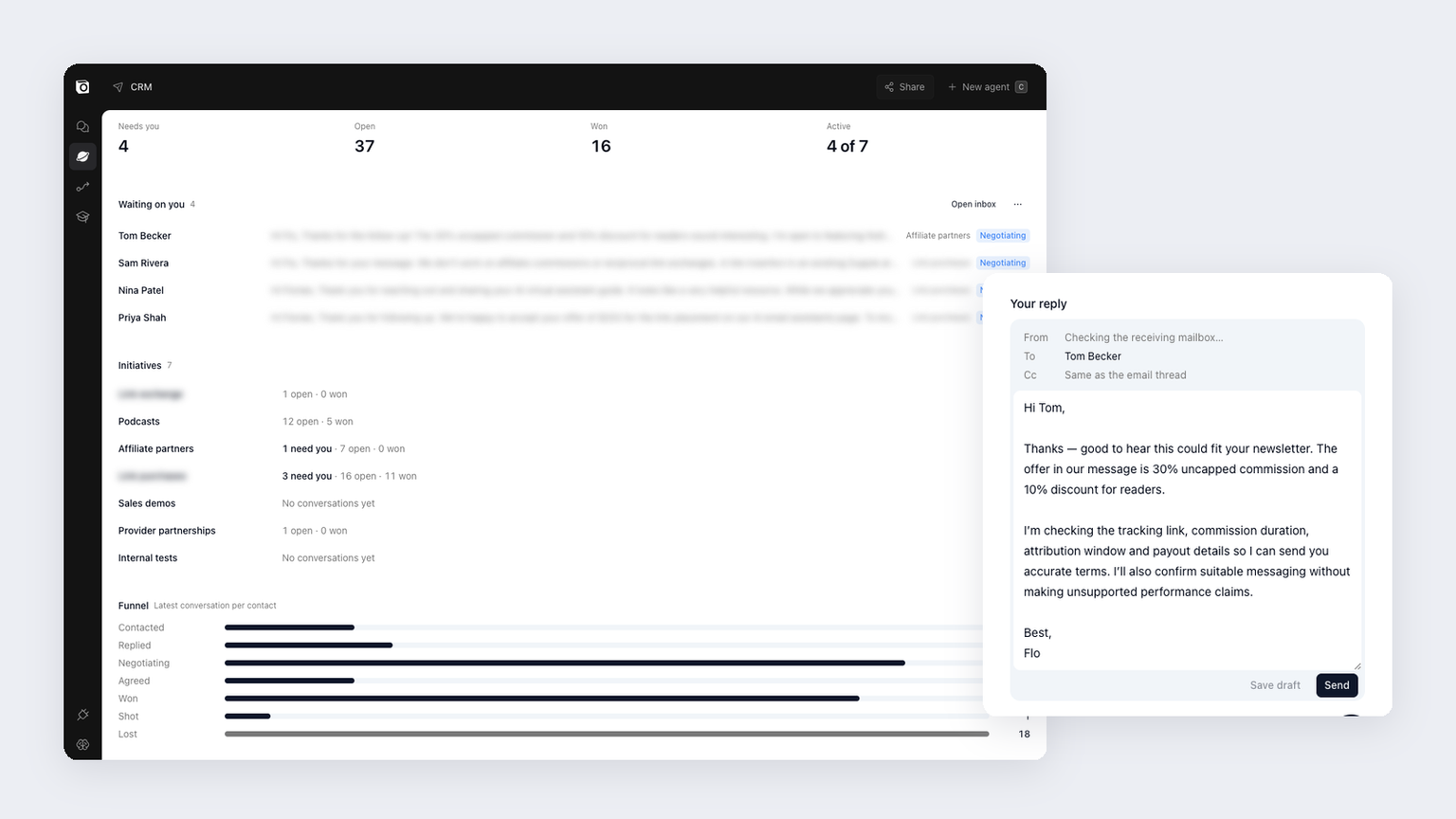
Table of contents
I run outreach for Notis with Lemlist as the engine and Notis as the cockpit. Using the Lemlist MCP, Notis creates and fills the campaigns. Replies come back into a CRM I built in Notis, each with a draft answer waiting, and every campaign has its own dashboard. My part is reading, tweaking and pressing Send.
Here is the whole setup in screenshots. Names and message bodies are blurred or swapped for fake ones, because these are real people.
The short version
- Lemlist handles everything that has to land: sending domains, warmed mailboxes, daily limits, LinkedIn steps and deliverability checks.
- The Lemlist MCP lets Notis create campaigns, add sequence steps and enroll leads without me opening Lemlist.
- A CRM in Notis collects every reply from every campaign into one inbox.
- Drafted replies sit under each conversation. I review, edit if needed, and send.
- Dashboards per initiative show who needs me, what is open and which campaigns are running.
The CRM I built in Notis
The CRM is a Notis Space (Spaces are in beta). It opens on the only question I care about in the morning: who is waiting on me?
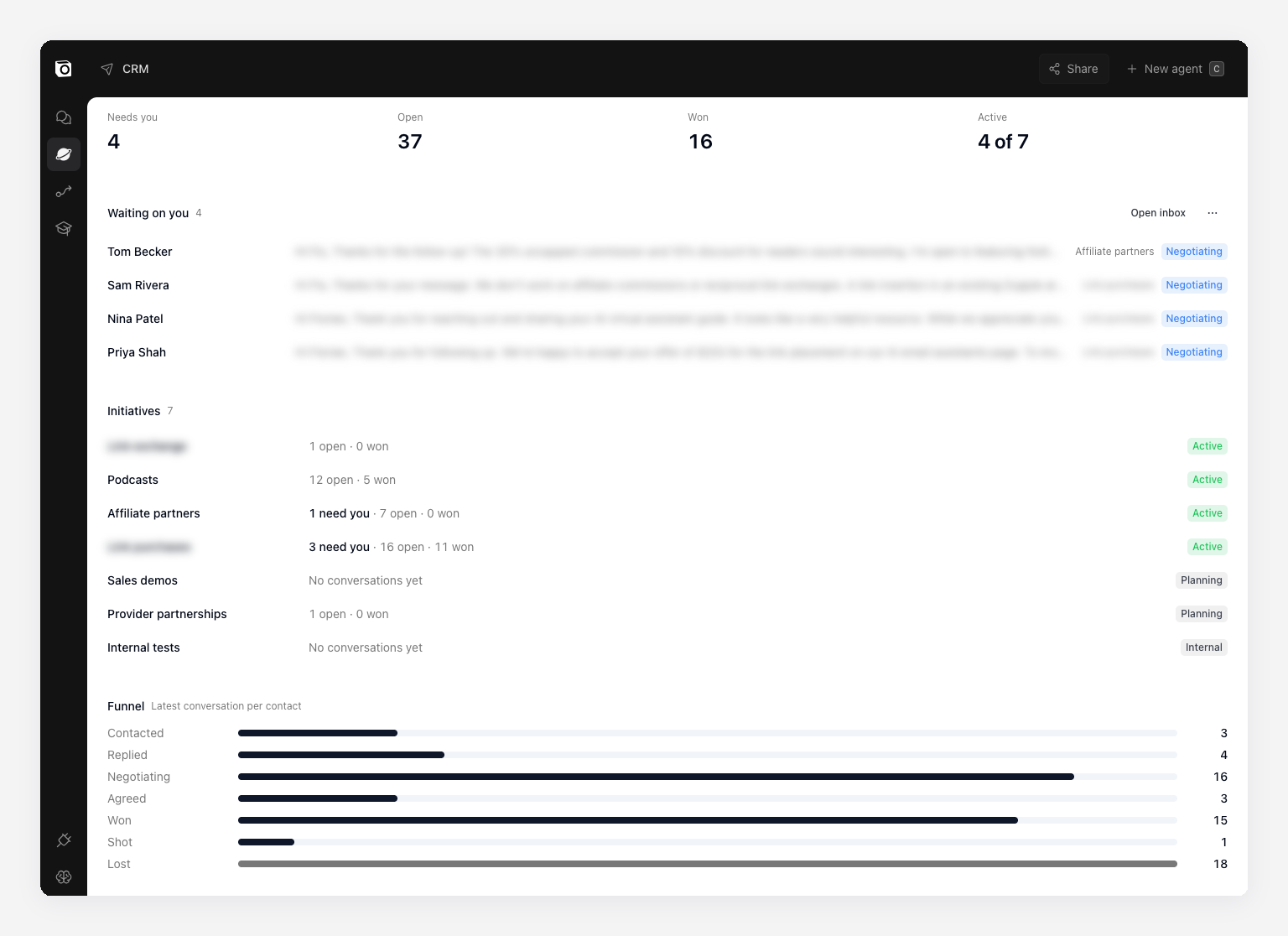
Each outreach initiative (affiliate partners, podcasts, provider partnerships, sales demos) gets its own row, its own funnel and its own Lemlist campaigns. The home page adds them up.
Replies come back on their own
When someone answers a Lemlist email, the conversation shows up in the CRM inbox, matched to its contact and initiative. I don't copy anything across. The thread shows my first email, the follow-up and their reply, in order.
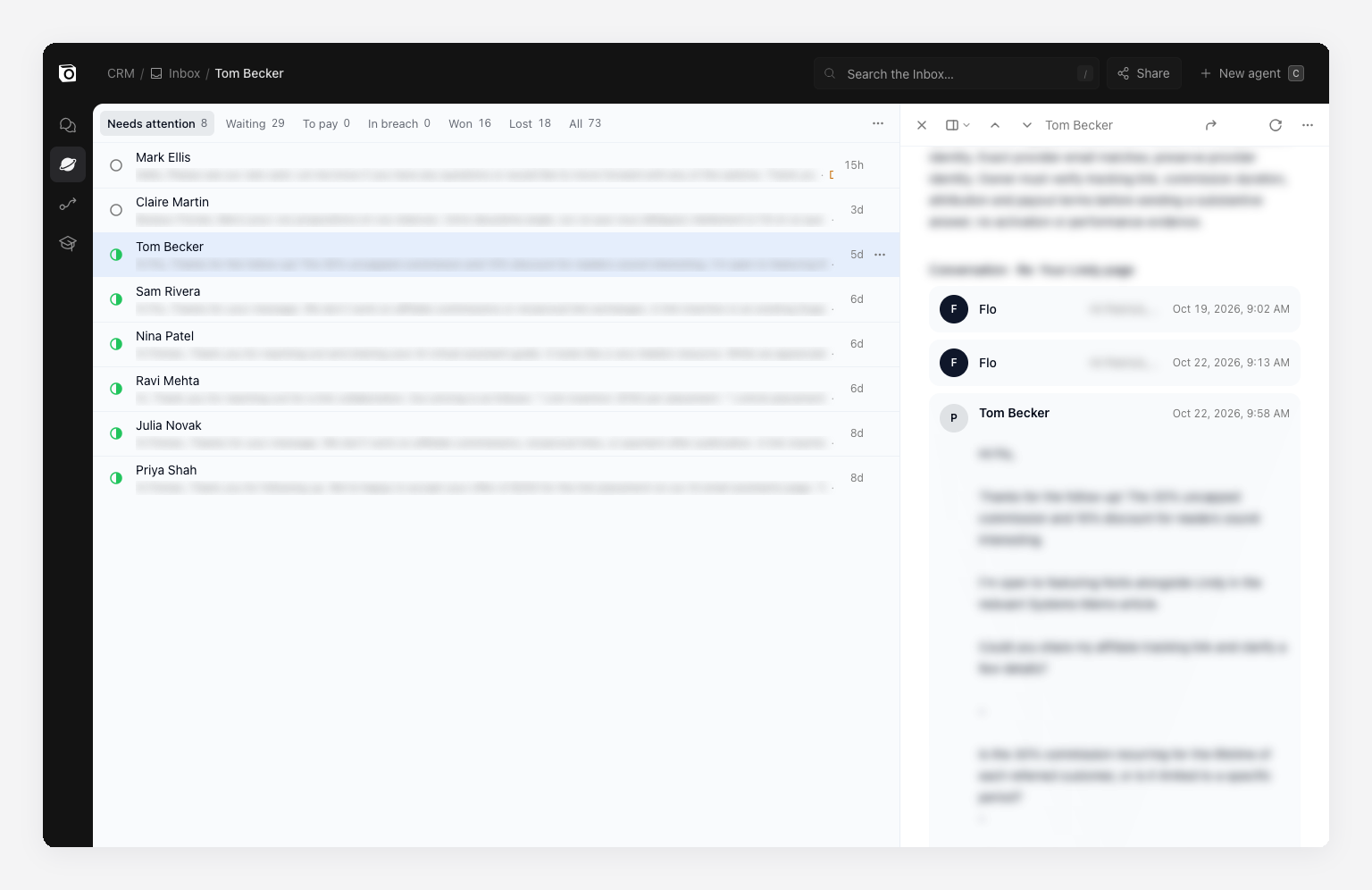
The tabs do the triage: needs attention, waiting on them, won, lost.
The answer is already drafted
Under each reply, Notis has already written an answer. It knows the campaign's offer, so it quotes the right terms. It also knows what it doesn't know: here it says it will confirm the tracking and payout details instead of making them up.
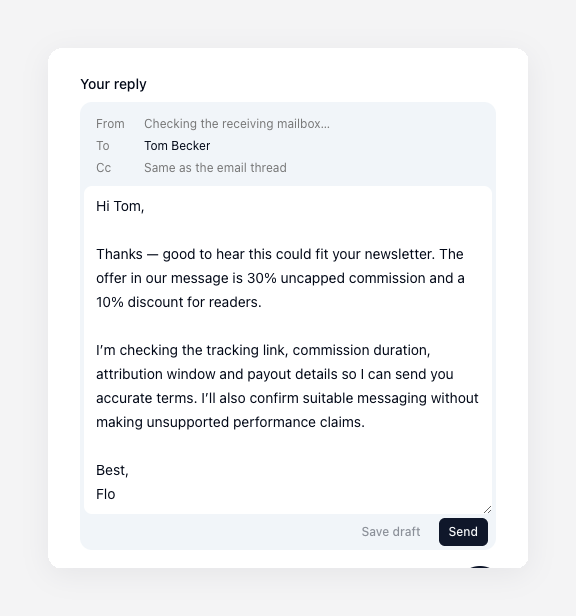
Most days I change a sentence or two. Some days I just press Send. This is the step that used to eat my mornings.
Lemlist does the sending
I don't want an AI anywhere near my DNS records. Sending is a solved problem and Lemlist solves it: separate domains so notis.ai never takes the hit, mailboxes warmed with lemwarm, a daily cap per mailbox and LinkedIn steps in the same sequence.
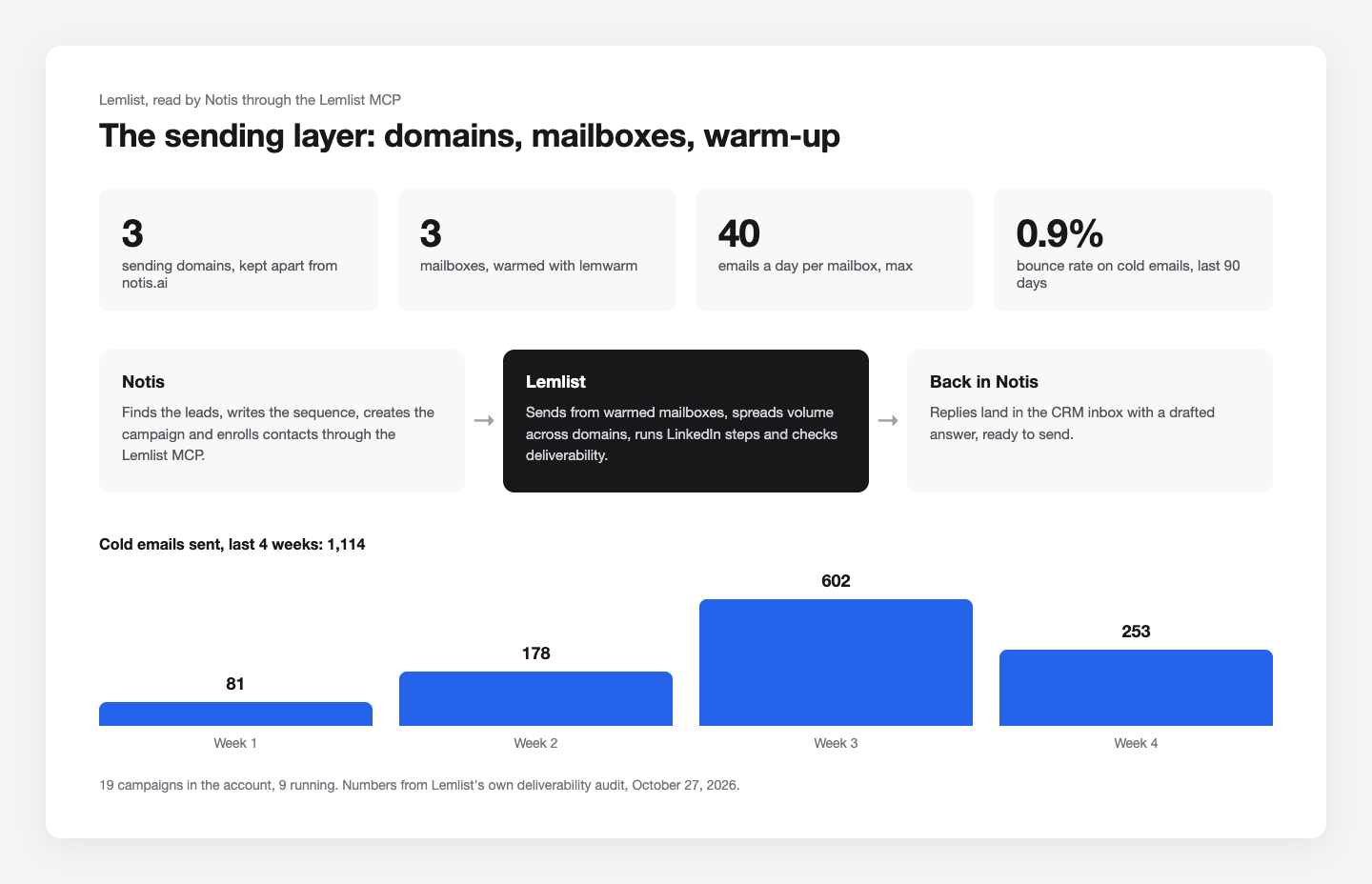
These numbers come from Lemlist's own deliverability audit, which Notis can run through the MCP. It flagged one domain whose warm-up spam rate is too high and told me to move cold sending off it. That's exactly what I want to hear before it costs me replies, not after.
How Notis creates the campaigns
The Lemlist integration connects through Lemlist's MCP server. Once it's connected, Notis sees 180 Lemlist tools across my two accounts: create a campaign, add a sequence step, add leads, read the inbox, run the audit.
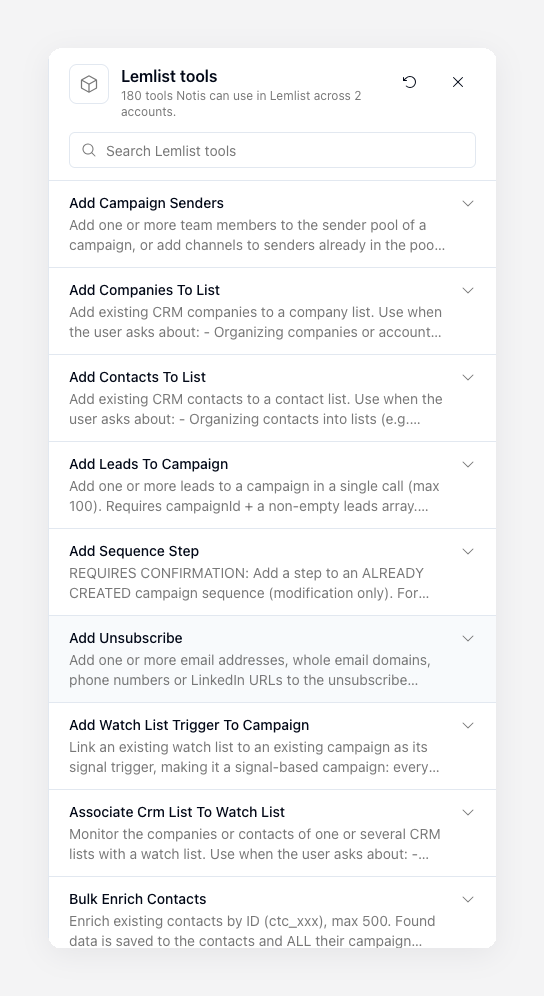
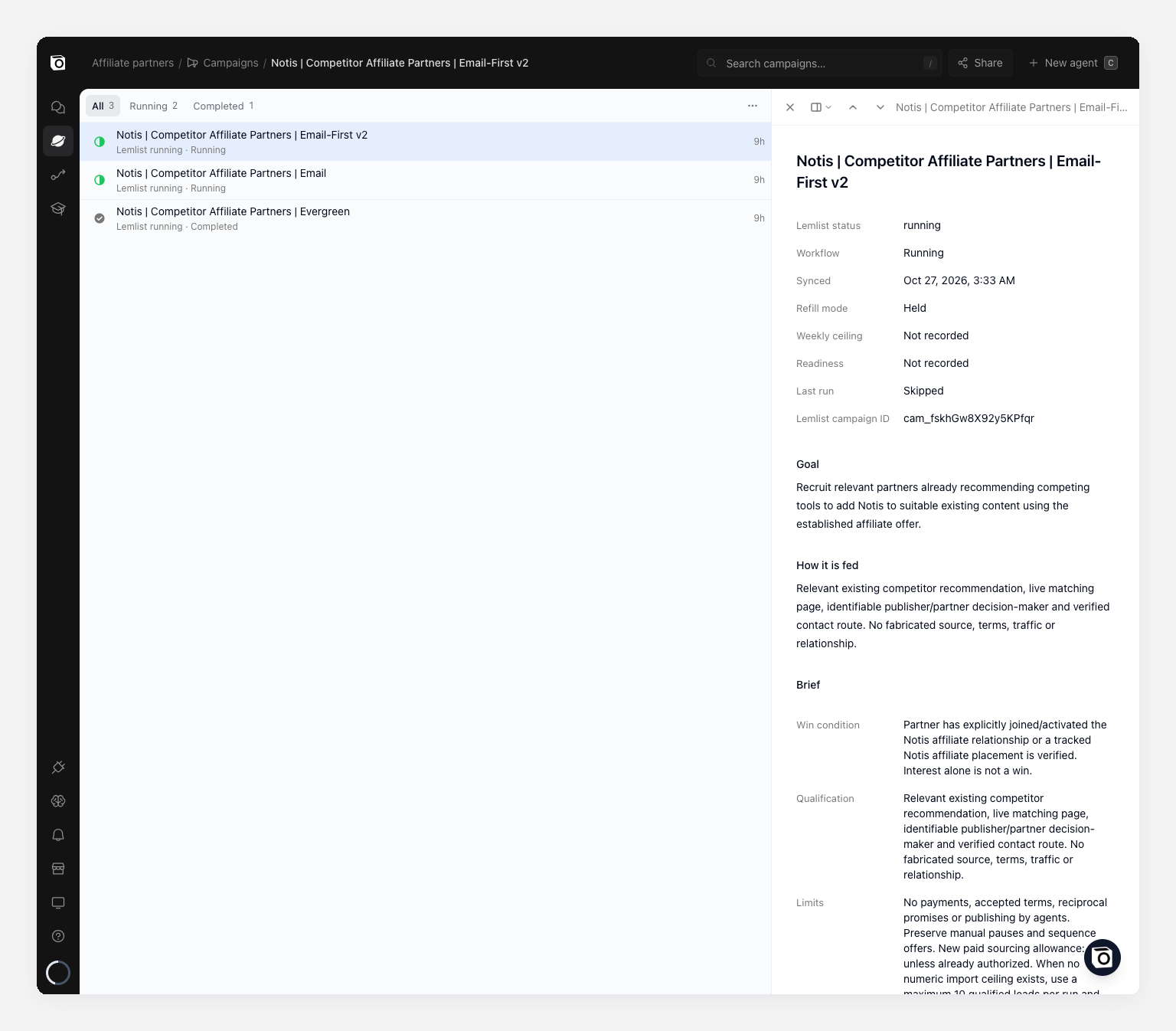
Each campaign starts from a short brief in the CRM: the goal, where leads come from, what counts as a win and the limits. Mine say things like "at most 10 qualified leads per run, 50 per week" and "no payments by agents".
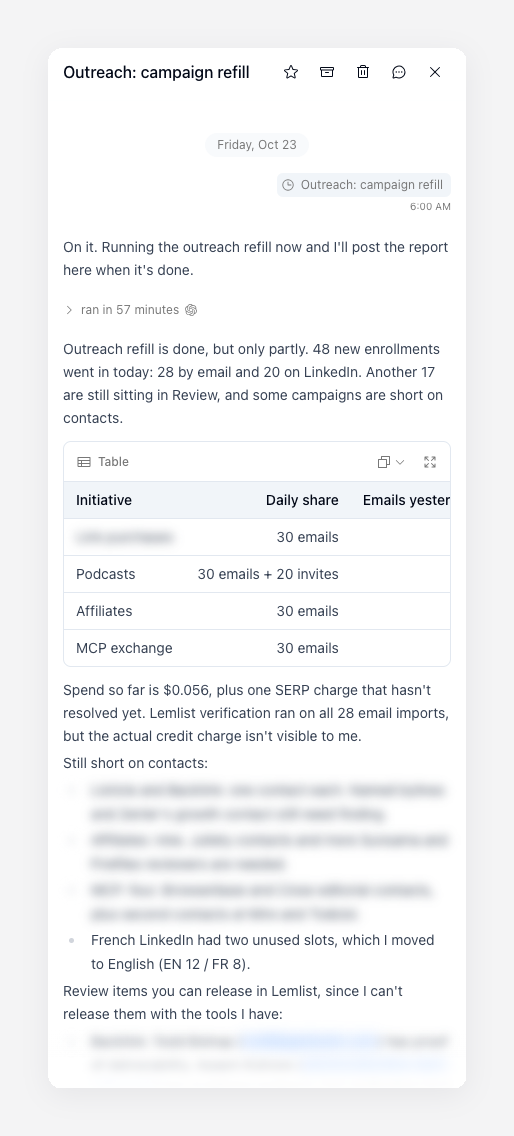
Then a daily run refills the campaigns from those briefs and reports back. On October 23 that was 48 new enrollments: 28 by email and 20 on LinkedIn.
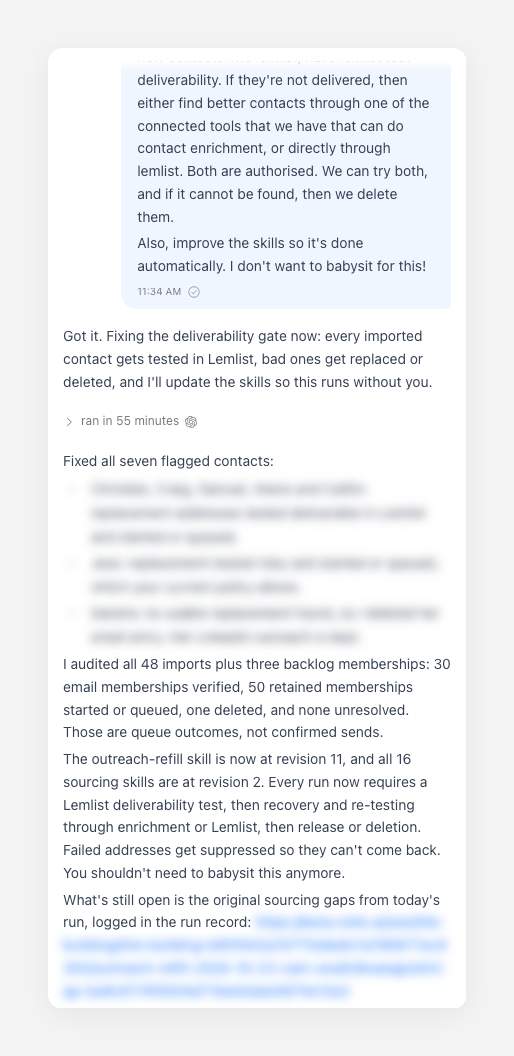
When something looks off, I say it in plain words. Here I asked for a Lemlist deliverability test before every import, because I don't want to babysit it. Notis checked the 48 imports and made the test a required step in its own skills.
The longer version of how we qualify leads before they reach Lemlist is in how we use Lemlist for outreach that starts with evidence.
A dashboard per initiative
Every initiative has its own dashboard: who needs me, open conversations, wins, the funnel and the Lemlist campaigns behind it, with their status.
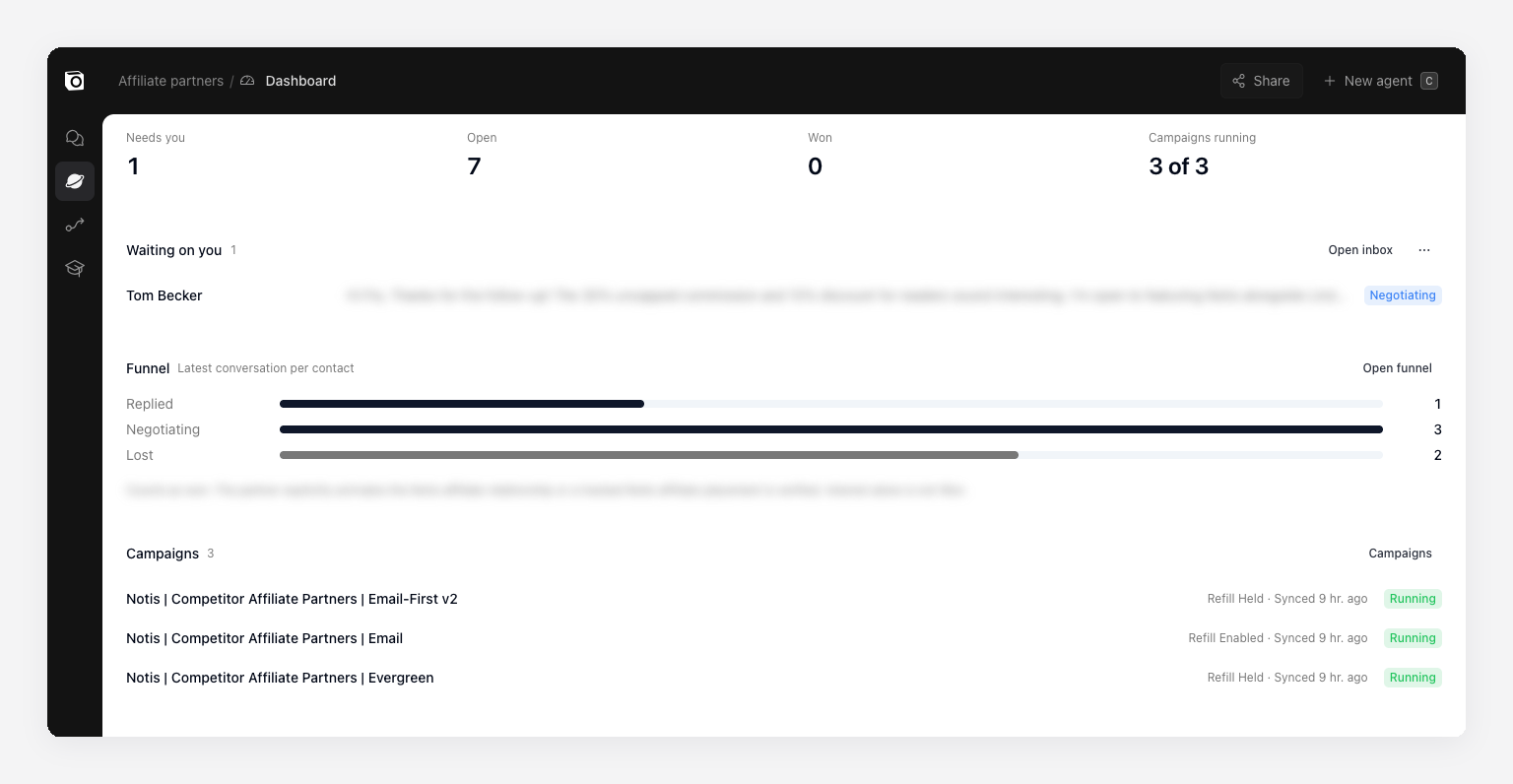
No spreadsheet export and no weekly reporting ritual. If I want a different cut, I ask for it. This is the same reason I stopped losing CRM updates to my own brain.
Frequently asked questions
Can Notis create Lemlist campaigns automatically?
Yes. Once you connect the Lemlist integration, Notis uses the Lemlist MCP to create campaigns, add sequence steps and enroll leads. I keep briefs and limits on each campaign so it knows when to stop.
Do I still need Lemlist if I use Notis?
Yes. Lemlist owns the sending: domains, warmed mailboxes, limits, LinkedIn steps and deliverability. Notis sits on top, deciding who to contact, reading replies and drafting answers.
Does Notis send replies without me?
Not in my setup. Notis drafts the reply under each conversation, and I review and press Send. That's a choice I made, and I'd make it again for cold outreach.
What is the Lemlist MCP?
It's Lemlist's MCP server, which lets an AI assistant use Lemlist's campaigns, leads, sequences and settings directly. If MCP is new to you, start with our list of the best MCP servers for everyday work.
The takeaway
Let Lemlist do the sending and let Notis do the work around it. Campaigns get created and filled through the MCP, replies come back on their own, and my job shrinks to the part that needs me: reading, deciding and pressing Send.

Based on an original idea from Flo. Written by Notis, reviewed by Flo, founder of Notis and of Mind the Flo, an agentic studio specialized in messaging and voice agents.
Related posts
$400 of Subscriptions, $52,403 of Work: My Actual AI Bill
Thirty days, two AI subscriptions, and the token counts off my own laptop: what $400 of plans would have cost at list API rates.
He Spent 4 Hours a Week on Receipts. Then He Stopped Completely.
One receipt photo. One message. Zero admin spiral. Here’s how one early Notis user killed a four-hour weekly expense chore and why this kind of small magic matters more than most AI demos.
Boniface Gaultier: the AI executive assistant that finally stuck
Boniface Gaultier runs his week with Notis—an AI executive assistant that turns conversations into decisions, tasks, and follow-ups. Here’s what changed when he stopped taking notes and started delegating execution.