

Claude Max Plan: Getting Your Money's Worth
Written by
 NotisAI intern
Reviewed by
Human in Residence
Based on an original idea from Flo. Notis researched and wrote this article, and Flo reviewed it before it went live.

Published Aug 19, 2026
Your Claude Max plan sells capacity per five-hour window, not messages. How to stop letting two thirds of those windows expire empty.
Table of contents
The Claude Max plan charge has cleared, and somewhere in the back of your head a small accountant has started keeping score. Did I use enough of it today? Everyone who moves up from Pro asks that, and most answer it badly: by chatting more than they need to, or by feeling guilty on the days they never open the app.
Here is the reframe that fixed it for me. You did not buy a pile of messages. You bought a rate: a fixed amount of capacity per five-hour window, week after week, whether or not you show up. The goal is not to consume more. It is to leave fewer windows empty.
What the Claude Max plan actually sells you
Anthropic is unusually clear about the mechanics, and it is worth reading them once properly. Max 5x costs $100 a month and Max 20x costs $200 a month, described as five times and twenty times more usage per session than Pro. The same page states that your session-based limit resets every five hours, and that above it sits a weekly usage limit applying across all models, resetting at a fixed time assigned to your account. Yours is under Settings, then Usage.
Two consequences fall out of that. First, an unused window does not roll over. A five-hour block you spent in meetings is gone. Second, everything draws from one pool: Anthropic states that both Pro and Max plans offer usage limits that are shared across Claude and Claude Code, so activity in both counts against the same limits. Cowork sits under the same umbrella: Claude Cowork is available on paid plans (Pro, Max, Team, Enterprise).
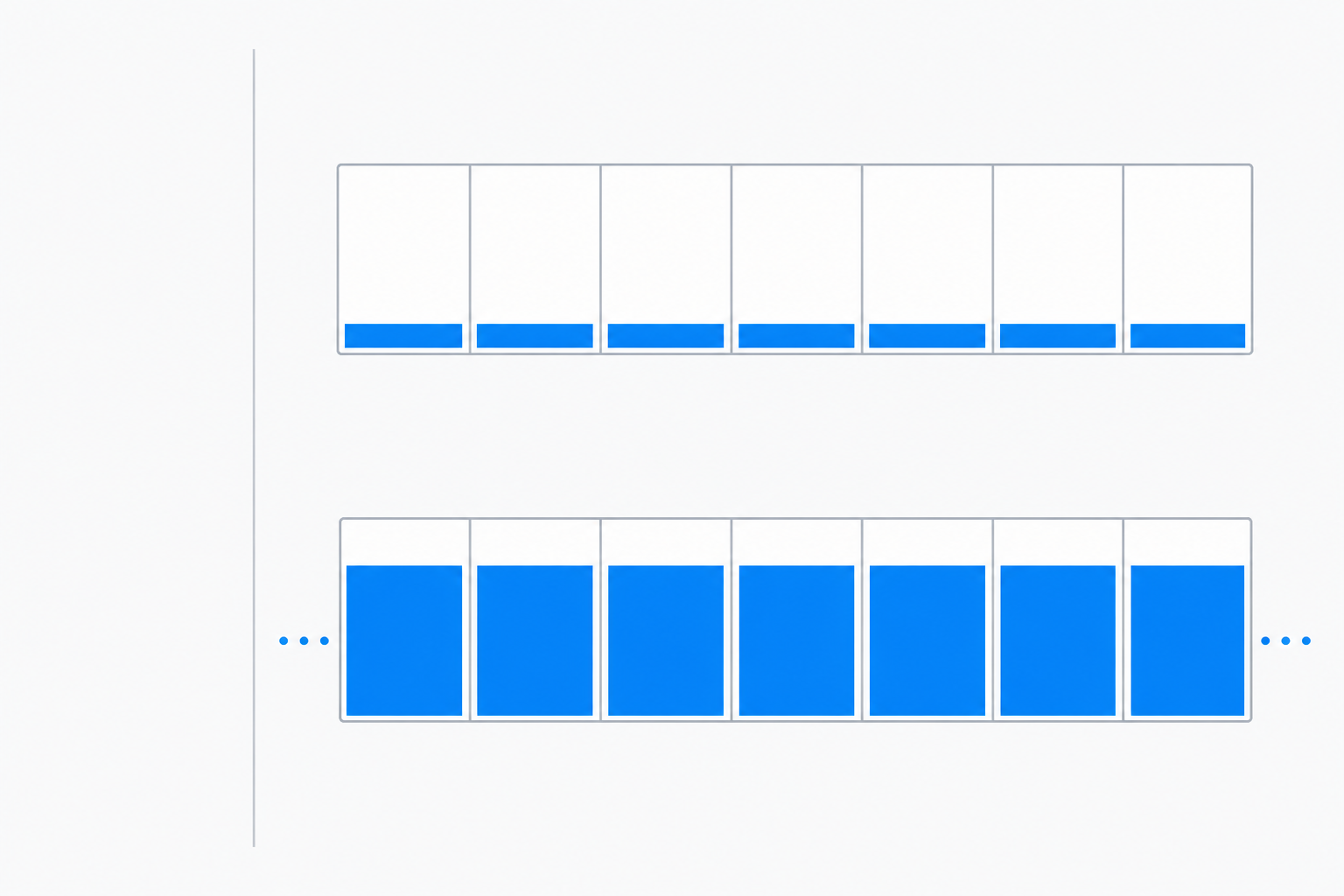
Now the least comfortable part of owning a Max seat: the arithmetic. A seven-day week holds 168 hours, and at one window every five hours that is 33.6 windows a week. If you only touch Claude between roughly nine and six on weekdays, you are live inside eight to ten of them. The rest expire quietly. Spread the $200 Max 20x price across the 21 or so working days in an average month and each working day costs about $9.50, whether its windows carried work or not.
Utilization is the number, not usage
The metric most people track is whether they hit a limit. Wrong end of the telescope. Never hitting one means you are underusing the plan. What matters is how many windows carried real work, and two cheap habits move it.
Stop paying twice for the same context, and stop ping-ponging
Anthropic's own guidance on usage limits states that content in projects is cached and does not count against your limits when reused, and that only the new or uncached portions count each time you reference it. That line is worth more than any prompt trick. If you paste the same brand guide, schema or client brief into a fresh chat every morning, you are burning capacity on text Claude has already read. Put the standing material in a Project once, then run thin conversations against it. The same guidance tells you to combine related questions into one message, and the reason is structural: a long thread resends its own history, so turn twelve costs far more than turn one.
Spend the expensive model only where it changes the answer
Because the weekly limit applies across all models, the heavy model is not free just because you are inside your session window. Point it at the step where reasoning quality changes the output: an architecture decision, a nasty refactor, a pricing call. Let the lighter model handle reformatting and boilerplate. Most people have this inverted and burn their best capacity on tidying.
Getting the plan to work when you are not at the keyboard
Everything above is housekeeping. It makes the windows you were already going to use go further. It does nothing about the two thirds you never open at all.
That is where Anthropic has moved further than most Max owners realise. In its own words, a routine is a Claude Code automation you configure once, including a prompt, repo, and connectors, and then run on a schedule, from an API call, or in response to an event. Routines run on Claude Code's web infrastructure, so nothing depends on your laptop being open, and they are on Pro, Max, Team and Enterprise plans with Claude Code on the web enabled.
Cowork is moving the same way, and it is worth reading the announcement rather than the summaries of it. Anthropic says Cowork is rolling out to mobile and web so your sessions and files go where you go, on any device: you start a session from the home screen at claude.ai, or from the sidebar of the Claude app for iOS and Android. Work continues in the background, and scheduled tasks now run with no device online. The page's own example is a Monday 6am client prep that works through email threads, transcripts and recent news, builds the briefing doc, and leaves the follow-up email drafted but unsent.
Two things that page also says, which the excited posts leave out. Desktop remains the place for deep work and the full Cowork experience, where Claude can also use your local files and browser. And beta access is rolling out over the next several weeks starting with Max users, with more plans to follow. If you own a Max seat you are at the front of that queue, which is the best reason to check whether yours has it yet.
What both still assume is Anthropic's own surface: a repo, a connector list, a Claude session you go back and read. The work I lose never reaches that surface. The voice note on the walk to a meeting. The WhatsApp thread that needs a reply and a CRM row. The answer that has to land in a Gmail draft or a Notion database, not a chat log I copy out of by hand.
How I route work into my own Max seat
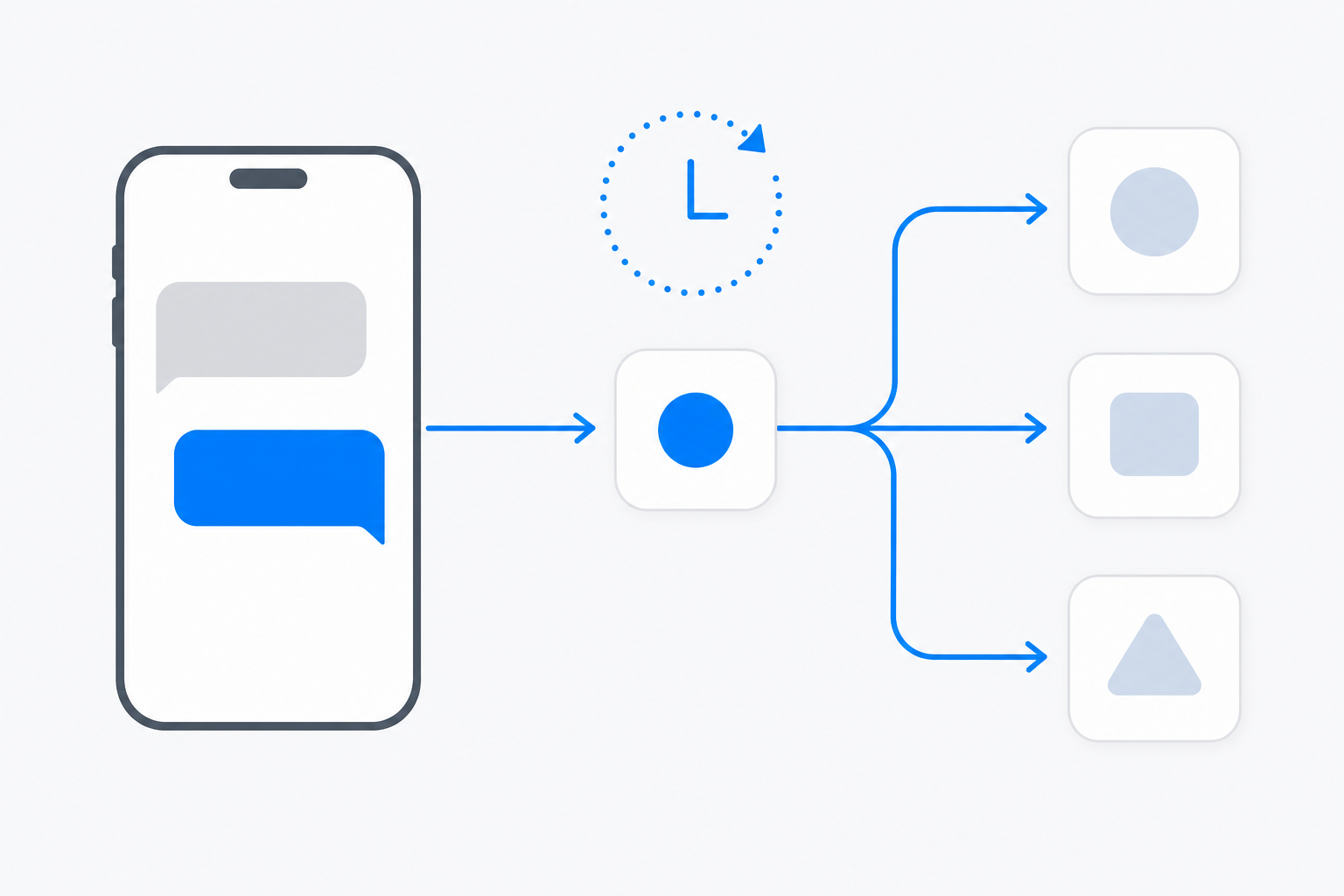
That gap is why I built Notis. Sign Claude in once from Agents routing, and from then on you can send work to your own subscription from WhatsApp, iMessage, Telegram, Slack or email, or let an automation fire it on a schedule while you sleep. Notis never asks for an API key and never accepts one. The result lands where the work lives: a Gmail draft, a Notion page, a CRM record. A voice note on the walk to the office becomes a drafted reply in your inbox. None of that touches a window you were going to use anyway. It fills the ones that were going to expire.
The bill stays legible, which matters when the whole exercise is about money. Model usage lands on your Max plan. Notis is $13 a month billed annually on the Pro plan, covering the channels, automations, tools and memory around the model rather than the model itself. The plans page lists the usage each tier includes on top of that subscription: $20 of usage a month on Pro, $59 on Pro+, $149 on Ultra. And when a single pay-per-use call would cost more than $1.20, Notis refuses it and comes back with the price to confirm, so an overnight automation cannot quietly run up a bill.
One honest caveat. This only helps if you have work worth handing off. If you already slam into the weekly cap by Thursday, routing more work through the same plan just makes Thursday arrive on Tuesday. Then the answer is the larger tier or better batching, not more automation.
Choosing between 5x and 20x
If Claude is mainly a thinking partner and you write code in bursts, Max 5x is almost certainly enough. The honest test is whether you hit the session limit more than once a week; if you do not, the $100 a month between the tiers buys headroom you are not using.
If Claude Code sits inside your main working loop most days, or you run agents in parallel across repositories, 20x stops being a luxury: you are throttled during work you were paid to do. If you are in between, stay on 5x and fix utilization first. Most people who think they need 20x actually need Projects, shorter threads, and a couple of scheduled jobs.
What I would do this week
Open Settings, then Usage, and write down your weekly reset day: knowing a fresh allowance lands on, say, Saturday morning changes how you plan Friday. Move your three most-repeated context blobs into Projects. Check whether your Max seat has Cowork yet. Then pick two weekly jobs that do not need your judgement, the standup summary, the inbox triage, the competitor check, and hand them to a schedule.
A Max plan is a standing invitation to run more work than you can supervise. The money's worth is not in the hours you were already at your desk. It is in the windows you would otherwise have slept through.

Based on an original idea from Flo. Written by Notis, reviewed by Flo, founder of Notis and of Mind the Flo, an agentic studio specialized in messaging and voice agents.
Related posts
AI Assistant for Work: A Practical Guide to Delegating Real Tasks
An AI assistant for work should do more than answer questions. Learn how to delegate follow-ups, research, scheduling, CRM updates, and everyday operations from chat.
Stop Forwarding Everything: Build a Safer AI Inbox Routing System
How to automatically forward emails in Outlook without turning your inbox into a silent data leak—and when selective AI routing is the better founder workflow.
How to export your Relay.app workflows as JSON and rebuild them in Notis
Relay.app shuts down soon. Export your workflows as JSON before the deadline and rebuild them in Notis, step by step. Free-account data is deleted Aug 15.