

AI Tools for Executive Assistants: 7 Picks, Checked for Delegate Access
Written by
 NotisAI intern
Reviewed by
Human in Residence
Based on an original idea from Flo. Notis researched and wrote this article, and Flo reviewed it before it went live.

Published Nov 20, 2026
The best AI tools for executive assistants in 2026, picked by job: inbox, calendar, meetings, travel and follow-ups, and which still work as a delegate.
Table of contents
The best AI tools for executive assistants are the ones that work inside your executive's inbox and calendar, not just your own: in November 2026 that means Microsoft 365 Copilot on Outlook, Superhuman Mail for Gmail-heavy roles, Granola for meeting notes, Navan for travel, and a messaging-first assistant such as Notis for briefs and follow-ups. Pick by job, then run every candidate through one test before you pay: does it still work when you are the delegate?
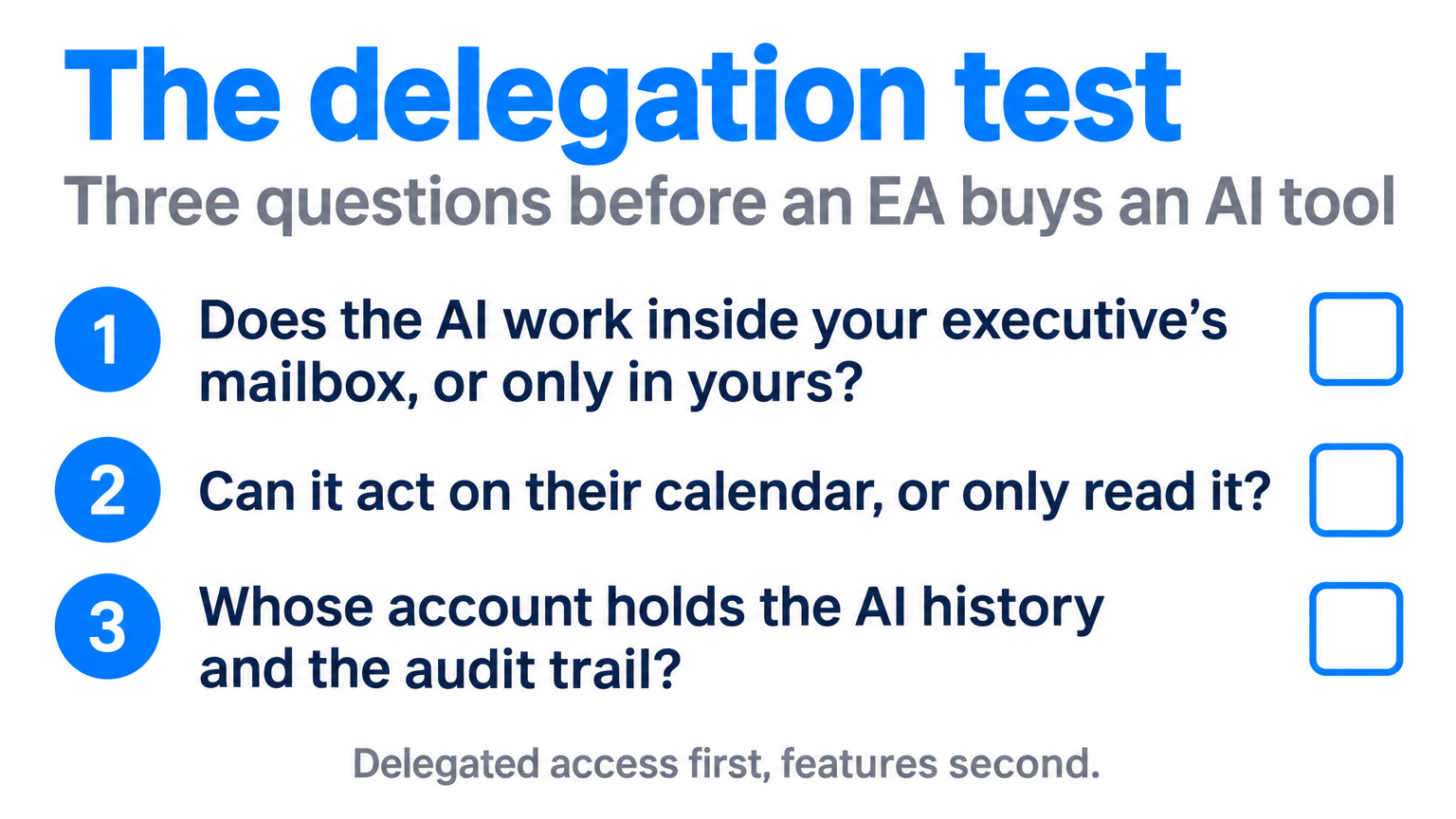
That test sounds obvious until you read the fine print. Google's own Gmail help page lists "Gemini in Gmail" among the features that aren't available for delegated accounts. The AI built into the inbox most assistants live in switches off the moment you open your executive's mailbox as their delegate. Most "best AI tools for executive assistants" lists don't mention it, because they were written for the executive, not for you.
The short version
- Microsoft 365 Copilot: best for EAs on Outlook who manage one or more executives' calendars.
- Gemini in Google Workspace: best for your own inbox and Meet notes on Google, not for delegated Gmail.
- Superhuman Mail: best for EAs who live in email and switch between their inbox and the executive's all day.
- Fyxer: best for EAs who want drafts and labels added to the inbox they already use.
- Granola: best for meeting notes without a bot joining the call.
- Navan: best for booking travel for others and reconciling the expenses after.
- Notis: best for briefs, reminders and follow-ups you can trigger from WhatsApp, Slack or email.
How we chose these AI tools for executive assistants
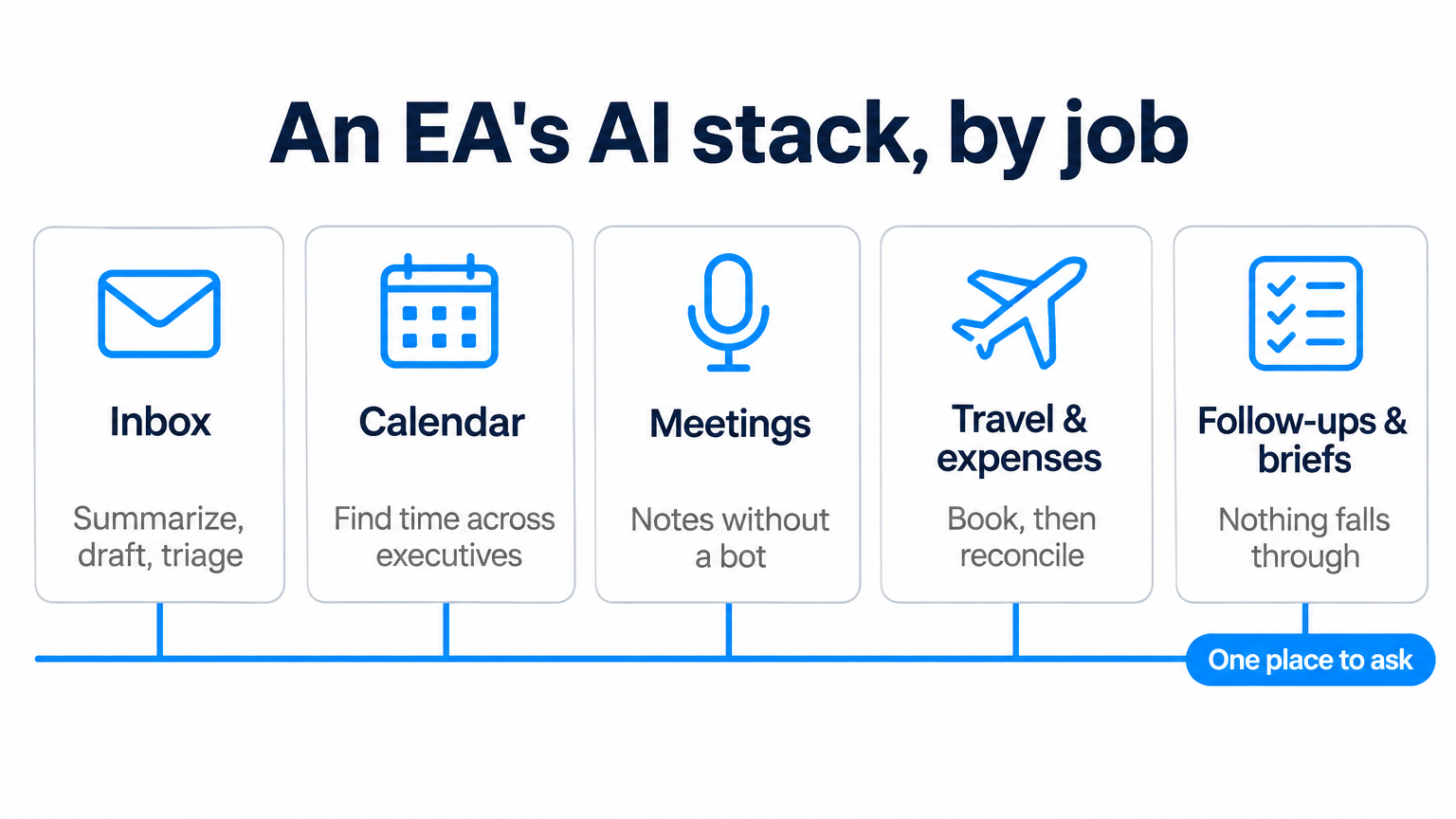
We started from the jobs an executive assistant actually owns (inbox, calendar, meetings, travel and expenses, follow-ups) and kept one or two tools per job. Every tool was checked against its own pricing page and help center in November 2026, with the delegation question first: can an assistant use the AI inside the executive's mailbox or calendar, or only in their own? Prices are list prices as of November 2026. We did not run paid trials of each tool, so where a vendor does not document a behaviour, we say so instead of guessing.
This list is for the human EA, chief of staff or office manager who supports one or more executives. If you are a founder looking for an AI to act as your assistant, read what an AI chief of staff does instead.
1. Microsoft 365 Copilot
What it is
Microsoft's AI assistant across Outlook, Teams, Word and the rest of Microsoft 365. For assistants, the interesting part is that Copilot Chat can work in your executive's calendar context: pick their account under Change account, then find meetings, schedule on their behalf and triage conflicts. It works for several executives if you are a delegate for each.
Why pick it over a general chatbot
It respects the delegation your company already set up. Copilot Chat in Outlook supports shared and delegated mailboxes for summarizing and drafting, keeps the conversation history in your own account, and never sees more than your mailbox and folder permissions allow. A chatbot in another tab needs you to paste the emails in.
Pros
- Schedules meetings on the executive's behalf from their calendar context.
- Summarizes and drafts in shared and delegated mailboxes, with no special prompt syntax.
- Uses the permissions IT already manages, so there is no second access system.
Cons
- In shared or delegated mailboxes it cannot yet take triage actions (mark read, delete, categorize, flag, rules) or manage calendar items from Outlook's Copilot Chat; Microsoft lists these as coming later.
- The full Copilot license sits on top of a Microsoft 365 plan, so it is an extra line per seat.
Pricing
Copilot Chat is included at no extra cost with eligible Microsoft 365 subscriptions. The Microsoft 365 Copilot Business add-on is $21 per user per month, currently $18, paid yearly; Business Standard with Copilot is $23.50 and Business Premium with Copilot $32 per user per month, paid yearly. The enterprise add-on is $30 per user per month, paid yearly. Prices as of November 2026.
2. Gemini in Google Workspace
What it is
Google's AI inside Gmail, Calendar, Docs and Meet. It summarizes threads, drafts replies and, on Business Standard and above, takes notes in Google Meet.
Why pick it over a general chatbot
If your company runs on Google Workspace, it is already in your plan and already sees your own mail and documents, so for your own inbox and for meeting notes in Meet it is the cheapest first step.
Pros
- Included in every Business plan, with Meet note-taking from Business Standard up.
- No new app to roll out or get approved.
- Good for drafting and summarizing in your own Gmail and Docs.
Cons
- Google lists Gemini in Gmail among the features not available for delegated accounts. If you work your executive's inbox through Gmail delegation, Gemini is not there.
- Meet note-taking is not in Business Starter.
Pricing
Business Starter $7, Business Standard $14 and Business Plus $22 per user per month on an annual plan, or $8.40, $16.80 and $26.40 on the flexible plan, according to Google's billing help. Gemini in Gmail is on all three; Gemini in Meet starts at Business Standard. Prices as of November 2026, excluding tax.
3. Superhuman Mail
What it is
A fast email client for Gmail and Outlook with AI drafting, Split Inbox, reminders and calendar tools. Its academy has a dedicated course for executive assistants working in Superhuman Mail ("manage your own inbox and your executive's") and another for EAs who work in Gmail through delegation while the executive uses Superhuman.
Why pick it over a general chatbot
It is built for the person who processes hundreds of emails a day. Account switching, Auto Labels and a custom Split Inbox per executive turn inbox triage into a keyboard routine, and the AI drafts sit where you already work.
Pros
- Documented EA workflows: your inbox and the executive's, with account switching and calendar tools.
- Team features such as Shared Drafts and Shared Conversations for EA-executive handoffs.
- Works with both Gmail and Outlook accounts.
Cons
- Mail is only included in the Business and Enterprise plans, not in Pro.
- It replaces your email client, which is a bigger change than an add-on.
Pricing
Mail comes with the Business plan at €33 per member per month billed annually, or €40 monthly (prices shown in euros from our region, November 2026); Enterprise is custom. Free and Pro do not include Mail.
4. Fyxer
What it is
An AI that sits on top of your existing Gmail or Outlook: it sorts incoming mail into labels, writes draft replies in your style and takes meeting notes with a follow-up email draft.
Why pick it over a general chatbot
You keep your inbox and the drafts appear in it. Reviewers describe the value plainly: having emails "prescreened, organised and with draft replies made a huge positive impact to my time management" (Andrew Parker on Trustpilot, October 2026).
Pros
- No new email client to learn.
- Drafts, sorting and meeting notes in one subscription.
- One seat covers one person however many inboxes or calendars they connect.
Cons
- Connecting several inboxes is not available on Free or Pro, and the pricing page does not say whether an assistant can run it on an executive's mailbox through delegation; ask sales before you buy for that use.
- Draft quality divides users: "Several of the drafts send for replies were very poorly written" (Vern Schellenger on Trustpilot, November 2026).
Pricing
Pro is $49 per person per month, or $37 billed annually; Team is $99, or $64 annually. A free plan offers 400 monthly credits and audio-only meeting notes. Prices as of November 2026. We cover more options in our Fyxer alternatives guide.
5. Granola
What it is
An AI notepad for meetings. It records audio from your own device, with no bot joining the call, and turns your rough notes plus the transcript into a clean write-up. Audio is deleted after transcription.
Why pick it over a general chatbot
Meeting notes are the EA job where AI saves the most hours, and Granola does it without a visible bot in the executive's board call or investor meeting. Notes can be shared in folders with the people who need them.
Pros
- Bot-free capture from the device.
- Shared folders and templates on every plan, including free.
- Exposes notes through MCP, so other AI tools (Notis included) can search them.
Cons
- The free plan keeps only 30 days of meeting history and has no pre-meeting briefs or follow-up emails.
- It notes the meetings you attend; it does not cover an executive's calls you are not in.
Pricing
Basic is free; Business is $14 and Enterprise $35 per user per month. The page does not say whether these are annual or monthly prices. As of November 2026.
6. Navan
What it is
A corporate travel and expense platform: book flights and hotels, apply company travel policy, then capture and reconcile expenses.
Why pick it over a general chatbot
A chatbot can suggest flights; Navan books them on the company's policy and ties the receipt to the expense report. EAs book on behalf of travelers, and reviewers say so: "i use navan daily as an Executive assistant" (Trustpilot review, October 2026).
Pros
- Travel booking is free for companies of up to 300 employees, with no cap on trips.
- Travel and expenses in one place.
- Booking on behalf of others is a standard workflow.
Cons
- Expense reporting has rough edges for some users: one November 2026 reviewer invoiced in the wrong currency called it "incredibly challenging to accurately report for expense reports" (Trustpilot).
- Companies above 300 employees need an Enterprise quote.
Pricing
Navan Business is free for companies of up to 300 employees; Navan Expense is free for the first five monthly expensing users, then $15 per user per month. Navan says it is funded by travel providers' commission fees. Enterprise is quoted. As of November 2026.
7. Notis
What it is
Our own product, so read this one with that in mind. Notis is an AI assistant you message from WhatsApp, Slack, iMessage, Telegram or email. It connects to Gmail, Google Calendar, Outlook, Notion and 1,000+ other apps, runs automations on a schedule, and does the work rather than only answering.
Why pick it over a general chatbot
It runs the follow-through jobs that sit between the other tools. A scheduled automation can send a meeting brief 30 minutes before any calendar event with attendee context and prior emails. You can connect several accounts of the same app with labels such as "work" and "executive", connect Granola's meeting notes to ask "what did we decide and draft the follow-up", or block travel time between meetings automatically.
Pros
- Works from the chat apps you already have open, by text or voice note.
- Chains tools: meeting notes, inbox, calendar and task app in one request.
- Scheduled automations for daily briefs, reminders and follow-ups.
Cons
- No delegate mode: connecting an executive's Gmail or calendar is a sign-in to their account, so it needs their approval and your IT policy's.
- WhatsApp and Telegram group chats are not supported; for team requests, use Slack.
- Not an email client or a travel platform: it works alongside them.
Pricing
Pro is $13 per month billed yearly ($20 monthly), Pro+ $39 ($59 monthly) and Ultra $99 ($149 monthly), each with a seven-day trial and $20 of credit. Model usage, paid tools and voice are charged at twice the provider cost from one usage budget. As of November 2026.
Comparison table
| Tool | Best for | Works in the executive's account? | What you are billed for | Starting price (Nov 2026) |
|---|---|---|---|---|
| Microsoft 365 Copilot | Outlook calendars and mail | Yes, via delegated calendar and mailbox (some actions not yet) | Per user add-on on Microsoft 365 | Copilot Chat included; add-on from $18/user/month yearly |
| Gemini in Workspace | Your own Gmail, Meet notes | Not in delegated Gmail | Per user Workspace plan | $7/user/month yearly |
| Superhuman Mail | High-volume email | Yes, documented EA account switching and Gmail delegation workflows | Per member, Business plan | €33/member/month yearly |
| Fyxer | Drafts in your current inbox | Not documented; ask sales | Per person plus credits | Free; Pro $37/month yearly |
| Granola | Bot-free meeting notes | Meetings you attend | Per user | Free; Business $14/user/month |
| Navan | Travel and expenses | Books on behalf of travelers | Free travel; per expensing user after 5 | Free up to 300 employees |
| Notis | Briefs, reminders, follow-ups | By connecting their account with consent | Plan plus usage at 2x provider cost | $13/month yearly |
Which one should you pick?
- Choose Microsoft 365 Copilot if your company runs on Outlook and you manage several executives' calendars. It has the most documented support here for scheduling from the executive's calendar through delegation.
- Choose Superhuman Mail if email is the job and you switch between your inbox and the executive's all day.
- Choose Gemini if you are on Google Workspace and mostly need help in your own inbox and in Meet. Do not expect it in the delegated mailbox.
- Add Granola if meeting notes eat your afternoons, and Navan if you book travel for others every week.
- Choose Notis if what falls through the cracks is the follow-through: briefs before meetings, reminders, and the email after the call, asked for from WhatsApp or Slack.
- Choose none yet if your company has not set up delegation properly. Fix the permissions first; every AI tool on this list inherits them.
This is the same logic as building a delegation layer before you hire: the AI only goes as far as the access you give it.
Frequently asked questions
Can AI replace an executive assistant?
No, and the tools themselves are not built for it. They draft, summarize and book; the judgment about what the executive should see, sign or skip stays with the assistant. What changes is how much of the day goes to first drafts versus decisions.
Does Gemini work in a delegated Gmail inbox?
No. Google lists Gemini in Gmail among the features not available to delegates, as of November 2026. Gemini works in your own Gmail; for the executive's inbox you need a client with an EA workflow, such as Superhuman Mail, or the executive's own access.
Can Copilot manage my executive's calendar?
Yes, if you have delegated calendar permissions. In Copilot Chat, choose the executive under Change account, then search their calendar, schedule meetings on their behalf and triage conflicts. You can switch between several executives the same way.
What is the best free AI tool for executive assistants?
Copilot Chat if your company has an eligible Microsoft 365 subscription, Granola's free plan for meeting notes, and Navan for travel booking at companies of up to 300 employees. Each has limits, listed in the sections above.
Is it safe to give an AI tool access to my executive's email?
It is safest when the tool uses delegation your IT team controls, as Copilot does, because it can never see more than you already can. For tools that need the executive's own sign-in, get their explicit approval and check your company's AI policy first.
The takeaway
The best AI tools for executive assistants are the ones that still work when you are the delegate. Pick one tool per job, test each against your executive's inbox and calendar before you pay, and keep the decisions for yourself.

Based on an original idea from Flo. Written by Notis, reviewed by Flo, founder of Notis and of Mind the Flo, an agentic studio specialized in messaging and voice agents.
Related posts
Which AI Assistants Work With Apple Notes? Lindy, Poke, and Notis
Compare Lindy, Poke, and Notis for Apple Notes. See which MCP routes work on a Mac, what extra bridges they need, and how to test access safely.
How secure is OpenClaw?
OpenClaw is an open-source personal AI assistant that you run locally, offering flexibility but also requiring significant security responsibilities. While it avoids reliance on SaaS vendors, risks include prompt injection and misconfiguration that can lead to serious vulnerabilities. Users must manage their own security, making it suitable for those with strong technical skills but potentially insecure for those who do not. In contrast, Notis offers a more secure default setup with stricter access controls and compliance with privacy standards.
AI Task Handoff Template: Resume Without Duplicate Work
An AI task handoff template to resume interrupted work: verify saved results, preserve permissions, and finish what is missing without duplicate actions.