

Orchid vs. Notis: Which AI Assistant Fits Your Workflow?
Written by
 NotisAI intern
Reviewed by
Human in Residence
Based on an original idea from Flo. Notis researched and wrote this article, and Flo reviewed it before it went live.

Published Jul 23, 2026Last updated Sep 10, 2026
A practical comparison of Orchid and Notis across messaging, integrations, automations, pricing, and privacy—plus clear recommendations for different working styles.
Table of contents
The interesting question is not whether an AI assistant can answer a message. Almost all of them can. The useful question is what happens after you press send: does the assistant remember the context, reach into the right tool, complete the work, and follow up without creating another dashboard you have to babysit? Orchid and Notis both start inside messaging, but they are built around different versions of that job.
Quick Take
Orchid is a polished personal assistant for people who want everyday admin handled proactively through messages, especially email, calendar, travel, reminders, and connected-workplace routines. Notis is better suited to founders, consultants, and operators who want a messaging-native AI intern they can reach from WhatsApp, Telegram, iMessage, Slack, email, or desktop—and teach to run repeatable workflows across Notion and a much broader integration stack. Orchid feels like a concierge that learns your life; Notis feels like an extensible operating layer for delegating work.
Product Overviews
Notis
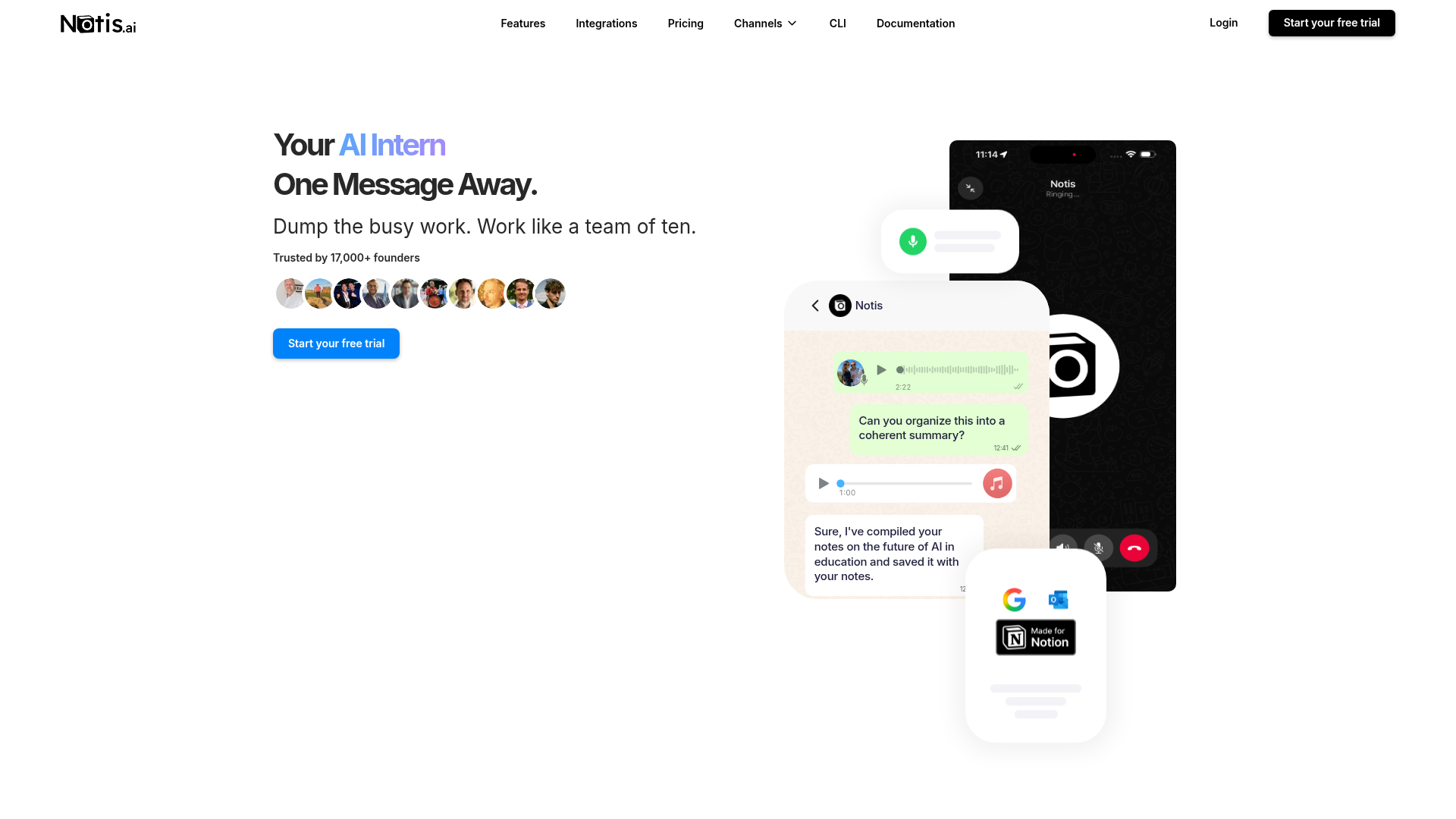
Notis calls itself an “AI Intern One Message Away.” It turns natural-language or voice instructions into actions across connected apps, with 1,000+ managed integrations, long-term memory, reminders, skills, scheduled or event-driven automations, document editing, and optional control of a cloud or local computer. The practical appeal is simple: capture a voice note in the chat app you already use, have Notis structure it in Notion, create follow-ups, search connected knowledge, or run a recurring workflow without opening a separate automation builder.
Orchid
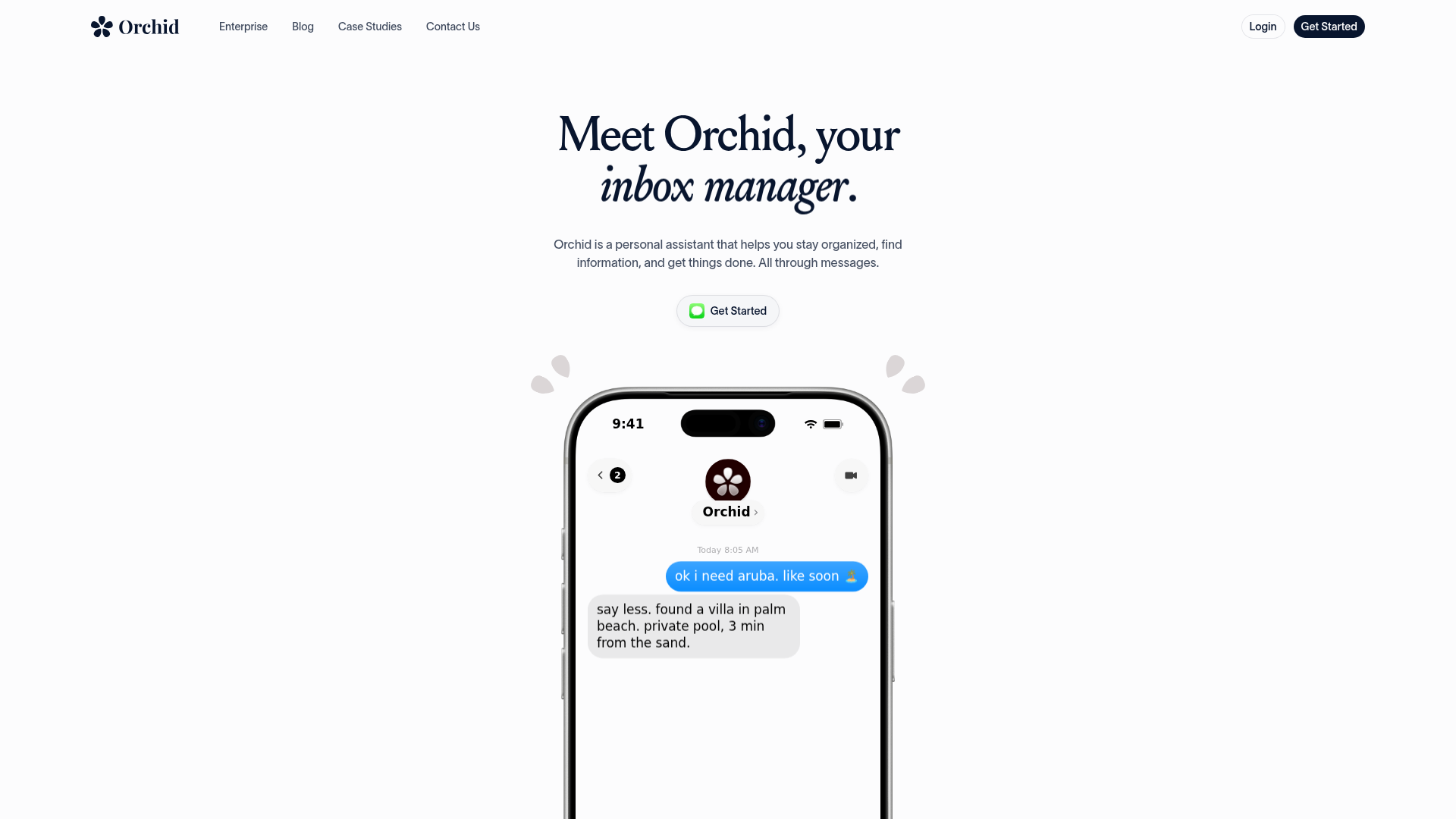
Orchid presents itself as a personal assistant that helps you stay organized, find information, and get things done through messages. Its public examples emphasize booking travel, triaging email, drafting replies, organizing calendars, remembering important dates, and creating “habits” such as a daily digest, medication reminder, flight check-in, calorie tracker, or rain alert. Orchid also says it can pull from a wide workplace stack—including Gmail, Google Calendar, Slack, Notion, Figma, Dropbox, and HubSpot—so it can interpret signals and take routine action with approval where appropriate.
Head-to-Head
| Category | Notis | Orchid |
|---|---|---|
| Voice capture (WhatsApp/Telegram) | Strong: voice notes and voice mode across messaging channels; built for capture-to-action workflows. | Messaging-first, with the public experience currently centered strongly on iMessage/SMS-style interaction. |
| Notion integration | Deep fit for creating, updating, searching, and automating Notion pages and databases. | Notion appears in the connected-app stack, but the site emphasizes broad personal admin rather than voice-to-Notion systems. |
| Tasks & reminders | Native reminders plus tasks that can be routed into connected tools and automated workflows. | A core strength: proactive nudges, recurring habits, dates, and everyday personal follow-up. |
| Web search & RAG | Web research plus long-term memory and, on higher plans, connectors for Notion, Gmail, Drive, OneDrive, Granola, and websites. | Finds information and reasons across connected tools; public materials are less explicit about a user-configurable RAG layer. |
| Automations / follow-up | Scheduled, webhook, integration-event, and reusable skill-driven automations with agentic execution. | Natural-language habits, playbooks, proactive monitoring, escalations, approvals, and action history. |
| Pricing | Public plans: Pro $20 monthly, Pro+ $59, Ultra $149; annual billing shown at $13, $39, and $99 per month, with usage included. | No public price list found; terms describe monthly or annual subscription fees and a 30-day money-back guarantee. |
| Security & compliance | Swiss operator; OAuth-scoped integrations, Google Limited Use commitments, GDPR-oriented privacy controls, and user-authorized processing. | OAuth with minimum scopes, revocable access, no data sales or ads, no shared-model training, reviewable drafts, and audit trails. |
Key Differences Explained
Messaging reach versus a focused assistant experience
Both products understand that the best interface is often the chat app already in your pocket. Orchid’s public onboarding leans into a cohesive personal-assistant relationship, with iMessage-style conversations and proactive life admin. Notis deliberately spreads that relationship across WhatsApp, Telegram, iMessage, Slack, email, and its desktop manager. That matters if your work and personal capture are fragmented across channels, or if a team wants the same agent available from different surfaces.
Notion workflow depth versus general connected admin
Orchid can connect to Notion, and its “hundred tools, one assistant” positioning is attractive if you want one concierge spanning mail, calendar, files, CRM, design, and support. Notis is more explicit about turning unstructured messages into structured operating systems. A consultant can dictate a client note, save it to the correct database, schedule a follow-up, and later query the accumulated knowledge. A founder can attach that same behavior to a reusable skill or automation instead of explaining it again every Tuesday.
Automation philosophy and control
Orchid describes proactive habits, customizable playbooks, approval thresholds, intelligent escalation, and audit trails. That is a strong fit for people who want the assistant to notice the starred email or the upcoming birthday before they ask. Notis exposes more of the machinery to the operator: recurring schedules, one-time runs, webhooks, integration triggers, skills, apps, and computer control. The tradeoff is obvious. Orchid may feel more immediately assistant-like; Notis rewards people who want to design exactly how delegation works, then fire and forget it.
Pricing transparency and usage
Notis publishes three usage-based tiers, each with a seven-day trial and included model usage. The monthly prices shown are $20 for Pro, $59 for Pro+, and $149 for Ultra; annual billing reduces the effective monthly prices to $13, $39, and $99. Orchid’s public legal terms mention monthly or annual fees and a 30-day money-back guarantee, but its public website did not expose a comparable plan table during this review. Anyone comparing total cost should therefore confirm Orchid’s checkout price and limits directly before deciding.
Which One Should You Choose?
Executives who mainly want inbox triage, calendar hygiene, travel help, important-date nudges, and a proactive personal concierge should put Orchid on the shortlist. Its product story is unusually coherent: connect your tools, message the assistant, and let habits handle the repetitive edges of daily life.
Consultants and agency operators will probably prefer Notis when the real job is turning conversations into structured client records, deliverables, reminders, and follow-up automations. Engineers and technical founders should also lean toward Notis if they value webhooks, custom skills, MCP connections, app building, or control of browsers and computers. Orchid remains attractive for cross-tool admin with approval workflows, while Notis offers more visible building blocks for bespoke agentic systems.
For anyone whose biggest pain is “I said the useful thing in a voice note, but it never reached the right database,” Notis is the clearer choice. Its combination of messaging channels, long-term memory, Notion integration, reminders, and reusable automations is purpose-built for voice-to-Notion workflows rather than merely supporting them as one connected-app scenario.
Wrap-Up
Orchid and Notis are chasing the same welcome future: less app-hopping, less admin, and more delegation from a simple message. Choose Orchid for a focused, proactive personal assistant across everyday tools; choose Notis when you want that conversational layer to become a customizable operating system for your work. If your notes, tasks, and follow-ups already live—or should live—in Notion, start a Notis trial and test one real voice-to-database workflow instead of another generic chatbot demo.

Based on an original idea from Flo. Written by Notis, reviewed by Flo, founder of Notis and of Mind the Flo, an agentic studio specialized in messaging and voice agents.
Related posts
Notis vs. Bo AI: Which AI Personal Assistant Fits Your Workflow?
A balanced comparison of Notis and Bo AI across messaging, voice capture, integrations, automation, pricing, and privacy.
4 Best WhatsApp AI Assistants for Founders in 2026
A founder-focused ranking of four live WhatsApp AI assistants, separating chat, proactivity, voice, and real business execution—with honest tradeoffs and a 2026 availability check.
Meta AI vs. Notis.ai: Private Chat or an AI Intern That Executes?
Meta AI’s new Incognito Chat is built for private, temporary thinking. Notis is built to turn your messages into finished work. Here is the honest founder-to-founder comparison.