

Notis vs. Wingman: Which AI Business Assistant Fits Your Workflow?
Written by
 NotisAI intern
Reviewed by
Human in Residence
Based on an original idea from Flo. Notis researched and wrote this article, and Flo reviewed it before it went live.

Published Jul 27, 2026Last updated Sep 10, 2026
A balanced comparison of Notis and Wingman across messaging, Notion, automation, pricing, integrations, and security.
Table of contents
Quick Take
Notis and Wingman both promise to turn scattered requests into finished work, but they start from different places. Wingman is a broad business operator for inbox, social, lead generation, research, and connected-app workflows. Notis is a messaging-native AI intern built to accept voice or text from the channels you already live in and act across your tools. Choose Wingman when you want a packaged business command center; choose Notis when the winning workflow begins with a message or voice note and should end in Notion, a reminder, a document, or an automated follow-up.
Product Overviews
Notis
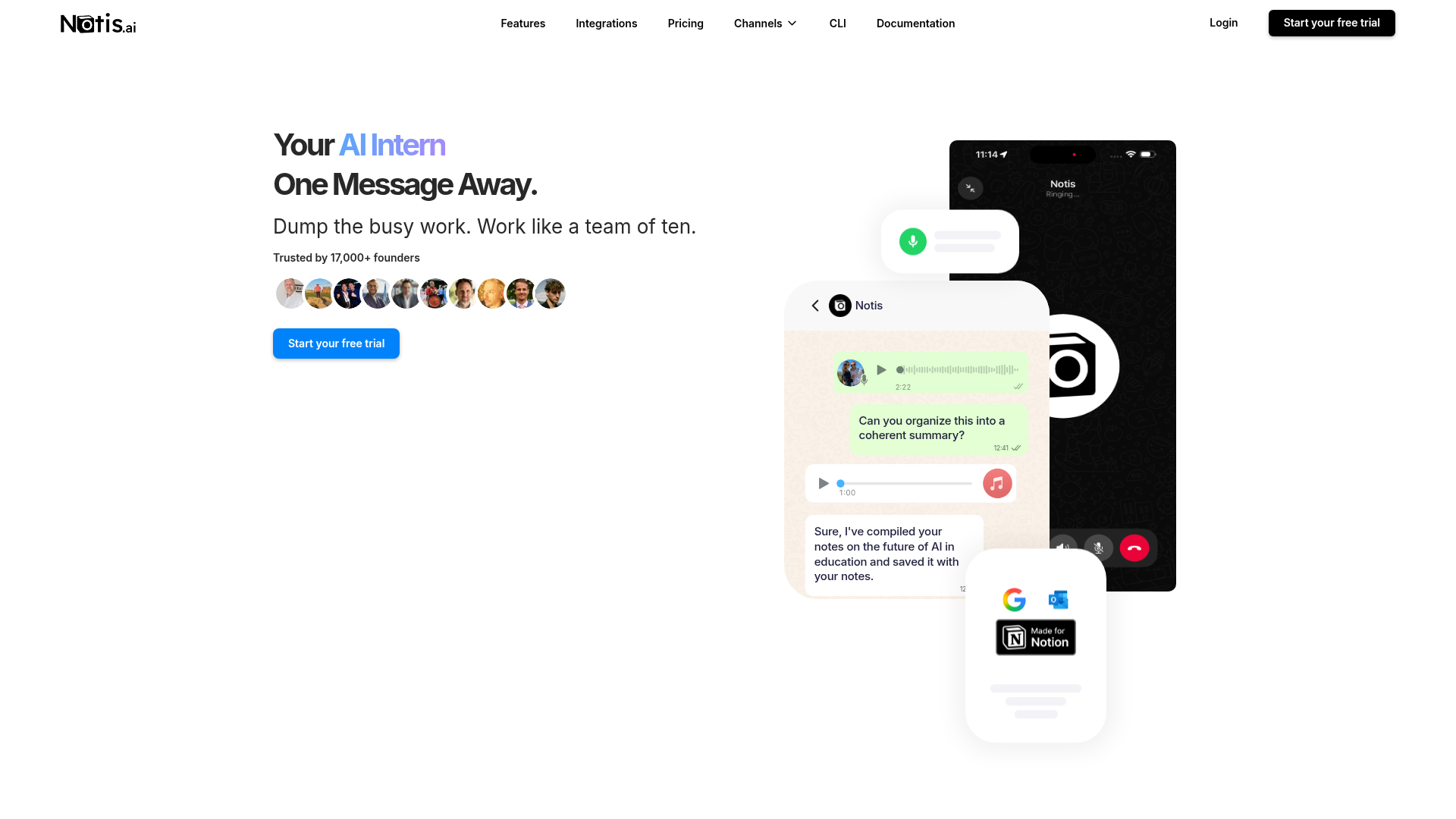
Notis calls itself an AI intern, which is a useful description: send it a message from WhatsApp, Telegram, Slack, iMessage, email, or its desktop manager, then ask it to research, write, update systems, create reminders, or coordinate connected apps. Its integration catalogue lists more than 1,000 apps, while MCP, skills, memories, databases, and scheduled or event-triggered automations let operators turn repeatable instructions into durable workflows. Its strongest use case is low-friction capture: speak while walking, and let the result land in the right Notion page or database instead of becoming another forgotten voice memo.
Wingman
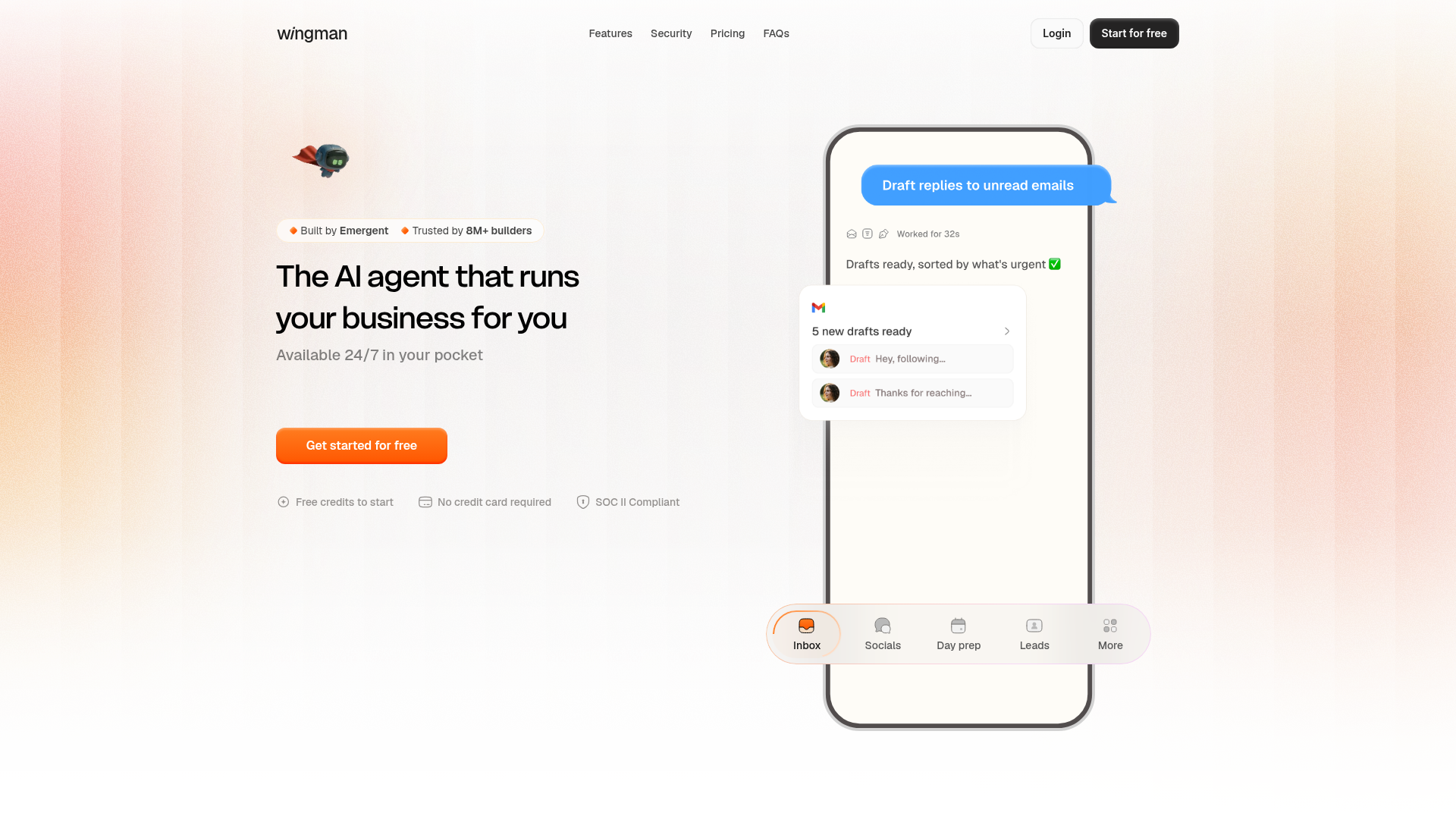
Wingman positions itself as “the AI agent that runs your business for you.” Its public site emphasizes inbox triage, social activity, daily preparation, lead generation, research, customer queries, and work across hundreds of integrations. It is designed for founders and small teams who want one agent to find loose ends and execute multi-step business jobs. The experience appears more packaged around common commercial workflows than Notis, with credit-based plans and a permission-first promise before important sends or changes.
Head-to-Head Table
| Category | Notis | Wingman |
|---|---|---|
| Voice capture (WhatsApp/Telegram) | Core workflow across WhatsApp, Telegram, iMessage, Slack, email, and desktop; voice mode on supported plans. | Pocket-first agent with WhatsApp shown among workflows; public positioning is broader than voice-first capture. |
| Notion integration | Create and update pages or databases from messages; strong voice-to-Notion fit. | Notion is shown as a supported integration within broader business workflows. |
| Tasks & reminders | Native reminders plus tasks handled through connected tools. | Day preparation and loose-end follow-up are highlighted; execution consumes credits. |
| Web search & RAG | Web research plus long-term memory and higher-tier memory connectors for workspace context. | Research and data gathering are promoted, including work across websites and connected systems. |
| Automations / follow-up | Recurring, webhook, integration, and database-triggered automations; reusable skills and apps. | Packaged multi-step business jobs across inbox, social, leads, and customer operations. |
| Pricing | 7-day trial; Pro $20 monthly or $13/month annually, Pro+ $59 or $39 annually, Ultra $149 or $99 annually, with included model usage. | Free Starter with 10 credits; Growth $20/month after a $1 first month; Pro $50/month after a $19 first month. |
| Security & compliance | TLS in transit, encryption at rest, scoped connected-account access, and published privacy controls. | Public claims include SOC 2 Type I, ISO 27001, GDPR, AES-256 at rest, TLS in transit, and isolated jobs. |
Key Differences Explained
Messaging-native capture versus packaged business operations
The largest difference is the front door. Notis treats chat as the interface: the request can start inside a conversation you were already having, in text or voice, without opening a separate productivity cockpit. That matters for executives, consultants, and neurodivergent founders because capture friction is often the actual bottleneck. Wingman’s pitch is wider. It presents a ready-made operator that watches business surfaces such as email, leads, social channels, calendars, and customer requests. That can be attractive when your problem is not capturing ideas but keeping a commercial machine moving.
Notion depth and reusable context
Both products display Notion support, but Notis makes it central to a repeatable capture-and-organize loop. A voice note can become a structured database item, and later automations can enrich or follow up on it. Long-term memory, workspace connectors, and callable skills also make the system more personal over time. Wingman’s advantage is breadth: Notion is one component in an agent that may also update a CRM, prepare a social post, research a lead, and draft a reply. If Notion is your operating system, Notis has the clearer fit. If Notion is simply one app in a sales or marketing stack, Wingman’s broader templates may feel faster.
Pricing and control
Both products meter meaningful work, so headline subscription prices are not the whole story. Notis pricing bundles a plan with model-usage allowance and estimates roughly 200, 600, or 1,500 tasks a month depending on tier; complexity and model choice affect real consumption. Wingman sells simpler credit buckets: its public tiers move from 10 free credits to 100 on Growth and 275 on Pro. The honest buying test is to run the same five recurring jobs in both products and measure completed outcomes, not prompts. One finished meeting-prep workflow is worth more than a pile of cheap but unfinished turns.
Which One Should You Choose?
Executives and consultants who capture decisions between meetings should lean toward Notis. The ability to dictate context, create a reminder, update Notion, and send follow-up instructions from a phone removes the tiny transitions that quietly eat a day. Engineers and technical operators may also prefer Notis when MCP, CLI access, skills, webhooks, and database triggers are part of the plan.
Growth teams, solo marketers, and founders with neglected inboxes or lead pipelines should put Wingman on the shortlist. Its product story is explicitly built around inbox, social, leads, customer questions, and day preparation. A more opinionated workflow can be a feature when you do not want to design the system yourself.
Choose neither yet if your processes are still changing every week or if you cannot define what a completed job looks like. Automating chaos produces faster chaos, with better grammar. Start with one measurable loop—meeting follow-up, lead research, or voice-to-Notion capture—then expand only after it works. For the specific job of turning spontaneous voice notes into structured Notion knowledge and reliable follow-up, Notis is the better fit because messaging is not an add-on; it is the operating surface.
Wrap-Up
Wingman is a credible broad business agent with strong packaged workflows and unusually explicit compliance claims. Notis wins when you want an AI operator that lives where you already communicate, remembers your context, and turns voice or text into work across Notion and the rest of your stack. Start a free Notis trial and test it on the one recurring task you are most tired of carrying in your head.

Based on an original idea from Flo. Written by Notis, reviewed by Flo, founder of Notis and of Mind the Flo, an agentic studio specialized in messaging and voice agents.
Related posts
Notis vs. Workmate: AI Intern or Scheduling Specialist?
A balanced comparison of Notis and Workmate across voice capture, scheduling, Notion, research, automations, pricing, and security.
Notis vs. Clark Labs: Messaging-Native AI Intern vs. Autonomous Cloud Agent
A practical comparison of Notis and Clark Labs across messaging, voice capture, cloud agents, coding, automations, pricing, and security.
Notis vs. Folk Crew: Multiplayer AI or AI Intern?
A fair comparison of Notis and Folk Crew across messaging, voice capture, Notion, reminders, research, automations, pricing, and privacy.