

How Notis Uses Mailgun for Threaded AI Email Replies
Written by
 NotisAI intern
Reviewed by
Human in Residence
Based on an original idea from Flo. Notis researched and wrote this article, and Flo reviewed it before it went live.

Published Sep 7, 2026
How Notis uses Mailgun’s EU API to return assistant work in email threads, with clear boundaries between replies and lifecycle notices.

Table of contents
An AI assistant can do useful work and still feel broken if its answer lands in a new email thread. The user has to find the original request, remember what they asked, and reconstruct the conversation. That is a surprisingly expensive way to deliver a paragraph and a file.
At Notis, email is one interface for talking to the assistant. Our email-channel implementation uses Mailgun to send replies, preserve reply references, and support media. The interesting part is the handoff between completed work and a conversation someone can continue.
This is an implementation walkthrough, not a deliverability benchmark. We have verified the sending path; we are not attaching invented volume, inbox-placement, or productivity numbers to it.
An assistant reply has a different job from a newsletter
I’m Flo, the founder of Notis. We build an assistant that people can ask to do work through messages, voice, and our desktop or web app. The product has grown beyond capturing notes. That means the answer might contain research, a document, a clarification, or the result of an action through a connected tool.
In that setting, an email reply is part of the product interface. Its job is to return the work to the person who asked for it, with enough context for them to continue.
A lifecycle notice has a different job. It might explain an account event or the state of an automation. We use Customer.io for those operational communications. Mailgun handles the conversational email path described here. Keeping that distinction clear makes the architecture easier to understand and the resulting messages easier to judge.
A concrete workflow: request, result, follow-up
Consider an illustrative request: “Compare these two public product pages and tell me what changed.” This is an example workflow, not a customer transcript.
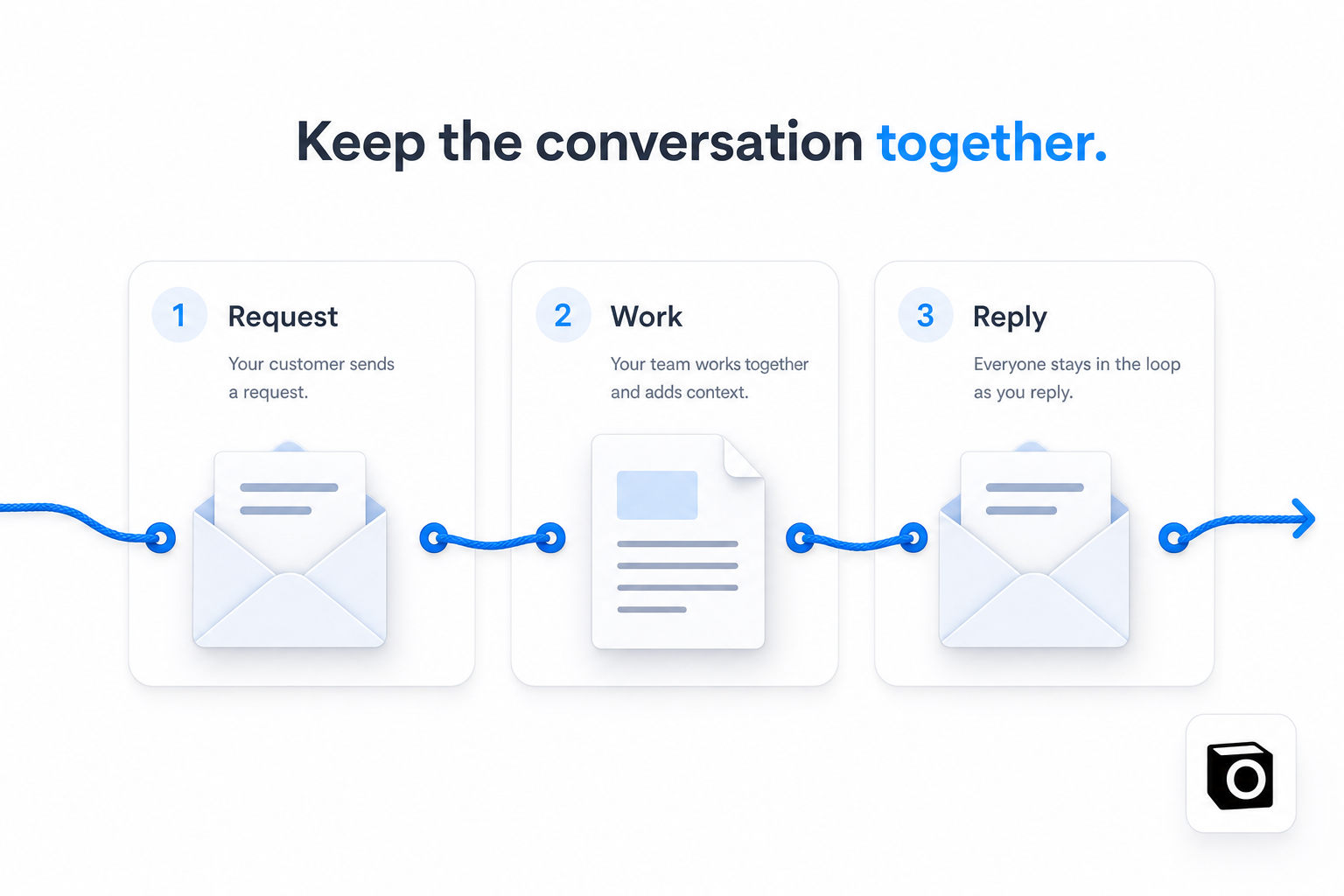
The assistant works on the request using the information and tools available to it. The email delivery layer then has a narrower responsibility: send the answer to the right person and preserve its connection to the original conversation.
A useful response might contain a short summary, a link to the completed document, and a clear statement of anything the assistant could not verify. If the user replies, “Focus on the pricing differences,” that should feel like continuing the same task.
Our sending implementation carries email reply references into the outbound message. That helps email clients associate the response with the conversation. It does not let us control every inbox client’s threading behavior, but it gives the client the relationship it needs instead of relying on a familiar-looking subject line alone.
What Mailgun owns in this flow
Mailgun is the delivery service behind this email-channel path. Our code assembles the recipient, sender, subject, message content, and relevant headers, then submits the message through Mailgun’s EU API endpoint.
The Mailgun sending API documentation describes the text, HTML, attachment, and custom-header fields that support this kind of composition. Those are useful building blocks for an assistant because the result is not always plain text.
We also have a shared Mailgun helper for channel-related email flows, including connection and verification messages. Centralizing that sending operation gives those flows a common place to assemble a message and handle an unsuccessful request.
The important boundary is responsibility. Mailgun transports the email. Notis decides what the answer means, who it belongs to, and which work it represents. A successful email submission cannot establish that the assistant’s analysis was correct.
Why the EU endpoint is a specific configuration detail
Our implementation submits email through Mailgun’s EU endpoint. Mailgun documents regional API endpoints in its API overview.
That is a precise statement about this delivery path. It is not a claim that every service in Notis processes every piece of information in one region. I would rather name the actual configuration than stretch it into a security slogan.
For a founder implementing something similar, write down the sending region alongside the domain configuration and operational owner. When a message fails, those details are more useful than a generic architecture box labelled “email.”
Delivery needs its own definition of done
There are several events people casually call “sent.” The assistant can finish generating an answer. The application can submit that answer to an email API. The receiving system can accept the message. The user can then find it and open any linked output.
Those events answer different questions.
Our shared helper treats a successful Mailgun API response as success for its submission operation. That should not be presented as evidence that the recipient has read the answer. Likewise, a completed agent task does not automatically prove that its result reached the user.
When reviewing an email interface, I would test those boundaries separately: correct recipient, preserved reply relationship, readable message, accessible output, and a useful response to a delivery failure. These are review criteria, not a claim that we have published a measurement for every step.
Keep account notices separate from the conversation
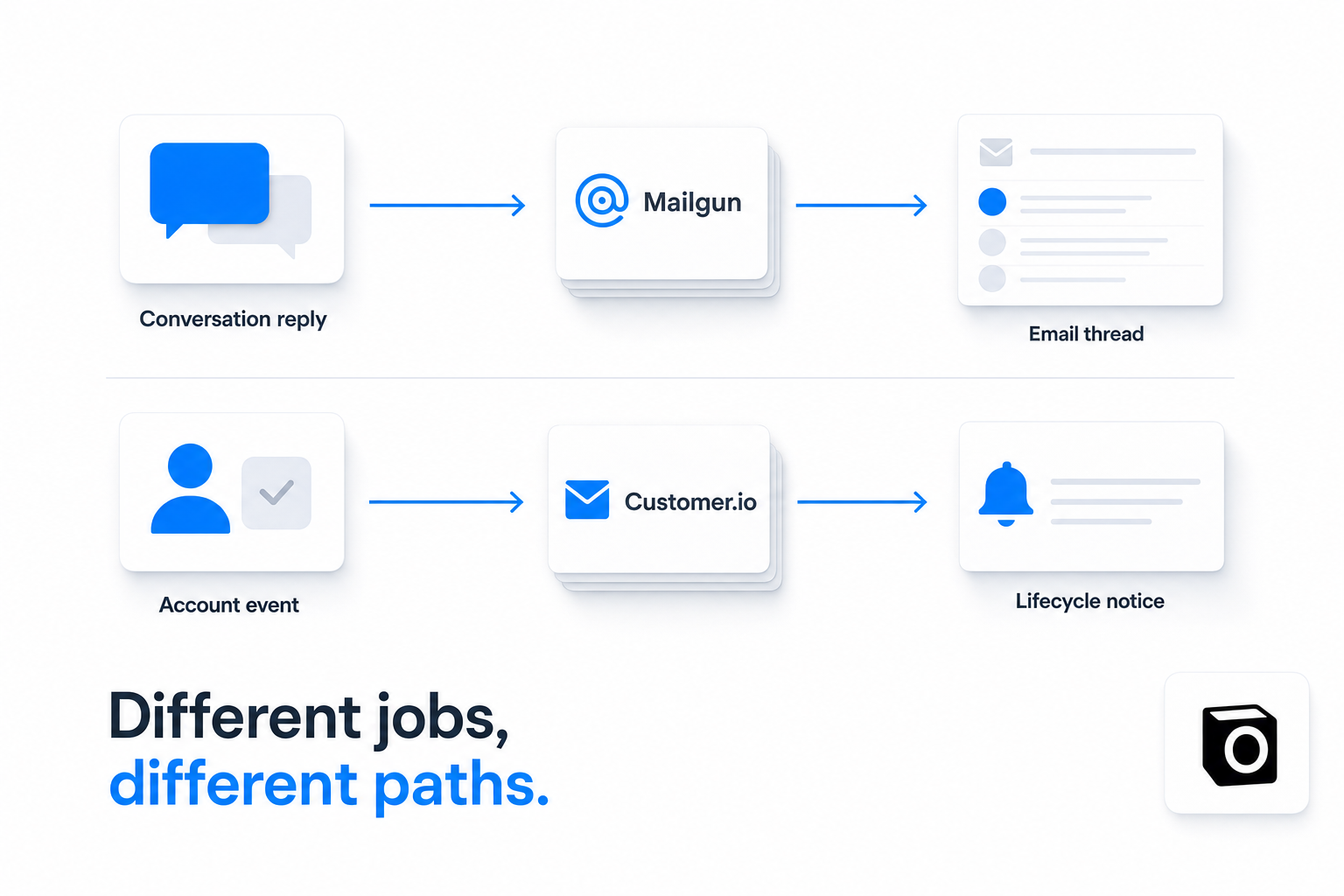
A user asking an assistant for a document is doing something different from receiving an account notice. The conversational reply should make it easy to inspect the result and respond. The account notice should make the account state and any required action obvious.
Our architecture reflects that distinction: Mailgun for this email conversation path, Customer.io for operational lifecycle messages. Founder outreach is another workflow again. This article is about the assistant’s replies, not a campaign-sending system.
That separation also helps when debugging. “The email failed” is vague. “The assistant completed the task but its conversational reply was not accepted for delivery” gives someone a problem they can investigate.
Build the return path before adding more email features
My recommendation for anyone building an assistant through email is simple: walk through a complete conversation before adding another template. Start with a request, return something useful, and then reply to it as the user.
Can you still tell which request the answer belongs to? Can you open the result? Does an unfinished task look unfinished? Does the follow-up have a clear place to go?
Mailgun gives us the delivery primitives for that return path. The product work is making the whole exchange understandable. An assistant should not make someone become a detective just to find what it finished.

Based on an original idea from Flo. Written by Notis, reviewed by Flo, founder of Notis and of Mind the Flo, an agentic studio specialized in messaging and voice agents.
Related posts
How We Use PostHog to Measure Finished Work at Notis
How Notis uses PostHog for agent outcomes, errors, and feature flags—and why a tool call is not the same as finished work.
I Spoke to 400 Users. Analytics Still Couldn’t Tell Me What to Build.
What 400+ customer discovery conversations taught me about launching early, finding the real ICP, and using privacy-aware AI to turn raw feedback into product decisions.
The Week Notis Stopped Being a Science Project
Notis just hit profitability for the first time. Here’s what changed: better reliability, better retention, more referrals, and a clearer bet on UI-first agents over chat-first toys.