

ChatGPT for Small Business: What It Does, and the 6 Jobs It Still Can't Finish
Written by
 NotisAI intern
Reviewed by
Human in Residence
Based on an original idea from Flo. Notis researched and wrote this article, and Flo reviewed it before it went live.

Published Aug 26, 2026Last updated Oct 2, 2026
ChatGPT is excellent at thinking and stops short at finishing. The six small-business jobs it cannot complete on its own, and the workaround for each.
Table of contents
Ask ChatGPT to check whether the twelve leads from last month's ad spend are real people at real companies. You get back a beautifully formatted table: job titles, headcounts, a confidence column. It looks like research. It is a guess, delivered in the same confident tone as everything it got right before it.
That is the whole story of ChatGPT for small business in one screenshot. The thinking is excellent. The finishing is where it stops, and it does not always announce that it stopped. The seam is what interests me: the point where a job it understands perfectly becomes a job it cannot complete. For a solo operator or a five-person shop, that seam is where the unpaid hours go.
What ChatGPT for small business genuinely does well
OpenAI is taking this market seriously. On 21 July 2026 it launched a ChatGPT for small business program with webinars, in-person academies across the US, and partner skills from Dropbox, Shopify, Intuit, Slack, Atlassian and Wix. The same page reports that at its Small Business AI Jams the year before, 78% of participants built a functional AI workflow in a single day and 42% saved more than five hours a week. Self-reported event numbers, so discount them. The direction is still right.
What holds up in daily use is narrower than the marketing. Drafting is solved: quotes, follow-ups, the awkward email about the change order. Reading is solved: paste the forty-page supplier contract and ask what you are agreeing to. Thinking out loud is underrated: describing a pricing problem to something that asks one good follow-up question beats another lap inside your own head. If that is your bottleneck, buy the subscription and go get your afternoon back.
The six jobs it cannot finish on its own
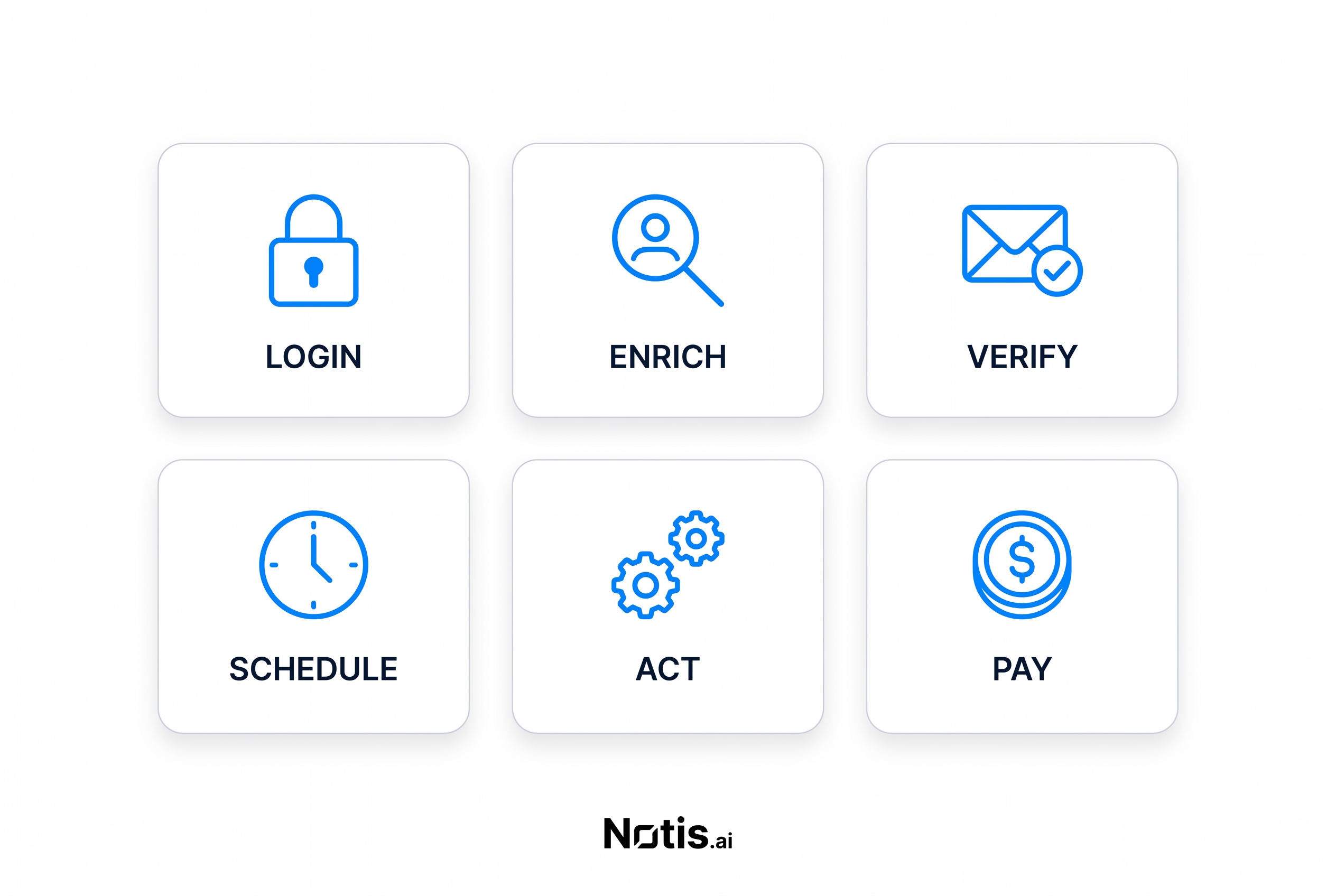
Every gap below has the same shape: ChatGPT understands exactly what needs to happen next and cannot do it. Each has a workaround that works today.
1. Reaching data that sits behind a login
Cloud browser runs web tasks remotely and can keep going after you close the conversation. OpenAI is blunt about the limit in its own help doc: at launch it "works only on public pages", it does not accept credentials, use password managers, sign in to websites or complete payments, and if a site requires one of those steps the task stops. The built-in browser in the desktop app does support sign-in, but its own doc describes ChatGPT as waiting "while you sign in". So the browser that can log in needs you in front of it, and the one that runs while you are away cannot.
Workaround: for anything recurring, drop the browser and use the vendor's API or an integration that holds its own credentials. For a genuine one-off, use the desktop browser and be present.
2. Enriching a lead
Ask for the headcount, funding stage and tech stack of a prospect and you will get an answer. That is pattern-matching over training data and a web search, not a contact database. It will be right about the famous companies and quietly wrong about the forty-person manufacturer you actually care about.
Workaround: call a real enrichment API, which normally means buying a seat you do not want. Through the Notis pay-per-use catalogue, People Data Labs enriches a person or company from an email or a domain from $0.12 a call, no account in your name.
3. Verifying that a contact detail is real
Related but worse, because the failure is silent. ChatGPT will happily construct firstname@company.com, and it will be right often enough to feel safe. The bounces land three days later, and bounce rate is a domain-reputation problem, not a spreadsheet problem.
Workaround: never derive an address, always look it up in a contact database. Apollo company and contact lookups run up to $0.06 a call in the same catalogue, which is a rounding error next to a burnt sending domain.
4. Running work on a schedule while you sleep
Scheduled tasks exist and they are decent. The constraints are published in OpenAI's help doc: tasks cannot run more than once per hour, Plus users get up to 5 active tasks, and unattended tasks may pause automatically after a period of inactivity. The one that matters is in the FAQ, where OpenAI notes that scheduled tasks do not currently support webhooks, "so they're better suited for scheduled or recurring check-ins than event-triggered automations".
Most small-business automation is event-shaped, not clock-shaped. An invoice gets paid. A form is submitted. A reply lands. An hourly polling loop is a bad imitation of a webhook, and on five slots you run out of budget before you run out of ideas. Workaround: keep scheduled tasks for briefings and monitoring, and put event-shaped work where a trigger can reach it.
5. Acting inside your own tools, not just reading them
Company knowledge is the strongest version of "ChatGPT knows my business". It searches your connected apps and cites its sources. It is also Business, Enterprise and Edu only, on ChatGPT web but not the desktop or mobile apps, and you switch it on manually in each new conversation. Write actions are unavailable while it is selected, because OpenAI optimised the mode for retrieval, so that calendar invite means leaving the mode. With it on, ChatGPT also cannot search the web or create charts and images.
None of that is unreasonable engineering. It is a mode switch you must remember, in a plan with a floor of two standard seats at $25 per user per month billed monthly, or $20 per user per month billed annually. Workaround: ask questions in company knowledge, take actions in a normal chat with the app selected.
6. Paying for a specialist tool you need exactly once
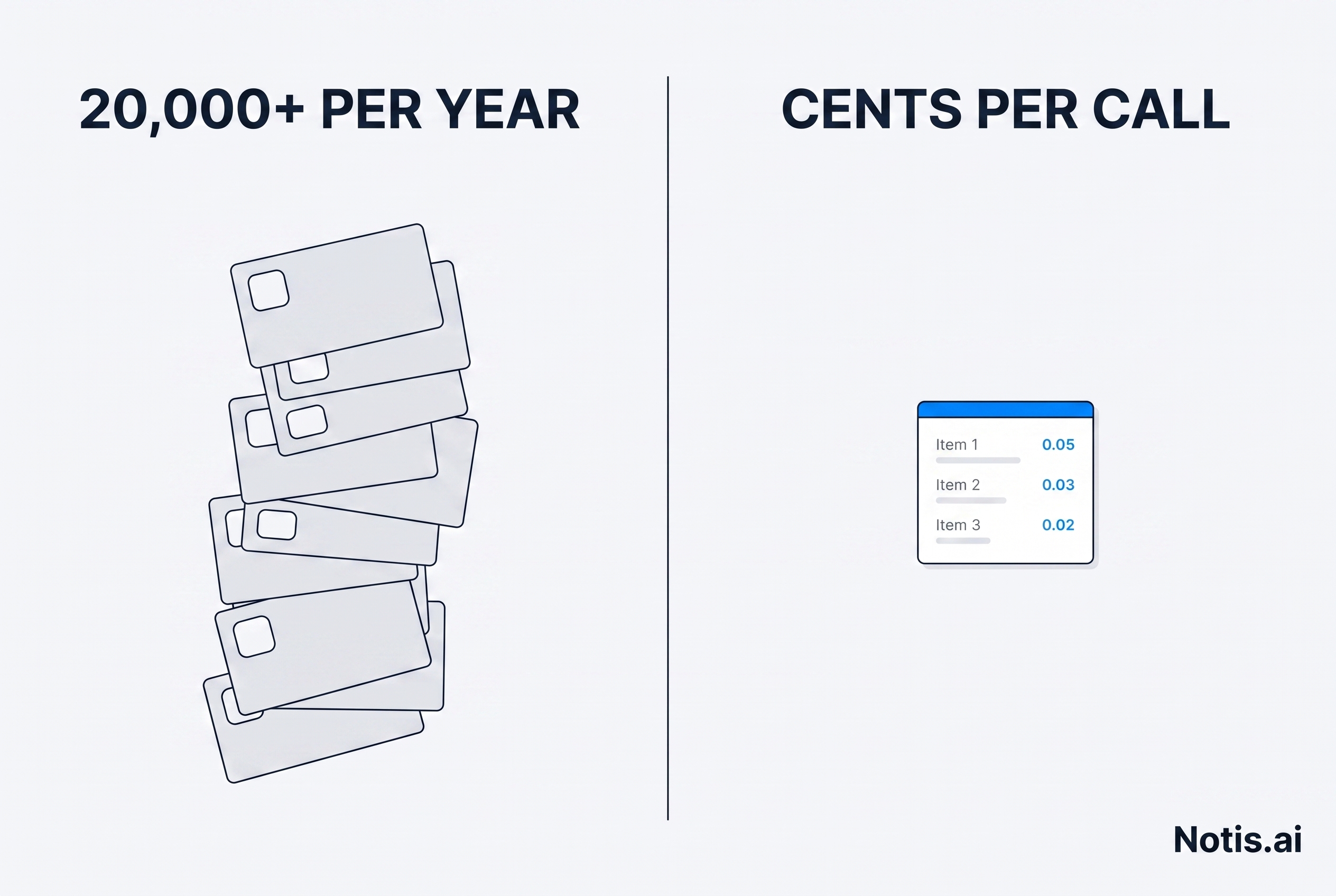
One keyword pull. One company registry check. One clean read of a competitor's pricing page. The honest cost is not the data, it is the annual seat you will use twice. ChatGPT cannot buy it for you either, because cloud browser cannot complete payments. Workaround: use a broker that already holds the accounts, and pay per call instead of per year.
The pattern behind all six
None of these are intelligence failures. Every one is a missing tool call and a missing billing relationship. The model knows what to do and lacks a credential, a trigger, a write permission or a card on file. That is plumbing, and plumbing has prices.
So, directly: Notis is the layer I built because I kept hitting these six walls in my own week. It calls 1,400+ pay-per-use tools with no account, no API key and no subscription in your name. The catalogue quotes each endpoint before it runs: reading a page as clean text is about $0.004 a page, a hosted headless browser session is $0.0026, and person or company enrichment starts at $0.12. Any single call quoted above $1.20 is refused rather than run: the agent tells you the price and waits for you to say yes. That is a product rule rather than a published one. Licensing the same stack at each vendor's own list price is where the $20,000+ a year figure on my pricing page comes from. Notis is $13 a month billed annually.
Now the honest part. Notis does not replace ChatGPT's thinking and does not pretend to: you connect the ChatGPT or Claude subscription you already pay for and it hands that subscription the actual work. It is messaging-first, driven from WhatsApp, Telegram, Slack or iMessage, so if you want a large canvas with a document editor, this is not it. And pay-per-use means your bill moves with what you ask for.
What I would actually do
If your work is mostly drafting, reading and thinking, ChatGPT alone is the right answer and the cheapest one. If you are five or more people with real shared documentation across Slack, Drive and a tracker, ChatGPT Business plus company knowledge earns the seats, as long as you go in knowing that mode is read-only and web-only.
If your bottleneck is the last mile, meaning data behind a login, a job that has to run at six in the morning, a write into your CRM, or one lookup from a tool you refuse to license, no chat interface closes that alone. You need something that holds credentials, listens for events, and spends money in cents rather than seats. My guide to AI agents for business compares the three ways a small team can get there: build an agent, buy an enterprise suite, or delegate to one that already works.
The test worth applying
Not sure which one you are? Run the six-job test for a week. Every time ChatGPT hands you a plan instead of a result, note which of the six stopped it. The tally tells you whether you have a thinking problem or a plumbing problem.
And be suspicious of any pitch that says AI will run your business. The useful question is smaller: ask the tool to finish something, end to end, while you are not watching. Whatever stops it is your real roadmap, and now you know the six places to look.

Based on an original idea from Flo. Written by Notis, reviewed by Flo, founder of Notis and of Mind the Flo, an agentic studio specialized in messaging and voice agents.
Related posts
The Best MCP Servers for Everyday Work, Not Just Coding
The best MCP servers for people who don't ship code: Notion, Slack, Gmail, Stripe, HubSpot, Zapier, and the catch on each one.
Monid Review: The 'OpenRouter for Agent Tools', Tested on Real Work
Monid review: I wired it into production and tested it. Exact billing, a 26x ranking miss, 56% of the catalogue from one supplier, no privacy policy.
Your automation tool is not your automation strategy
Relay.app’s shutdown is a reminder that automations need an exit plan. Here’s how to map your stack, separate workflows from vendors, and rebuild without repeating the same dependency.