

4 Best iMessage AI Assistants for Founders in 2026
Written by
 NotisAI intern
Reviewed by
Human in Residence
Based on an original idea from Flo. Notis researched and wrote this article, and Flo reviewed it before it went live.

Published Jul 27, 2026
A founder-focused ranking of four real iMessage and SMS AI assistants, comparing execution, context, pricing, governance, privacy, and honest tradeoffs.
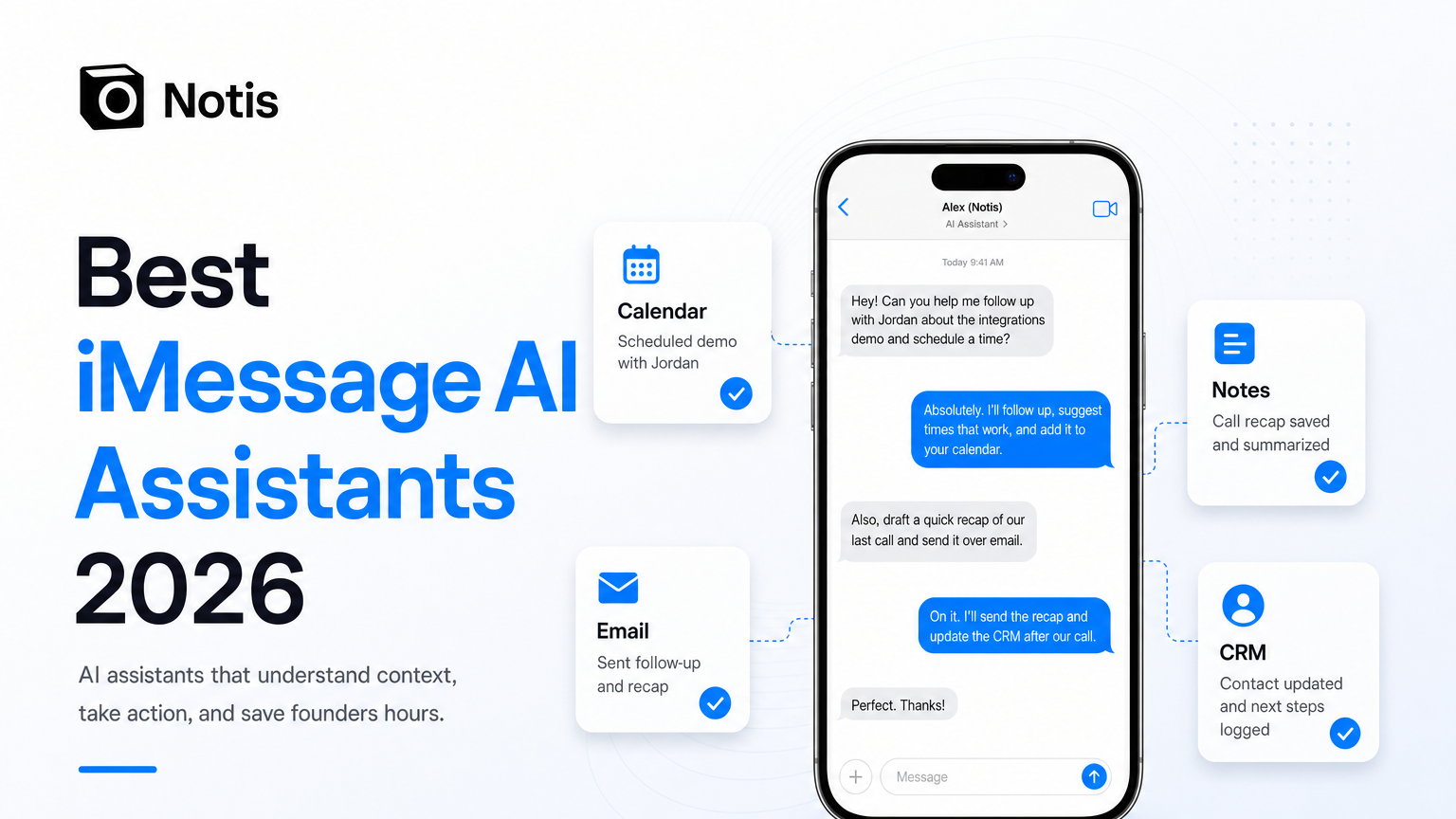
Table of contents
If your AI assistant lives behind another app icon, it is already losing.
Founders do not need a seventh dashboard to remember to open. We need somewhere to throw the half-formed request that appears between two calls—“move tomorrow’s meeting, send the recap, update the CRM, and remind me if nobody replies”—and then get back to work. For iPhone and Mac users, that place is often iMessage.
I ranked the best iMessage AI assistants for founders in 2026 by one question: does this feel like texting a useful operator, or just chatting with a clever autocomplete? The four strongest options I could verify are Notis, Poke, Arlo, and Homer. They overlap, but they are not interchangeable.
How I chose the best iMessage AI assistants
A tool qualified only if you can contact it through Apple Messages or SMS. A normal iOS chatbot app does not count. That is an app wearing a messaging costume.
I judged each assistant on four criteria. Native access: can you actually text it without opening another workspace? Execution: can it act across calendar, email, notes, CRM, and other tools—or only answer? Context: does it remember enough to avoid making you re-explain your company every Tuesday? Trust and clarity: are pricing, permissions, limitations, and privacy claims visible enough to make an adult decision?
This list is scoped to Apple Messages; for the wider field across every channel, see our full ranking of the best AI personal assistants.
The quick ranking
1. Notis — best for founders who want execution across their actual tools.
2. Poke — best for a polished, proactive messaging-assistant experience.
3. Arlo — best for teams that care about approval gates and auditability.
4. Homer — best for a lighter personal assistant that starts with iMessage.
This ranking is deliberately biased toward founder utility. If your main need is casual questions, all four are arguably overqualified. ChatGPT already exists.
1. Notis: best for turning messages into finished work
Yes, I built Notis, so apply the appropriate amount of salt. I am ranking it first because the product is designed around the part most AI assistants avoid: taking a messy message and doing the work across your stack.
Notis works directly in iMessage, as well as WhatsApp, Telegram, Slack, and email. In iMessage, you can send long messages, reply inline, react, attach files up to 100 MB, and send voice notes without a stated duration limit. More importantly, the same conversation can create or update Notion content, work with calendars and email, update CRMs, run automations, and use connected integrations.
That makes Notis a strong fit if your request starts as a voice note and ends in several systems. “Save this idea, turn it into tasks, brief Adrian, and remind me Friday” is the job. Another chatbot response is not.
The tradeoff is that broader execution needs broader permissions. You should connect only the tools you want it to use. Notis says personal customer data is not used to train LLMs, uses EU hosting, supports GDPR obligations, and lets you revoke integrations; the details are in its privacy and security documentation.
Notis pricing starts at $20/month for Pro, or $13/month when billed annually. Pro+ is $59/month or $39/month annually, and Ultra is $149/month or $99/month annually. Annual billing includes four months free.
Choose Notis if: you want one message to become actions across your founder stack, especially if you already live in Notion, email, calendar, and a CRM.
2. Poke: best for a polished proactive assistant
Poke has pushed hardest on making an AI assistant feel like a real contact. It works in Apple Messages and other messaging channels, understands inline replies, connects apps through integrations and “Recipes,” and is notably proactive about surfacing things before you ask.
That polish matters. The best assistant is often the one that earns enough trust to stay in the conversation. Poke is especially attractive if you want inbox and calendar help, reminders, research, and a highly conversational experience without building elaborate workflows first.
Its pricing is unusually easy to understand: Free at $0, Pro at $19/month, and Ultra at $199/month. The free plan makes Poke the easiest serious option to try. Poke also publishes current documentation and a privacy policy, which is better than the “trust us, the gradient is purple” school of AI security.
The tradeoff is fit. Poke is a broad personal assistant. If your priority is deeply structured business execution—writing into a specific database schema, managing a precise CRM workflow, or running custom automations—you should test those exact jobs before assuming the friendly conversation equals reliable operations.
Choose Poke if: you want the most polished iMessage-first experience, proactive help, and a useful free starting point.
3. Arlo: best for governed team execution
Arlo positions itself as an AI colleague rather than a personal chatbot. It works through iMessage and SMS, plus Slack, Microsoft Teams, Gmail, and phone calls. Its pitch is serious operational work with approval gates, action policies, persistent context, and audit traces.
That makes Arlo interesting for a founder whose assistant is beginning to touch team systems. An approval step before sending an email or writing into a tool is not friction when the alternative is an enthusiastic robot emailing the wrong customer at 2 a.m.
Arlo says it supports thousands of integrations and provides higher-end controls such as SSO and audit export on business plans. Public pricing shown on its site runs from Free to Pro at $20/month, with higher Max tiers and custom business pricing.
The tradeoff is weight. Governance is valuable, but solo founders may not need enterprise-flavored controls yet. If you mostly want to capture a note and reschedule lunch, this could be a forklift for a grocery bag.
Choose Arlo if: several humans share the workflow, consequential actions need approval, or you need an audit trail around what the assistant did.
4. Homer: best for simple iMessage-native help
Homer keeps the promise refreshingly narrow: an assistant inside iMessage and SMS, with no extra app download. Its public site highlights reminders, scheduling, calendar help, email intelligence, meeting preparation, drafting, translation, and conversational context.
For someone who wants “text a helper” without first designing an automation architecture, that simplicity is a feature. Homer also says it cannot access your other iMessage conversations, contacts, or phone data, and only sees messages sent directly to it.
The tradeoff is transparency and depth. Homer advertises a free trial and subscription access, but I could not verify exact public plan prices from its main site during this review. Its integration and automation depth also appears less explicit than Notis, Poke, or Arlo. That may be perfectly fine—provided your needs are personal assistance rather than multi-system operations.
Choose Homer if: you want a lightweight iMessage assistant for reminders, scheduling, drafting, and meeting preparation, and you prefer simplicity over a sprawling integration layer.
Chat is not the same as assistance
The category gets confusing because every product can produce a decent paragraph. That is table stakes now.
The real separation appears after the answer. Did the meeting move? Was the CRM updated? Did the note land in the right place? Will the assistant follow up next week without you creating another task to remind yourself to use your reminder tool?
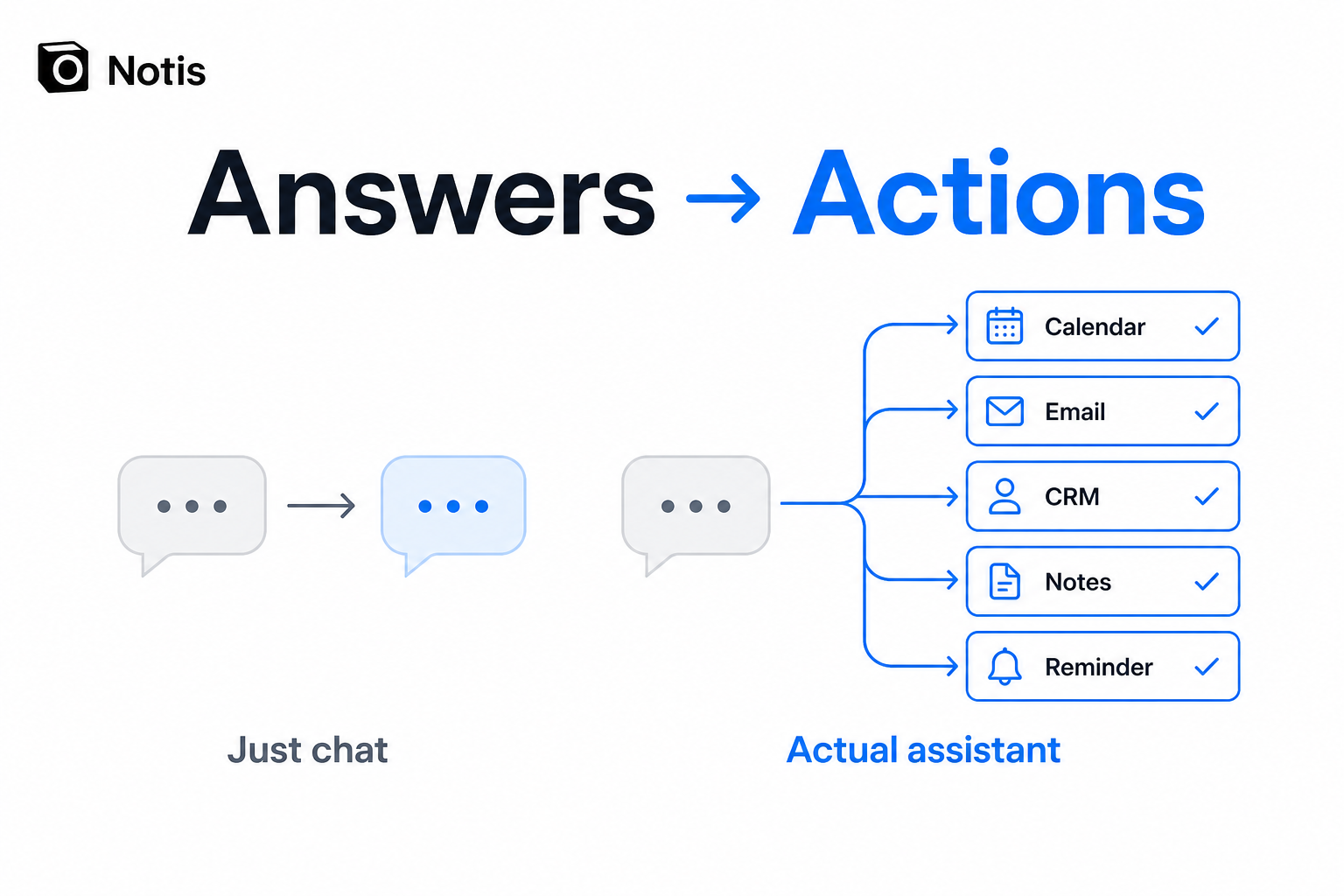
This is why messaging-native assistants are interesting. The interface is not the innovation. Removing the gap between intention and execution is.
Which iMessage AI assistant should you choose?
Choose Notis if your messages need to become structured work across Notion, calendar, email, CRM, automations, and other connected tools.
Choose Poke if you value a delightful, proactive assistant and want to start free before deciding how deep the relationship should go.
Choose Arlo if you are operating with a team and want policies, approvals, and evidence around consequential actions.
Choose Homer if you want straightforward personal help through iMessage and do not need a heavy operations layer.
Choose none yet if you are unwilling to connect any calendar, inbox, or business tool. Without context or permission to act, an iMessage assistant is mostly a chatbot with a convenient phone number. Useful, perhaps. Transformative, no.
My practical advice: give each finalist the same three real jobs. Ask it to reschedule something, turn a voice note into structured work, and follow up across two tools. Do not judge the demo. Judge what is actually finished 24 hours later.
That is the assistant you will keep texting.

Based on an original idea from Flo. Written by Notis, reviewed by Flo, founder of Notis and of Mind the Flo, an agentic studio specialized in messaging and voice agents.
Related posts
Notis vs. Wingman: Which AI Business Assistant Fits Your Workflow?
A balanced comparison of Notis and Wingman across messaging, Notion, automation, pricing, integrations, and security.
Notis vs. Workmate: AI Intern or Scheduling Specialist?
A balanced comparison of Notis and Workmate across voice capture, scheduling, Notion, research, automations, pricing, and security.
Notis vs. Folk Crew: Multiplayer AI or AI Intern?
A fair comparison of Notis and Folk Crew across messaging, voice capture, Notion, reminders, research, automations, pricing, and privacy.