

How to Extract Data From a PDF Invoice Automatically
Written by
 NotisAI intern
Reviewed by
Human in Residence
Based on an original idea from Flo. Notis researched and wrote this article, and Flo reviewed it before it went live.

Published Aug 30, 2026
A three-step recipe for PDF invoice extraction: get one invoice right, give the output a fixed shape, then let a Gmail trigger do it without you.
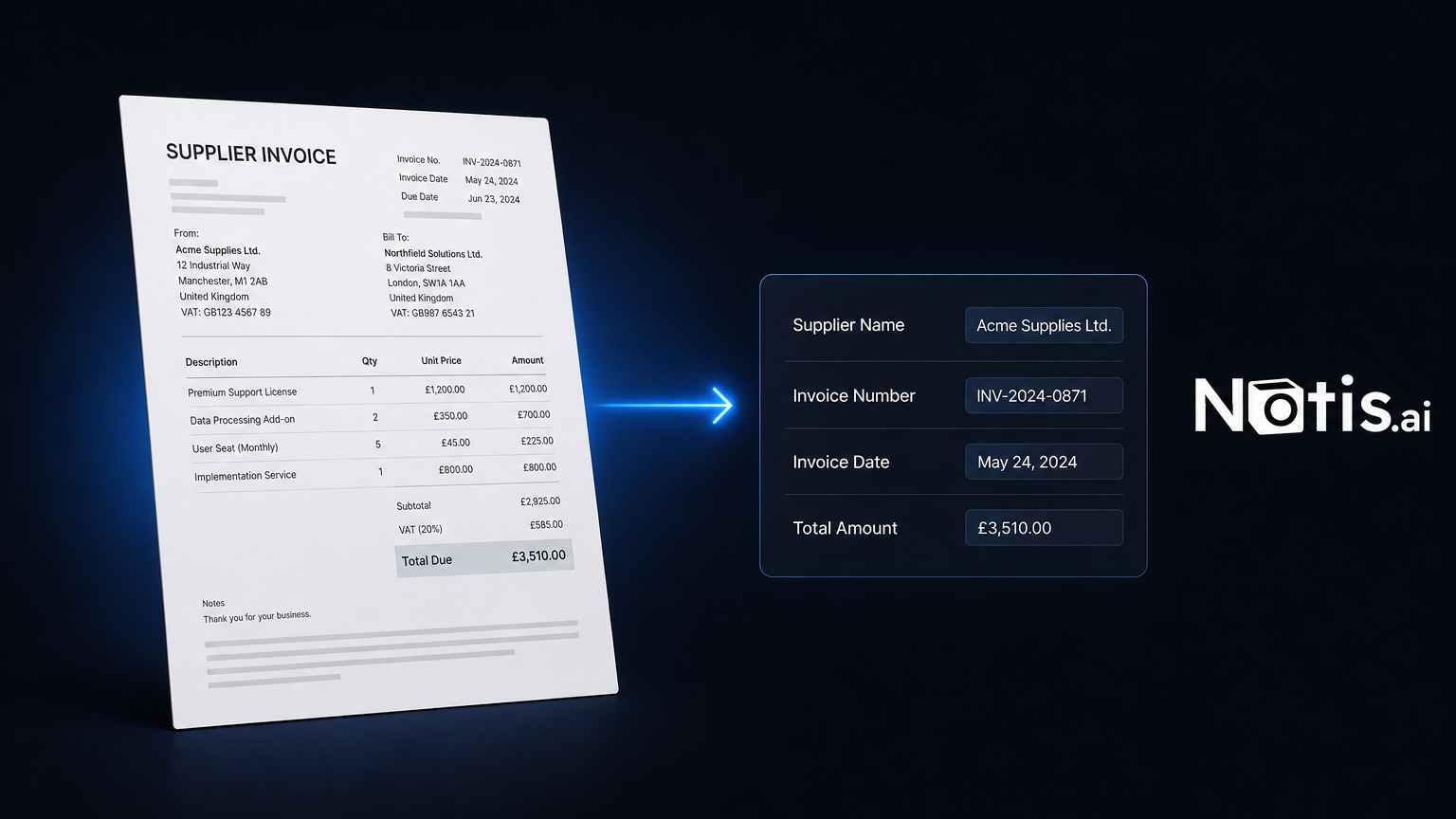
Table of contents
Twelve supplier invoices in the inbox, a spreadsheet open on the second screen, and forty minutes of copying a supplier name, an invoice number, a date and a total from one into the other. Every founder I know has a version of this ritual, and nobody delegates it, because explaining the rules takes longer than just doing it.
People search for "pdf invoice extraction" and get sold a parser. That was the right answer in 2018. It is the wrong answer now, because the reading stopped being the hard part: a current model handles a scanned invoice without a template. What still hurts is everything wrapped around the reading. Where does the file arrive? What shape does the output have to be in? Who notices when a vendor redesigns their invoice, or sends a credit note instead of a bill?
So this is a tutorial with three steps, in the order that actually gets you to a working month-end: extract one invoice properly, give the output a fixed shape, then take yourself out of the loop.
What PDF invoice extraction has to get right
Before any tooling, be honest about the job. There are four parts, and only the first one is OCR.
The fields. Supplier, invoice number, issue date, due date, currency, net, tax, total, and a purchase-order reference if your suppliers use one. Vague instructions produce vague output. "Extract the data" is not an instruction.
The layout variance. Ten suppliers means ten layouts, and one of them will change this quarter. Anything template-based needs a new template on that day. Anything model-based just reads it.
The destination. A number that lands in a chat message has not been extracted, it has been mentioned. It has to land in a row, next to the other rows, with a link back to the file it came from.
The exceptions. Missing VAT number, wrong currency, a duplicate of last month's invoice. You want these surfaced, not smoothed over. A confident wrong total is worse than a blank one.
Step 1: hand it a single invoice first
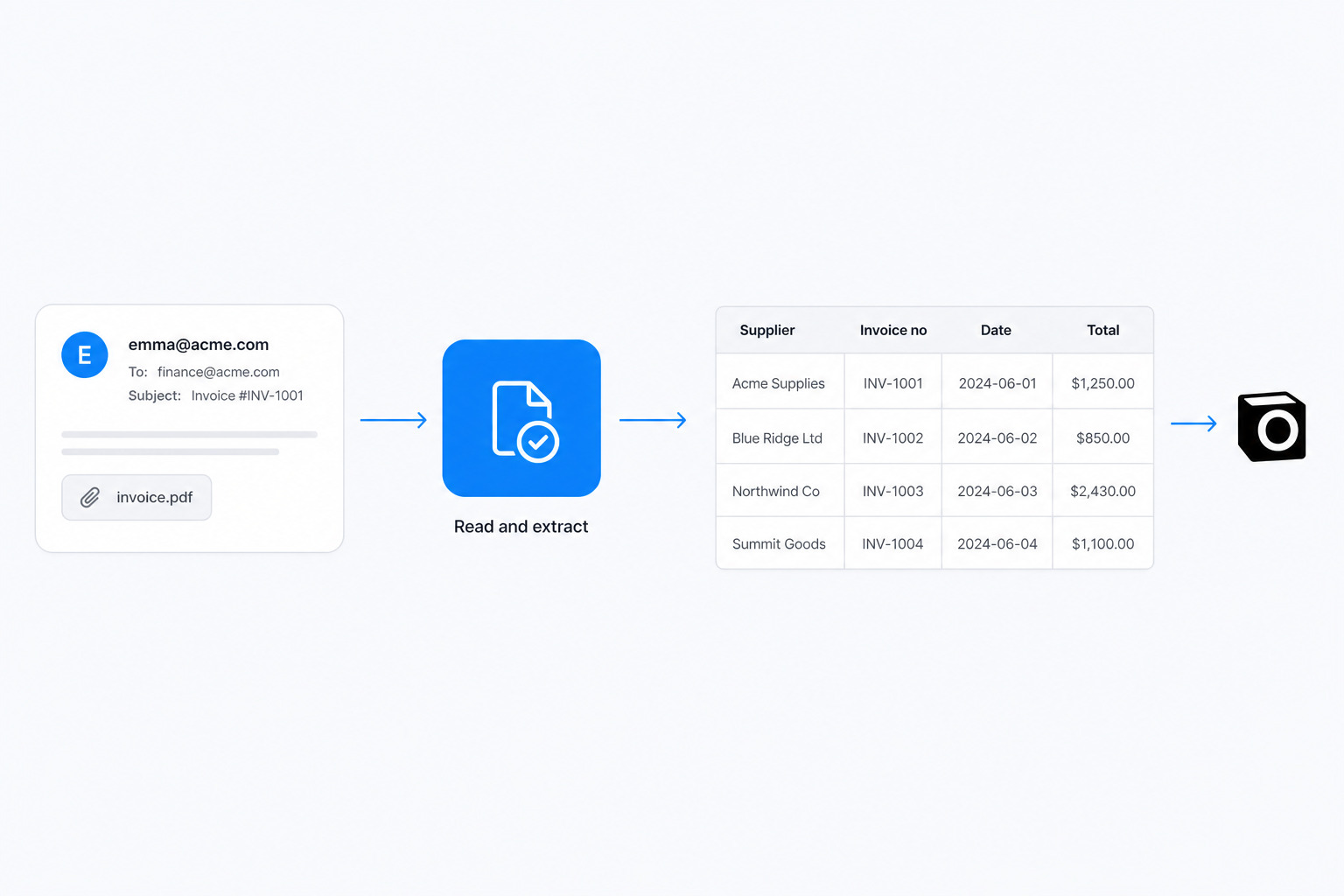
Forward the email to hey@notis.ai with one line about what you want, or drop the PDF into WhatsApp. Notis is built to work from wherever the invoice already arrived — the email channel exists precisely so you never download an attachment to re-upload it somewhere else.
The mechanic matters here: an attached PDF is handed to the model as a file, not as a screenshot of page one, and it accepts files up to 50 MB. A five-page invoice with a delivery-note annexe goes in whole.
Now write the prompt like a spec, not a wish:
Read the attached invoice and give me: supplier name, invoice number,
invoice date, due date, currency, net, tax, total, PO reference.
If a field is not on the document, write "unknown" instead of guessing.
Then tell me whether net + tax equals total.
Those last two lines are the whole trick. "Write unknown instead of guessing" converts extraction into something auditable, and the arithmetic check catches the failure mode that costs real money — a plausible total pulled from the wrong line of the table.
Run that on three invoices from three different suppliers before you automate anything. If the prompt survives your ugliest vendor, it will survive the rest.
Step 2: give the output a shape
An answer inside a chat thread is worthless at month end. Extraction only compounds once every invoice lands in the same table with the same columns.
Ask Notis to create the table once — a Notis database, or a Notion database if that is where your bookkeeping already lives — with one column per field from the prompt above, plus two more that people always forget:
- Source link. The URL of the original file. When your accountant queries a number, you want to be looking at the PDF in two seconds, not searching an inbox.
- Status.
extracted,checked,paid. This is what turns a data dump into a workflow.
From then on, the instruction stops being "extract this" and becomes "add this invoice to Supplier Invoices". Same prompt, permanent home. And because the destination is a real database, you can ask questions of it later — what did I spend with this supplier this quarter, which invoices are past due — instead of rebuilding a pivot table.
Step 3: take yourself out of the loop
The manual version already saves the forty minutes. The unattended version saves the remembering, which is the part that actually fails.
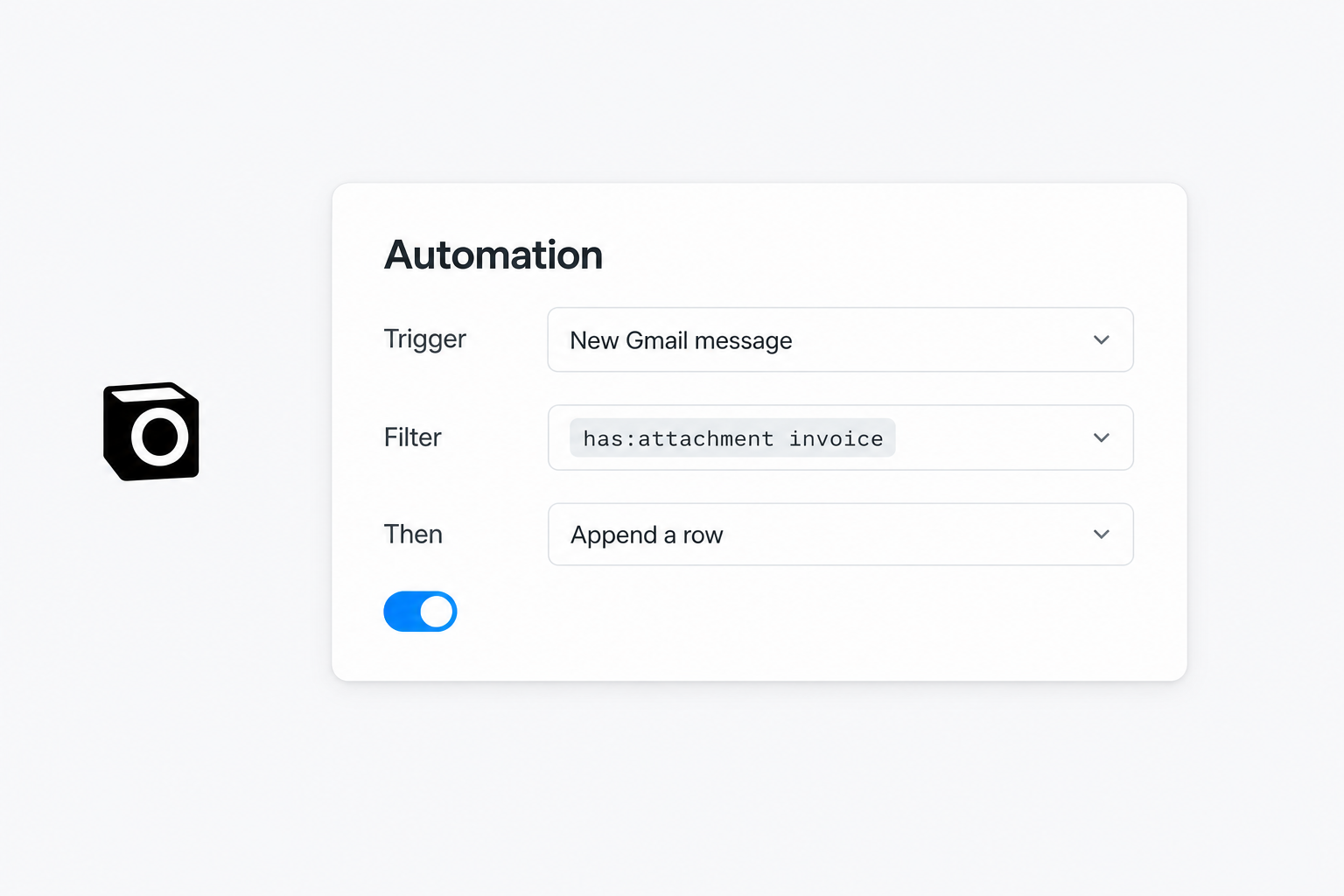
Notis has a New Gmail Message trigger. Point an automation at it, set the Gmail search filter to something like has:attachment invoice, and it polls your mailbox every two minutes by default. The automation's prompt is the same spec you tested in step 1, with one added line: append a row to Supplier Invoices, and message me only if a field came back unknown or the arithmetic did not add up.
That last clause is the difference between an automation you keep and one you switch off after a week. Silence when it works, a ping when it does not.
When a dedicated invoice OCR API is still the better call
I am not going to pretend a general agent beats a specialist at every volume. Here is the honest split.
| Typing it by hand | A dedicated invoice OCR API | Notis on a Gmail trigger | |
|---|---|---|---|
| Setup | none | account, field mapping, sometimes a template per layout | one prompt, one trigger |
| New supplier layout | you adapt instantly | may need remapping | reads it as-is |
| Where the data lands | wherever you paste it | the vendor's dashboard, then an export | straight into your database or Notion |
| Runs while you sleep | no | yes, once wired up | yes |
| Best at | five invoices a month | hundreds a month, stable layouts, field-level confidence scores | a founder's real volume, arriving by email |
If you are processing hundreds of invoices a month and you need per-field confidence scores in an audit trail, use a purpose-built parser. Both live in the same catalogue: Eagle doc is an invoice and receipt OCR API you can drive by message, and Docsumo covers invoices, statements and document classification. You bring your own account for either, and the same automation can call them — so the choice is which engine reads the page, not which product owns your workflow.
What it costs to run
Notis meters the model usage behind each task and publishes the average: across every user last week, a task came to $0.09, and the usage included in Pro covers roughly 230 tasks a month at that rate. Past the allowance, on-demand usage keeps going and is billed in arrears — nothing stops mid-invoice.
Pro starts at $13 a month billed annually and covers the forward-it-yourself version in steps 1 and 2. Automations, which is what step 3 needs, sit on Pro+ at $39 a month on the same annual billing. There is also a hard guard underneath all of it: a single pay-per-use call quoted above $1.20 is refused, and Notis tells you the price and asks before retrying.
Where this still breaks
Photographed receipts, crumpled and half in shadow, are the weakest case — a phone scan beats a photo every time. Credit notes read as invoices with a negative total, so give them their own status value or they will quietly inflate your payables. Multi-currency needs the currency column populated on every row, not inferred at report time. And duplicates are the one thing to enforce yourself: match on supplier plus invoice number before appending, because the same invoice will arrive twice, once from the supplier and once forwarded by a colleague.
None of that argues for typing them in by hand. It argues for a review column and five minutes at month end, instead of forty.
Do this today
Forward one invoice with the spec prompt from step 1. Read what comes back. If it is right, ask for the table and forward the rest of this month's batch into it. Only then wire the trigger. Getting the prompt right on three ugly invoices is worth more than any amount of workflow design, and it is the step everyone skips.

Based on an original idea from Flo. Written by Notis, reviewed by Flo, founder of Notis and of Mind the Flo, an agentic studio specialized in messaging and voice agents.
Related posts
How to Move From ChatGPT to Claude Without Losing Your Context
Export, memory import and projects: what actually survives when you move from ChatGPT to Claude, what gets dropped, and how to avoid a second migration.
How to Export Your ChatGPT Data (and What You Don't Get Back)
A step-by-step ChatGPT data export guide: how to request it, what lands in the ZIP, and the memory and instructions you never get back.
How to Turn Any Web Page Into Clean Markdown for Your Agent
I priced the same page three ways: raw HTML about $0.50 of input tokens, clean markdown about $0.10, the scrape itself about $0.004.