

4 Best Slack AI Assistants for Founders in 2026
A founder-first comparison of Notis, Slackbot, Lindy, and Glean—what each Slack AI assistant does best, where it falls short, and which one fits your workf
Founders do not need another AI tab. We already have enough tabs breeding in the background like digital rabbits. If your team actually works in Slack, the useful question is not “Which AI has the longest feature page?” It is: which assistant can understand the conversation, do the work, and report back without dragging everyone into a new interface? That is the standard I used for this list of the best Slack AI assistants for founders in 2026. The four tools below are good at very different jobs. One searches company knowledge. One is native to Slack. One builds custom automations. One acts more like an AI intern you can delegate to from a thread. The “best” choice depends on which of those jobs is currently eating your week.
How I chose the best Slack AI assistants
I looked at five things: how naturally the assistant fits into Slack; whether it can use company context; whether it merely answers or can also execute; how much setup it needs; and whether the pricing model makes sense for a small, fast-moving team.
That last distinction matters. Summarizing a 93-message thread is useful. Updating the CRM, researching the prospect mentioned in that thread, drafting the follow-up, and reminding you if nobody replies is a different category of useful.
An AI assistant can be a librarian, a writer, an automation builder, or a delegate. Do not accidentally buy a librarian when what you need is an operator.
The short version
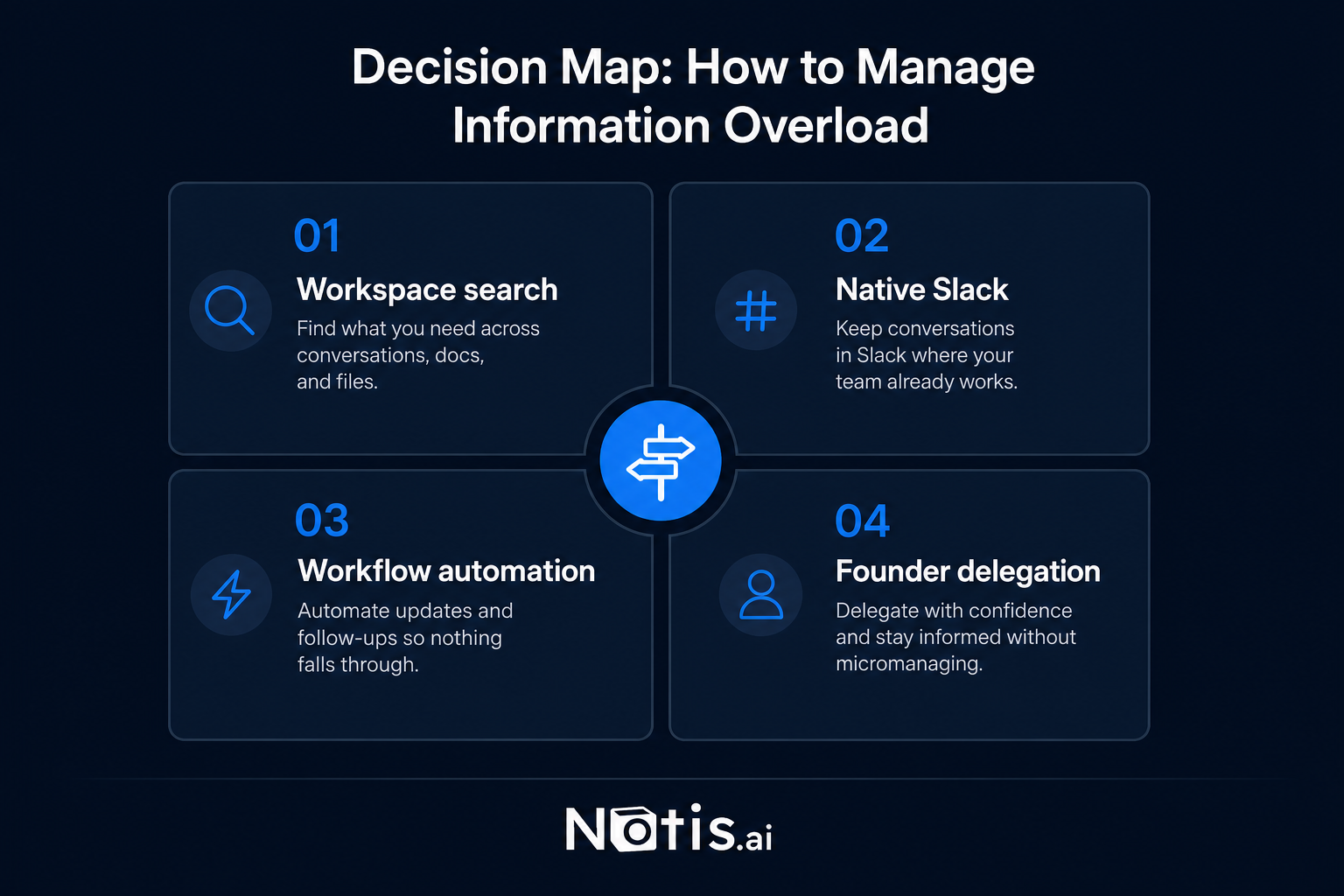
Notis is best for founders who want to delegate cross-app work from Slack. Slackbot is best for teams that want native summaries and answers from Slack context. Lindy is best for operators willing to build custom agent workflows. Glean is best for larger companies whose real problem is finding knowledge across many systems. They overlap, but they are not interchangeable.
1. Notis: best overall for founder delegation from Slack
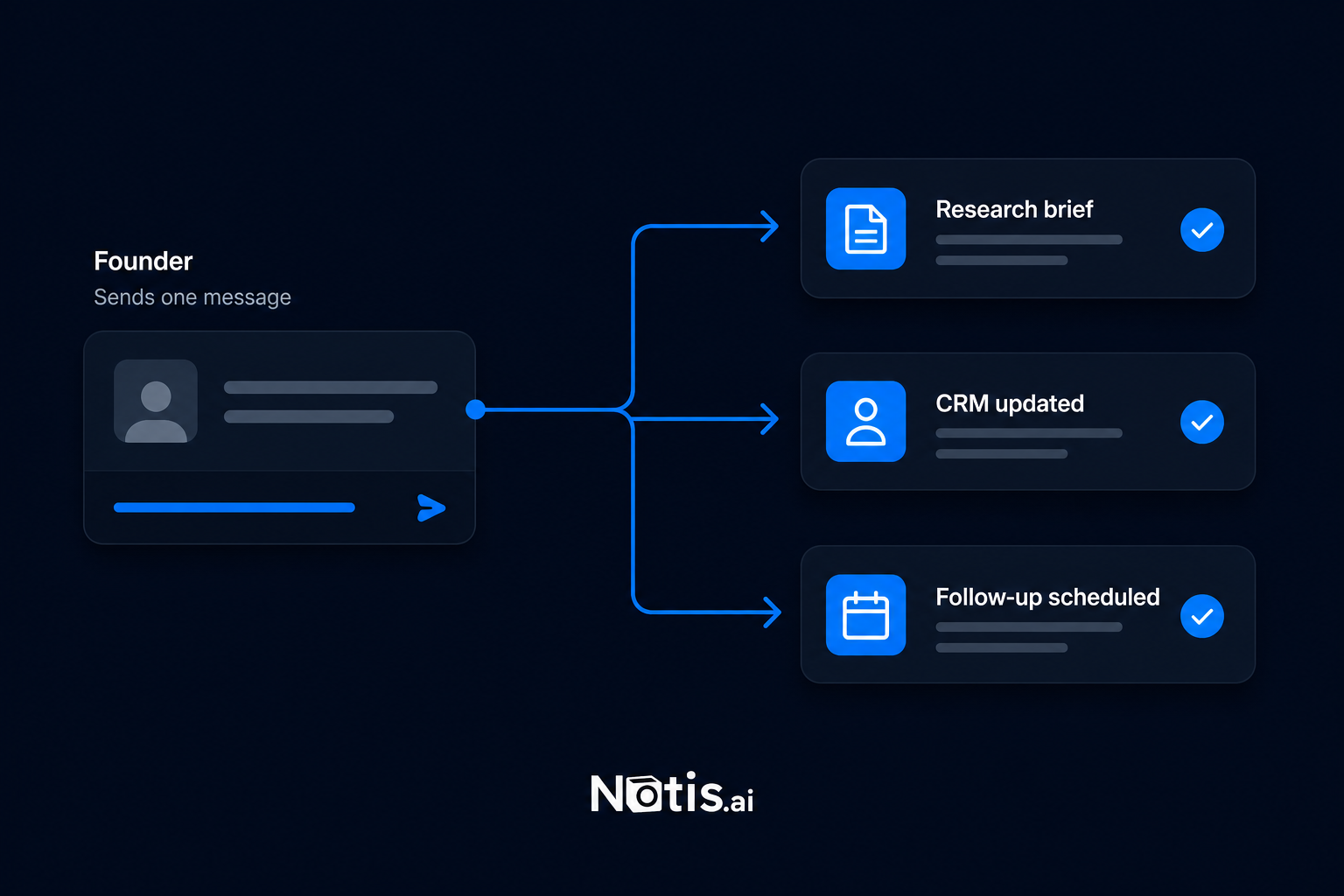
Notis on Slack is built for the founder who wants to say, “Research this company, update the CRM, draft a reply, and remind me Friday,” then get back to the actual business.
You can work with Notis in DMs, channels, and threads. The important bit is not that it chats in Slack. Plenty of bots do that. The important bit is that Notis can connect the conversation to actions across business tools. Its Slack integration directory exposes workflows across more than 1,000 apps, so a message can become work rather than a beautifully formatted suggestion for work you still have to do.
This makes Notis the strongest option here for small founder-led teams that already live in messaging and need execution across email, calendars, CRMs, project tools, documents, and research.
The tradeoff is equally clear: if all you want is native Slack search and thread summaries, Notis is more agent than you need. It also uses execution credits, so complex multi-step work costs more than a simple reply. That is fair, but you should understand the model before turning every emoji reaction into a 14-step workflow. Notis explains the Slack thread and credit model here.
Choose Notis when: your bottleneck is follow-through across tools, not finding one more answer.
2. Slackbot: best native option for understanding Slack
The new Slackbot is the obvious starting point because it already sits inside the workspace. Slack positions it as a context-aware personal AI agent that can answer questions, summarize conversations and files, draft content, and work with connected systems such as Salesforce. For a team drowning in its own message history, that native context is a serious advantage. There is no separate bot to teach where the channels are. No awkward ritual of copying a thread into another tool. It understands Slack because it is Slack. Slack says the full experience is available on Business+ and Enterprise+ plans, with limited access for some Free and Pro users. Current plan details are on Slack’s pricing page, so check the exact packaging for your workspace rather than trusting a screenshot from six months ago. AI pricing changes faster than a founder changes their project-management system. The limitation is scope. Slackbot is strongest when the job begins and ends with understanding workspace context, drafting, and native actions. If you want a general-purpose delegate coordinating many external tools, compare the exact actions you need before assuming “agent” means “does everything.” Choose Slackbot when: your company knowledge already lives in Slack and native retrieval is the main pain.
3. Lindy: best for building custom Slack automations
Lindy’s Slack integration is aimed at operators who want to design AI workflows around Slack events. A new message, mention, or emoji reaction can trigger an agent that summarizes a thread, routes information, flags something urgent, or continues a workflow in another app. That flexibility is powerful. A support team can route escalations. A sales team can enrich leads. An operations lead can turn a reaction into a repeatable process. Lindy is less “one assistant with an ongoing relationship” and more “a workshop for building several specialized assistants.” The tradeoff is setup and governance. Somebody has to design the workflows, test edge cases, watch usage, and decide what happens when an agent fails halfway through. Lindy’s current pricing is usage-based across paid plans, while its usage documentation explains how credits and overages work. If you have a clear, repeated process, that can be excellent value. If your work is mostly messy one-off delegation, you may spend too much time building the machine that was supposed to save you time. Choose Lindy when: you want configurable event-driven automations and have an operator willing to own them.
4. Glean: best for enterprise knowledge search in Slack
Glean in Slack brings enterprise search and Glean agents into a Slack sidebar. Its real strength is not Slack alone. It is permission-aware retrieval across the company’s connected knowledge, then making that knowledge accessible where employees are already talking. For a larger organization, this solves a painful problem: “I know this answer exists, but I have no idea whether it is in Slack, Drive, Jira, Confluence, or somebody’s ancient onboarding document.” Glean can be the connective tissue across that sprawl. It is also the least natural fit for a five-person startup. Glean’s packaging and usage can depend on enterprise licensing and configuration; its Enterprise Flex documentation describes pooled usage for advanced queries and agent runs. That makes sense when knowledge access is an organizational infrastructure problem. It is probably overkill when the CEO, salesperson, and support lead are still the same human wearing three hoodies. Some write-heavy or approval-dependent actions may also move back into Glean’s web experience. So if your goal is to remain entirely inside Slack while executing external work, validate the workflow rather than buying the enterprise-search story. Choose Glean when: your main problem is secure knowledge discovery across a large company stack.
The honest comparison
For Slack-native context, Slackbot has the home-field advantage. For enterprise knowledge retrieval, Glean goes deepest. For configurable trigger-based workflows, Lindy gives operators more machinery. For founder-style delegation that starts in a conversation and crosses into many other apps, Notis is the cleanest fit. This is why feature grids often create more confusion than clarity. All four products can “use AI in Slack.” That sentence is technically true and strategically useless. Ask what should happen after the answer. If the assistant says, “Here is the follow-up email,” do you want to copy it yourself? If it finds a customer risk, should it update the account and notify the owner? If a decision is made in a thread, should somebody have to recreate it as a task? The value is rarely in the first response. It is in closing the loop.
Which Slack AI assistant should you choose?
Choose Notis if you are a founder or lean operator who wants to delegate messy, cross-app work from a Slack message or thread. Choose Slackbot if you mainly need fast, native answers, summaries, and drafting based on Slack context. Choose Lindy if you have repeatable workflows, want granular triggers, and enjoy building the operational machinery. Choose Glean if you are buying for a larger organization where permission-aware knowledge discovery matters more than founder-style task execution. Choose none yet if your team has not agreed on what the assistant is allowed to read, change, send, or spend. Adding AI to a chaotic workflow does not create clarity. It creates faster chaos with nicer prose. Start with one painfully specific job. Run it for two weeks. Measure completed outcomes, not messages generated. Then expand. That is less exciting than announcing an “AI transformation.” It is also how useful systems actually get built.

Flo is the founder of Mind the Flo, an Agentic Studio specialized into messaging and voice agents.
Related posts
7 Superhuman Alternatives in 2026 (And Why the Inbox Now Costs a Business Seat)
Superhuman Mail now sits on the Business tier at 33 euros per member per month billed annually. Seven first-party-sourced alternatives, what each one charges against, and one honest catch each.
OpenClaw vs. Notis.ai: Self-Hosted Power or Zero-Setup Delegation?
A fair founder-to-founder comparison of OpenClaw and Notis.ai: self-hosted control, setup burden, security ownership, pricing reality, and when each assist
6 Base44 Alternatives Worth Switching To in 2026 (Priced Honestly)
Base44 quotes its $16-$160 tiers at the annual rate and runs two separate credit meters. Here are five app builders and one assistant that charge differently, every price read from the vendor's own site, with an honest catch for each.