

From Deep Search to Hero Image: Automated Blog Writing with Notis
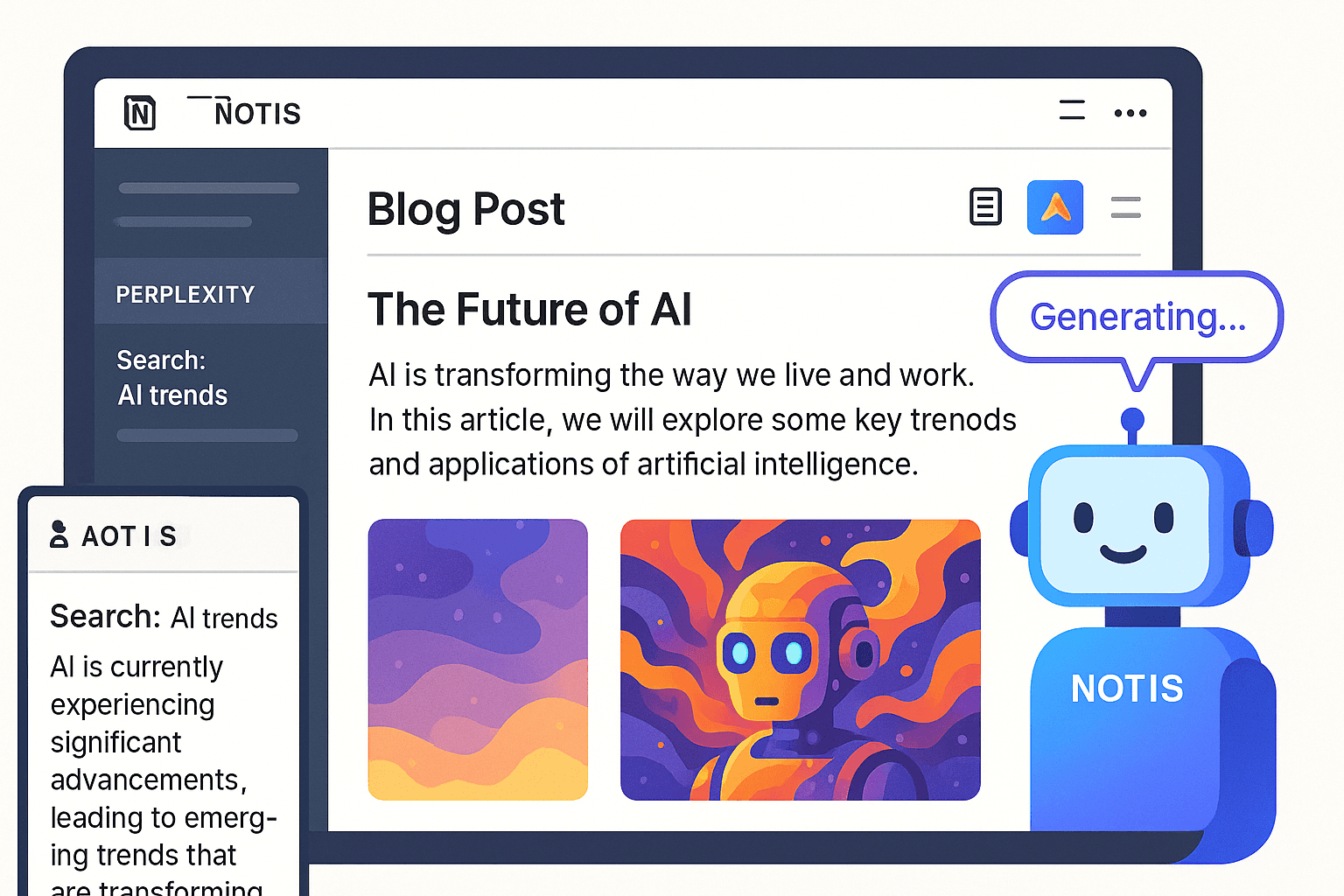
Automate your blog writing with Notis: streamline research, generate tailored visuals, and draft directly in Notion to enhance productivity and creativity, transforming writing from a project into a habit.
Imagine blog writing as easy as delegating to an AI intern
Writing a blog post is never “just writing.” It’s research, it’s angle selection, it’s outlining, it’s drafting, it’s editing, it’s finding an image that doesn’t look like every other stock photo on the internet.
If you’re a founder, that context switching is the real tax. You open Perplexity for research, you open a doc to draft, you open another tool to get visuals, you open Notion to publish, and somewhere in between… your original idea dies.
What I wanted was simple: tell an assistant what I’m trying to say, and get a publish-ready post in Notion, with the research baked in and a hero image that matches the concept.
That’s the workflow Notis unlocks.
Deep research without the noise
Most “AI writing” workflows fall apart at step one: the research. You either get surface-level answers that sound confident but aren’t grounded, or you end up in a tab explosion where you’ve read twenty sources and written nothing.
The useful version of research is not “more information.” It’s the right information, filtered through your intent.
With Notis, the research step is designed to feel like delegating to a smart teammate. You describe the topic and what you’re trying to accomplish, and Notis runs a deep search to pull the most relevant takeaways. Instead of handing you raw links, it hands you a structured foundation you can actually write from.
The impact is subtle but massive: you start drafting from a coherent narrative, not from scattered notes.
A hero image you don’t have to hunt for
The internet has two types of blog visuals.
The first is the generic stock photo that signals “I needed an image, not a point.”
The second is custom artwork that looks great, but costs time, money, coordination, and another context switch.
Notis removes the image scavenger hunt. You describe the vibe and the concept, and it generates a hero image that matches the post. No switching tools, no “good enough” compromise, no wasting thirty minutes searching for something that feels on brand.
When the hero image is created as part of the workflow, you don’t treat it like an afterthought. It becomes part of the storytelling.
Drafting directly where you publish
The last trap is the “draft somewhere else, paste into Notion later” routine. It sounds harmless, but it creates friction at the exact moment you should be editing and shipping.
Notis writes directly into your Notion Blog database, following your formatting rules. That matters because writing is not just the words. It’s structure, headings, clarity, and the way your content looks when someone reads it.
Once you have the draft in Notion, you can iterate like a normal human. You tweak, you tighten, you add your own stories, and you hit publish when it feels right.
The real unlock is not speed, it’s momentum
Yes, this workflow is faster. But speed is not the main benefit.
The real benefit is that it preserves momentum.
When you can go from idea to research to draft to visuals without leaving your system, you stop “saving ideas for later.” You ship more, and the quality stays high because you’re not rushing at the end.
That’s the difference between playing with AI and actually using AI.
How the workflow looks in practice
You start with a message that sounds like something you’d send to a person.
You tell Notis the topic and the angle you want. You ask it to research deeply. You ask for a publish-ready draft. You ask for a hero image that fits.
Notis does the research first, then writes the post, then generates the hero image, then saves everything into your Notion Blog database.
From there, the process becomes boring in the best way. Review, edit, publish.
If you want to try this, start with one post
Pick a topic you already care about. Something you’ve explained ten times in calls or voice notes.
Then do one simple experiment: delegate the whole workflow end to end, and measure how it feels.
If you’re like me, you’ll realize the point isn’t to automate creativity. The point is to remove the annoying parts so you can spend your attention on the parts that actually require taste.
And once you have that, writing stops being a project. It becomes a habit.

Flo is the founder of Mind the Flo, an Agentic Studio specialized into messaging and voice agents.
Related posts
Build your voice-powered chief of staff: 9 Notis workflows you can set up in 30 minutes
Founders get 5x faster by letting Notis automate the repeatable 80%. Speak once, and these nine workflows route work, draft first versions, and keep momentum. Set them up in half an hour.
How Notis Supercharges Your Blog Writing: From Perplexity Research to Instant Hero Images
Writing a compelling blog post usually means juggling research, drafting, and illustration—often across multiple apps. What if you could delegate the whole process to your AI assistant and have everything—deep research, a polished draft, and a vibrant hero image—ready to publish in Notion with a single voice note or message?
How We Killed Weekly Standup Meetings (And Saved 10 Hours Per Week)
Weekly standups don’t need to be meetings. Here’s how we replaced a 10-person recurring sync with async voice updates and an automated founder summary that gave leadership more visibility with far less interruption.